The quick answer
There are more AI video ad generators on the market than ever, and most landing pages make them sound identical. They aren't. Picking the wrong one costs you slow renders, watermarked output you can't legally run as a paid ad, or credits that vanish before you've found a winning creative. The category splits into three real groups: general text to video models built for cinematic clips, avatar or talking head tools built for explainers, and commerce focused ad makers built around product photos and UGC. If you're selling a product, the commerce focused group (where A.I. Creator U. sits, running on Seedance 2.0) is almost always the right fit, because it removes the steps between having a product and having a finished ad rather than handing you a blank canvas and a text box.
This is a practical, honest buyer's guide. We'll cover what actually matters when you're generating video ads for real campaigns, not just what looks impressive on a demo reel, and where A.I. Creator U. fits along with where it doesn't.
What an AI video ad generator actually does
An AI video ad generator turns text prompts, product photos, or ideas into short video clips you can run as advertising. The good ones go further than raw generation. They help you build the actual ad: choosing a format, adding motion to your product, generating creator style footage, and exporting something that's ready for the feed rather than a raw clip you still have to edit into shape.
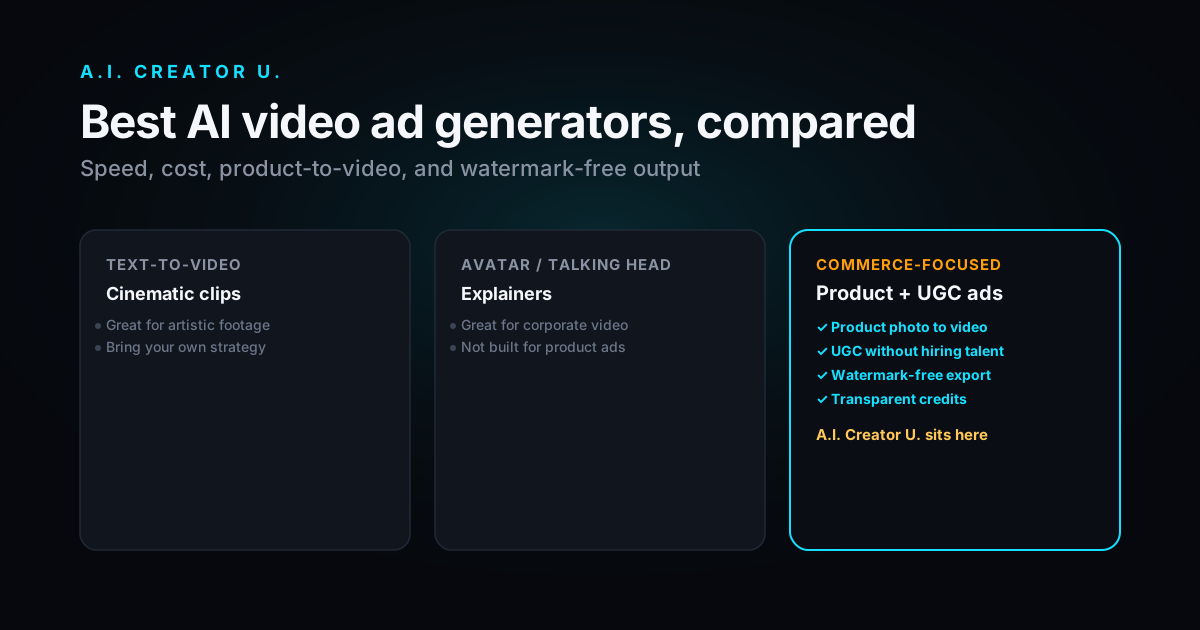
The category splits roughly into three groups, and knowing which one a tool belongs to tells you most of what you need to know before you even sign up.
General text to video models are powerful and often genuinely cinematic, but they're built for clips, not commerce. You bring your own ad strategy, your own editing, and your own understanding of what makes a scroll stopping hook. These tools are excellent for artistic or narrative content and can feel like overkill, or worse, the wrong tool entirely, for a straightforward product ad.
Avatar or talking head tools are great for explainers, onboarding videos, and corporate style presentations. A presenter reads a script to camera. That's a specific and useful format, but it's rarely what makes a dropshipping or ecommerce ad convert, since it reads as a company talking at the viewer rather than a person recommending something.
Commerce focused ad makers are built around product photos, UGC, and ad formats specifically. This is where A.I. Creator U. sits. The whole product is oriented around the question "how do I turn this product into an ad," not "how do I generate an interesting video."
What to look for: the real criteria
Speed
If a render takes ten minutes, you won't test enough creatives to find a winner. Fast generation is what lets you spin up five hooks, run them as separate ad sets, and scale the one that actually performs. Speed isn't a nice to have here. It's a workflow multiplier that determines how many shots you get at finding a winning angle before your budget runs out.
Cost and credit transparency
Most AI video tools price by credits or generations. What matters is cost per usable clip, not the headline price on the landing page. Watch specifically for tools that burn credits on failed or low quality generations, since that's where the real cost hides. A clear credit model, where you know what each generation costs and you're not charged for genuine failures, protects your testing budget far more than a slightly lower advertised price. A.I. Creator U. runs on a transparent credit system with monthly plans so you can predict your spend before you commit to a campaign.
Product photo to video
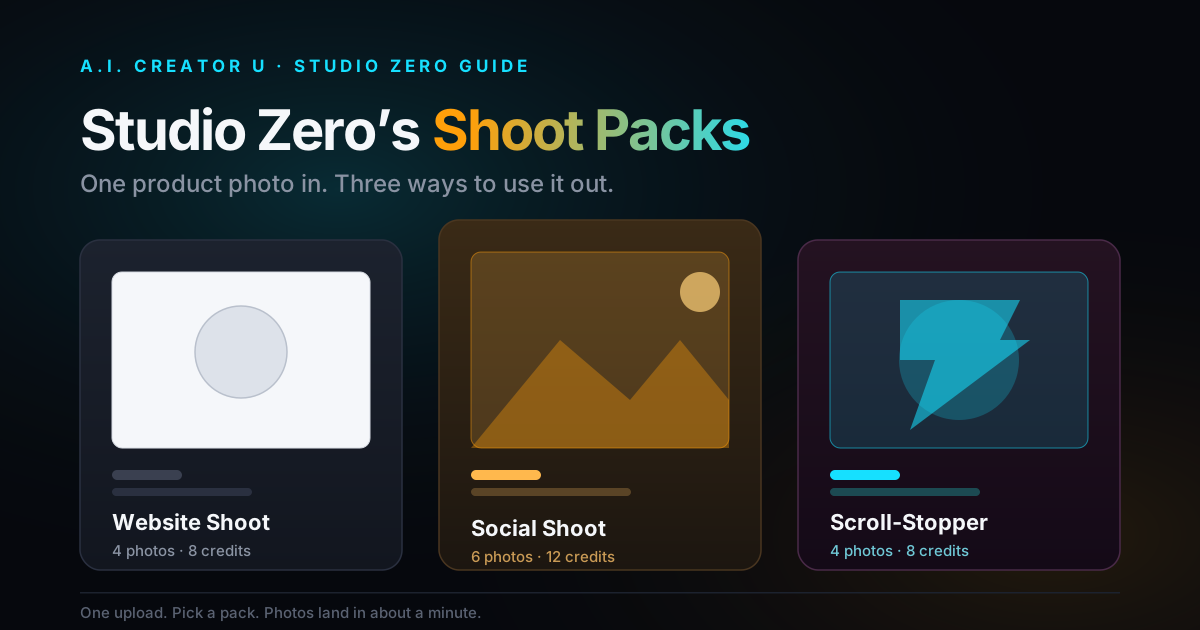
This is the single most important feature for ecommerce, full stop. Can you upload your actual product photo and get realistic motion, or are you stuck describing your product in text and hoping the model invents something close to what you actually sell? Tools that start from your real image, like the Studio Zero product shot and ad maker, keep the product accurate, which matters enormously when you're selling a specific SKU with a specific look that buyers expect to see delivered.
UGC style output
User generated content style video, meaning creator feeling talking heads and hands on demos, is the highest converting ad format for most ecommerce brands. A generator that can produce UGC creator footage without you hiring talent saves the single largest line item in most ad budgets, and it saves the coordination overhead of briefing a creator, waiting on their schedule, and reviewing footage that may or may not match what you needed.
Watermark free, ad ready output
Some tools stamp a watermark on free or lower tier output. You cannot run a watermarked clip as a paid ad. It reads as cheap, kills trust instantly, and in some cases violates the ad platform's own creative policies. Make sure your plan exports genuinely clean video before you build a campaign around it. And if your source product photos have supplier watermarks baked in, an AI watermark remover cleans the input too, so the problem doesn't just move upstream.
Motion quality
Early AI video was infamous for warping faces and melting hands, and that reputation still shapes how skeptical buyers are of "AI looking" ads. The underlying model matters more than any feature list. A.I. Creator U. runs on Seedance 2 models, which produce smooth, coherent motion, the actual difference between an ad that looks intentional and one that looks like a glitch a viewer scrolls past in half a second.
How A.I. Creator U. compares
We'll be straight about where it's strong and who it's genuinely for, rather than pretending it's the right fit for everyone.
Where it shines: it's built for ecommerce ads specifically, not just clips in general. Product photo to video, an AI ad maker, virtual try on, and UGC generation are first class features here, not afterthoughts bolted onto a general purpose model. Motion quality is strong thanks to the Seedance 2 models underneath. Output is watermark free on paid plans, and there's a built in watermark remover for cleaning up source images that came from a supplier with their own branding stamped on. Credits are transparent, with monthly subscriptions that keep testing at volume affordable rather than unpredictable. And it's a real toolkit beyond a single generator: story videos, text message style videos, and product shots exist alongside the core ad generation, so a creative testing habit doesn't require juggling five separate subscriptions.
Where a different tool might genuinely fit better: if you only need corporate avatar explainers, meaning a presenter reading a script for an internal training video or a SaaS product walkthrough, a dedicated avatar platform is likely more specialized for that exact job. And if you want a raw, unopinionated text to video model purely for artistic clips with no commerce features at all, a general model gives you a blank canvas that a commerce focused tool deliberately doesn't try to be.
For most marketers and ecommerce sellers who want to turn products into ads quickly and cheaply, the commerce focused approach wins, because it removes the steps between "I have a product" and "I have an ad" rather than leaving you to invent that workflow yourself.
A closer look at what "commerce focused" actually buys you
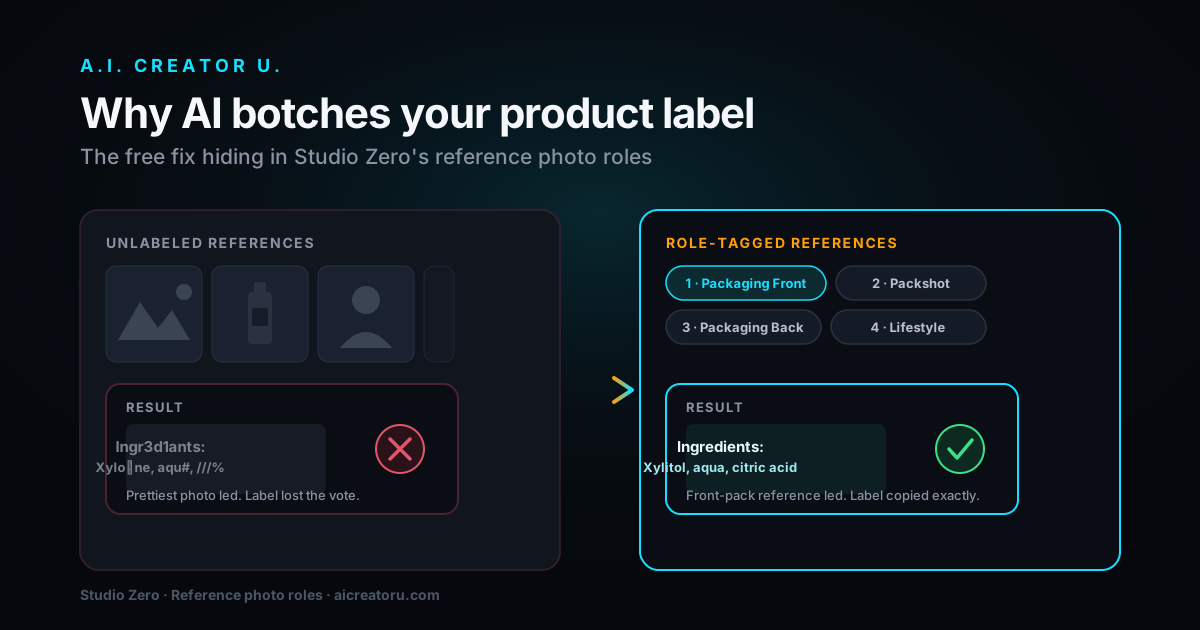
It's worth being concrete about this instead of leaving it abstract. A general text to video model, given the prompt "a skincare bottle on a bathroom counter," will generate a bottle. It might be the right shape, it might not, and it almost certainly won't be your specific product with your specific label. A commerce focused tool starts from a photo of your actual bottle, with your actual label, and adds the motion and environment around it. That's not a small convenience. It's the difference between an ad you can run today and an ad you'd need to keep regenerating and hoping gets closer to your real product with each attempt.
The same logic applies to UGC. A general model can generate "a person talking to camera," but matching that person's tone, setting, and delivery to what your specific product needs takes iteration. A tool built around UGC ad formats specifically has already made the decisions (framing, pacing, how the product gets held up to camera) that a general tool leaves entirely to you.
A simple way to choose
Ask yourself three questions, in order.
Am I selling a specific product? If yes, prioritize product photo to video above every other feature on this list. Don't settle for a text only tool and hope the output resembles what you actually sell.
Do I need to test lots of creatives? If yes, prioritize speed and transparent, predictable credits over a slightly more cinematic looking demo reel. The tool that lets you test ten ideas beats the tool that makes one beautiful clip you can't afford to iterate on.
Will these run as paid ads? If yes, demand watermark free, native format output as a non negotiable, not a nice to have on a higher tier plan.
If you answered yes to all three, you want a commerce focused generator, and A.I. Creator U. is built precisely for that profile. If you answered no to any of them, one of the other two categories (general text to video, or avatar explainers) is probably the better fit, and it's worth being honest with yourself about that before you sign up for the wrong tool.
Common mistakes when evaluating these tools
Judging a tool by its demo reel instead of your own product. The most cinematic sample clip on a landing page tells you almost nothing about how the tool will handle your actual product photo. Test with your own image before committing to a plan.
Ignoring the failed generation policy. Some platforms charge you credits even when a generation comes out unusable. Read the fine print, or better, just generate something and see what happens when it doesn't come out right.
Comparing headline prices instead of cost per usable clip. A cheaper plan with a high failure rate or a slow render queue can cost more in practice than a pricier plan that gets you a usable ad on the first or second try.
Assuming watermark free means ad ready. Watermark free is necessary but not sufficient. Check aspect ratio, resolution, and whether captions or safe zones for platform UI elements are handled, before you assume the export is genuinely feed ready.
FAQ
What's the best AI video ad generator in 2026? There's no single "best." It depends on your use case. For ecommerce and product ads, a commerce focused tool with product photo to video, UGC, and watermark free export, like A.I. Creator U., fits most sellers. For pure artistic clips, a general text to video model may suit better.
Can AI video ad generators use my own product photos? The good ones can. Look specifically for "product photo to video" or "image to video" as a named feature. Tools that start from your actual photo keep your product accurate, which text only generators can't guarantee.
Are AI generated video ads watermark free? On paid plans, generally yes, but always confirm before you build a campaign around it. Free tiers sometimes add watermarks. You cannot run watermarked video as a paid ad, so check the export terms of any plan before committing.
How much do AI video ad generators cost? Most price by credits or generations, often with monthly subscriptions. The number that actually matters is cost per usable clip, not the headline price. Look for transparent credit models that don't charge you for generations that failed.
Do I need a different tool for organic content versus paid ads? Usually not. A clip generated for a paid campaign, especially a UGC style one, tends to perform well posted organically first, which also gives you a free signal about whether it's worth spending ad budget on before you commit.
Can I use the same tool for product photos and UGC style creator content? If you pick a commerce focused generator, yes, that's the point. A.I. Creator U. handles both product photo to video and UGC creator generation in the same platform, so you're not maintaining separate subscriptions for two halves of the same ad.
Try it before you commit
The best way to compare AI video ad generators isn't reading another article, including this one. It's generating something real and seeing the output for yourself. Upload a product photo, pick a format, and judge the result against your own bar for what you'd actually run as an ad.
Start generating ad ready video at A.I. Creator U. and see how it stacks up against your shortlist.