Three weeks ago, fixing one wrong detail in a Seedance clip meant regenerating the whole thing and hoping the rest came out the same. That's no longer true. Seedance 2.5 is live in Create Video, and the honest version of what changed is more interesting than the marketing version.
Quick answer
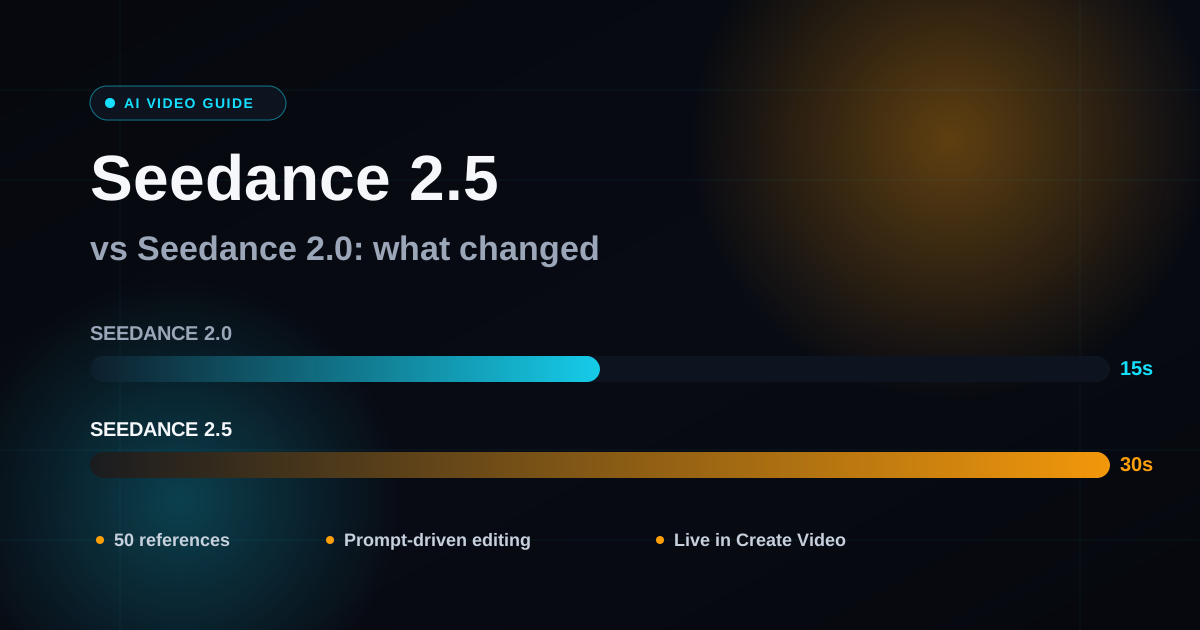
Seedance 2.5 doubles clip length to 30 seconds, triples your reference budget to 50 files, and adds a real editing mode: you can hand it an existing clip and tell it what to change instead of regenerating from scratch. It's live in Create Video right now, paid accounts only. Resolution is still capped at 480p/720p, same as Seedance 2, so if you were hoping 2.5 finally unlocks 1080p or 4K in our tool, it doesn't. For most people the upgrade is worth it. For a few specific jobs, Seedance 2 is still the better pick, and we'll tell you which ones.
What actually changed
ByteDance shipped Seedance 2.5 at the end of July 2026, and it's already live in Create Video as the flagship option (look for the 🌟 badge at the top of the model picker). If you've been using Seedance 2 for the last few months, here's what's genuinely different, not what the marketing copy says is different.
| Seedance 2 | Seedance 2.5 | |
|---|---|---|
| Max clip length | 15 seconds | 30 seconds |
| Reference files | 9 images / 3 videos / 3 audio (15 total) | 30 images / 10 videos / 10 audio (50 total) |
| Prompt-driven editing | No | Yes |
| Resolution in Create Video | 480p / 720p | 480p / 720p |
| Faces | Allowed | Allowed |
| Generation time | 3 to 5 minutes | 3 to 8 minutes |
| Access | Available on free-tier testing (Mini) and paid tiers | Paid accounts only |
Two of those rows matter more than the rest. Everything else is an incremental bump.
30-second clips in one pass
Fifteen seconds was fine for a hook or a product beat, but it forced you to stitch multiple generations together for anything with a beginning, middle, and end. Seedance 2.5 generates up to 30 seconds in a single pass, holding the same character, environment, and pacing the whole way through. That's the difference between "here's a cool shot" and "here's a scene." If you make explainer content, mini-narratives, or anything that needs a setup and a payoff, this alone is worth the switch.
50 references instead of 15
Seedance 2 caps you at 9 reference images, 3 videos, and 3 audio clips. Seedance 2.5 raises that to 30 images, 10 videos, and 10 audio clips, a jump from 15 total references to 50. In practice you will almost never use anywhere near the max (more on that below), but for character-heavy or brand-heavy projects, running out of reference slots on Seedance 2 was a real, frequent annoyance. It mostly goes away on 2.5.
The feature nobody's actually explaining right: prompt-driven editing
This is the headline feature and also the most misunderstood one, so it's worth slowing down here.
Seedance 2.5 doesn't have an "edit mode" button, a mask tool, or a region selector. There's no separate editing interface. Editing an existing video is the exact same job type as generating a new one, a video reference plus a text prompt, and the only thing that tells the model "modify this clip" instead of "make me something new" is how you phrase the prompt.
That sounds fragile, and it kind of is, but once you know the rule it's dead simple.
Use an editing trigger word. Words like edit, add, remove, delete, modify, replace, or change to tell Seedance 2.5 to treat your attached video as the thing to modify, not the thing to draw inspiration from. No trigger word, and it just generates something new with your clip as loose reference, which is not what you wanted and not refundable, because nothing errors. It just quietly gives you the wrong output.
Never say "reference" when you mean "edit." This is the one that trips people up. "Reference Video 1 to generate a new scene" builds something new. "Strictly edit Video 1, and modify the jacket to a red one" modifies the original. Same clip attached, wildly different result, and the only difference is one word. If you're editing, don't use the word reference anywhere in your prompt.
Name what stays the same by naming what changes. Seedance 2.5 keeps everything you don't mention. You don't need to describe the whole scene again, just the part that's different. Three formulas cover almost every real edit:
- Change an object or character: "Strictly edit @video1, and modify [what's there now] to [what it should become]. Keep all other content, motion and camera work unchanged."
- Re-shoot the camera only: "Edit @video1. Keep the characters, actions and visual style unchanged. Adjust only the camera movement: [new camera plan]."
- Swap the background: "Edit @video1. Keep the main subject, their performance and the camera work unchanged. Replace the background with [new environment], and make the subject respond naturally to it, lighting direction, clothing movement, contact shadows."
One more thing worth knowing before you try it: the source clip has to be between 4 and 30 seconds, and clips under 20 seconds edit more reliably. Feed it something longer and you'll sometimes need a couple of attempts to get a clean result.
A worked example
Say you generated a 12-second product shot on Seedance 2.5 and everything about it is right except the jacket color. Here's the actual prompt structure that fixes just that:
Strictly edit @video1, and modify the blue jacket the model is wearing to a
burnt orange jacket. Keep all other content, motion and camera work unchanged.
Do not generate any text or subtitles, logo, or watermark.
Notice what's missing: no description of the room, the lighting, the camera move, or anything else in the shot. You didn't write any of that because you don't want any of that to change, and Seedance 2.5's default behavior is to leave unmentioned elements alone. That last line (no subtitles, no logo, no watermark) is a standing constraint worth appending to most prompts, edit or otherwise. It's free, and it measurably cuts down on the two most common unwanted extras.
What's not better yet (and this matters)
We'd be doing you a disservice if we just told you 2.5 is strictly an upgrade, because it isn't.
Resolution hasn't moved. Both Seedance 2 and Seedance 2.5 top out at 720p in Create Video today. You'll see plenty of coverage elsewhere claiming Seedance 2.5 does native 4K, and on ByteDance's own platform that may be true. What we actually expose in the tool right now is 480p and 720p, full stop, on both models. If your workflow depends on higher resolution, run your output through the upscaler afterward rather than expecting 2.5 to hand you 4K natively.
It's also slower. 3 to 8 minutes versus 3 to 5, which makes sense given it's doing more work per generation (more seconds, more references to reconcile), but it's worth knowing before you queue up a batch expecting Seedance 2's turnaround.
And it's paid-only. Seedance 2 Mini is available to test on a free account. Seedance 2.5 isn't, it's gated to accounts that have made at least one purchase. If you're brand new and just want to see what Seedance can do before committing, start on Mini or the standard Seedance 2 tier, then move to 2.5 once you know it's worth it for your use case.
Should you actually switch?
Stick with Seedance 2 if your clips are already short (under 15 seconds), you rarely hit the reference cap, and speed matters more than editing flexibility to you, think quick product cutaways, single-beat hooks, or high-volume testing where turnaround time is the bottleneck.
Move to Seedance 2.5 if you're building anything that needs to hold a story across 20 to 30 seconds, if you're constantly running out of reference slots on brand or character-heavy projects, or if you need to make a targeted change to a clip you already generated instead of starting over from scratch. That last one alone pays for itself the first time you use it: fixing one wrong element in an otherwise-perfect 15-second generation used to mean regenerating the whole thing and hoping the rest came out the same. Now you just edit the one thing.
If you're not sure, the honest answer is: try the edit feature on a clip you already have sitting in your projects. That's the capability Seedance 2 genuinely could not do at all, and it's the fastest way to feel the difference for yourself instead of taking our word for it.
Where it sits against Kling 3.0 and VEO 3.1
You'll see Seedance 2.5 covered alongside Kling 3.0 and VEO 3.1 as this year's three big video models, and reports on the broader model (not our tool specifically) point to genuinely different strengths: Kling leans toward realistic movement and multi-character lip sync, VEO leans toward polished audio-visual quality for hero shots, and Seedance leans toward long-form narrative work with heavy reference use, which lines up with what we just walked through above. None of that is A.I. Creator U marketing, it's just where the wider field seems to be heading, and it's consistent with what we've seen using 2.5 directly. If you want the fuller breakdown across all three models on our platform, we cover that separately in Seedance vs VEO vs Kling.
How to try it
- Open Create Video and pick Seedance 2.5 at the top of the model picker (🌟 badge).
- For a fresh generation, attach your reference images, video, or audio as usual and write your prompt with the subject, action, scene, and camera movement.
- To edit an existing clip instead, attach it as a video reference and write your prompt as an instruction using @video1 and one of the trigger words above, not as a description.
- Keep your reference count reasonable. ByteDance's own guidance says 4 to 5 well-chosen references (a headshot, a full-body shot, a scene image, a camera-movement clip) outperforms maxing out the 50-slot budget. More references means more competing signals for the model to reconcile, not a better result.
- Check the credit cost shown in the composer before you generate. It's calculated per job based on duration and resolution, so it moves with your settings.
If you've never used Seedance at all, start with our complete prompting guide for Seedance 2 to learn the reference and prompt system, then read the full Seedance 2.5 prompting course once you're ready to go deep on staged events, timestamps, and multi-keyframe sequences. For a wider view of where Seedance fits against Google and Kuaishou's models, see our Seedance vs VEO vs Kling comparison.
FAQ
Is Seedance 2.5 available on A.I. Creator U right now? Yes. It's live in Create Video under the 🌟 flagship badge, for accounts that have made at least one purchase.
What's the longest clip Seedance 2.5 can generate? 30 seconds in a single pass, up from 15 seconds on Seedance 2.
Can Seedance 2.5 edit a video I already made? Yes, that's its standout new feature. Attach the clip as a video reference and phrase your prompt as an instruction (edit, add, remove, modify, replace) rather than a description. Leaving out the trigger word or using the word "reference" will make it generate something new instead of editing your clip.
Does Seedance 2.5 support real faces? Yes, faces are supported in Create Video on Seedance 2.5.
Is Seedance 2.5 better than Seedance 2 for everything? No. It's better for longer, story-driven clips and for editing existing footage. Seedance 2 (specifically Mini) is still the faster, free-tier-friendly option for quick tests and short single-beat clips.
How much does Seedance 2.5 cost to use? It's credit-based like every model in Create Video, and the exact cost depends on your clip's duration and resolution. The composer shows your credit cost before you generate, so check that rather than assuming a flat rate.
Can I still use Seedance 2 after trying 2.5? Yes. Both stay in the model picker. Plenty of workflows genuinely fit Seedance 2 (or Mini) better, especially quick, short-form testing, so switching to 2.5 isn't an all-or-nothing decision.
Ready to see the difference? Open Create Video and try editing a clip you've already generated. It's the one thing Seedance 2 flat out couldn't do.