Google shipped three versions of the same video model and gave them almost identical names, which is a great way to make people pick wrong. Inside Create Video's model picker, VEO 3.1 Lite, VEO 3.1 Fast, and VEO 3.1 Quality sit right next to each other with one-line descriptions that don't tell you the thing that actually matters: one of them can do something the other two can't, and it isn't the expensive one.
Quick Answer
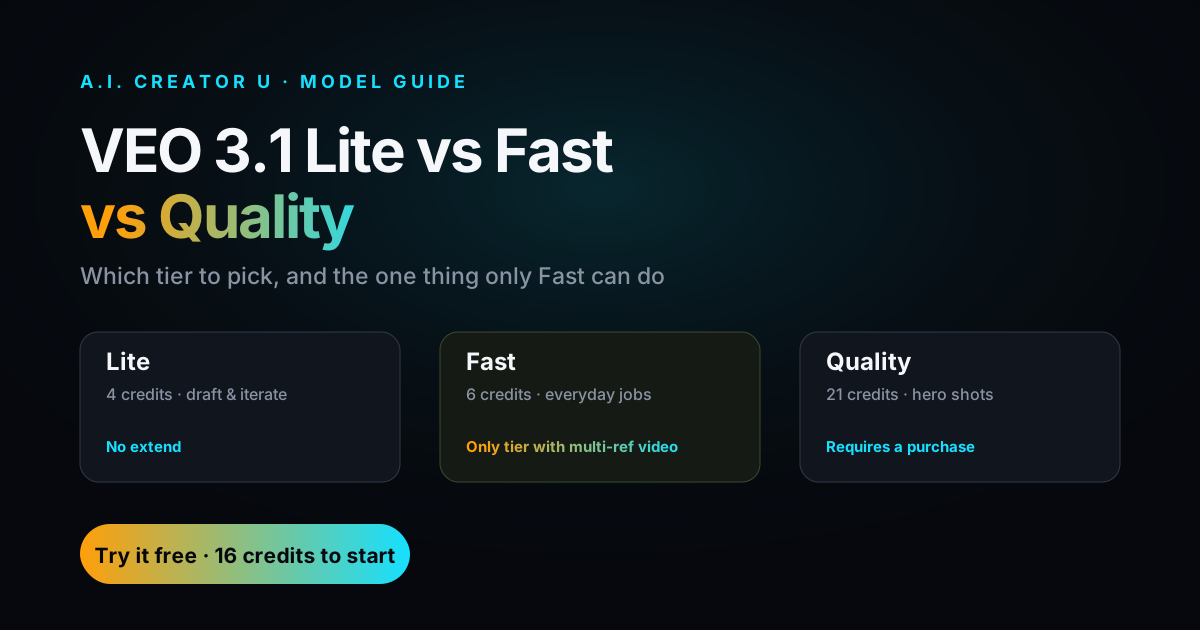
VEO 3.1 Lite (4 credits) is for volume testing and drafts you'll throw away. VEO 3.1 Fast (6 credits) is the one you'll use most: it's the only VEO tier that does true multi-image reference-to-video, and it's still free-tier eligible. VEO 3.1 Quality (21 credits, requires a purchase) is for the one clip per project that has to look flawless. If you're not sure, start on Fast.
What's Actually Different Between the Three VEO 3.1 Tiers?
All three generate 8-second clips with native audio, dialogue, sound effects, and ambient sound baked into the render in one pass. Same underlying Veo 3.1 model family from Google, same aspect ratio options (16:9, 9:16, or Auto), same starting point: text or an image. Where they split is credits, image handling, and what happens after the first clip.
| VEO 3.1 Lite | VEO 3.1 Fast | VEO 3.1 Quality | |
|---|---|---|---|
| Cost per generation | 4 credits | 6 credits | 21 credits |
| Free-tier eligible | Yes | Yes | No, requires a purchase |
| Max reference images | 2 | 3 | 2 |
| Multi-image reference-to-video | No | Yes, exclusively | No |
| Extend past 8 seconds | Not available | Yes (6 credits) | Yes (21 credits) |
| Best for | Volume, iteration, throwaway drafts | Everyday production, most jobs | The one hero shot per project |
At roughly $0.08 per credit, that's about $0.32 for a Lite clip, $0.48 for Fast, and $1.68 for Quality. None of them charge by the second. You pay the same flat rate whether your 8-second clip is a static product shot or a whip-pan through a crowd.
Reference-to-Video Only Works on VEO 3.1 Fast. Here's Why That Matters.
This is the part the model picker doesn't tell you, and it's the reason "just use Quality, it's the best one" is bad advice half the time.
Upload one image to any VEO 3.1 tier and it treats that image as a first frame, animating outward from it. Upload two or three images to Fast and something different happens: the model switches into reference-to-video mode, treating each image as a distinct subject and building a scene that includes all of them together. Try the same thing on Lite or Quality and the app falls back to using your first two images as start and end frames instead, which is a completely different (and much more limited) result.
We checked this in the actual request-validation code, not the marketing copy: reference-to-video is gated to veo3_fast specifically, and it further requires a 16:9 or 9:16 aspect ratio. Ask for it on Quality and the API rejects the request outright.
Practically, this means: if your shot needs your product and your spokesperson and a background element to appear together in one generated scene, Fast is your only VEO 3.1 option. Paying more for Quality doesn't unlock it. This is a genuinely odd product decision on Google's part (you'd expect the flagship tier to have the full feature set, not the middle one), but it's how the API ships today, and A.I. Creator U's picker mirrors it exactly.
A Prompt That Actually Uses This
Here's a copy-paste starting point built specifically for reference-to-video on Fast. Upload two images (your product and your spokesperson), set the aspect ratio to 9:16, and try something like:
"The person from the second reference image picks up the product from the first reference image off a wooden counter, turns it toward camera, and smiles while saying 'this is the one.' Warm natural window light, shallow depth of field, handheld camera feel."
Naming which reference is which ("the person from the second image," "the product from the first image") matters more than it looks like it should. Vague prompts on a two-subject job tend to blend the subjects together or drop one entirely. Be explicit and the model listens.
When Should You Use Each Tier?
Stop thinking of Lite, Fast, and Quality as "cheap, medium, expensive" and think of them as three different jobs.
Reach for Lite when:
- You're testing ten prompt variations and only care about which composition works, not final polish.
- You're generating background or filler clips for a longer edit where nobody's staring at frame quality.
- You've got a free-tier account and want to stretch your starting credits across more attempts.
Reach for Fast when:
- You need more than one subject in the frame together (this is the only reason to specifically pick Fast over Quality on a multi-image job).
- You're producing everyday content: social clips, product demos, talking-head style shots, ad variations. This is genuinely the default choice for most people most of the time.
- You want the option to extend the clip later without switching models.
Reach for Quality when:
- The shot is going in front of a client or in a final deliverable and every frame gets scrutinized.
- You're generating from text alone (no reference-to-video need) and want the sharpest single-image or text-to-video result VEO 3.1 can produce.
- It's the one hero shot in a 20-clip project, not all 20 clips. Running an entire batch through Quality is how people burn through credits for marginal gains on clips nobody looks at twice.
A workflow that actually saves credits: draft on Lite until the composition and prompt read right, regenerate the winner on Fast (or Quality if it's the hero shot), and only extend the clips that made the final cut.
How Extend and Upscale Work Across the Three Tiers
Extend is where Lite falls out of the running entirely. You can extend a completed VEO 3.1 video in either Fast mode (6 credits) or Quality mode (21 credits), chaining 7-second continuations onto your original 8-second base clip, up to 20 times, for a maximum runtime past two minutes. But there's no Lite extend option. If you generated your base clip on Lite and it's a keeper, your only path to a longer cut is extending in Fast or Quality mode instead. In effect, Lite clips are either final at 8 seconds or they get "promoted" to a paid tier the moment you want more.
Upscaling works the same way regardless of which tier generated the original clip: any completed VEO 3.1 video, Lite, Fast, or Quality, can go to 1080p for a flat 1 credit or to 4K for 9 credits. If you drafted on Lite and it turned out great, upscaling doesn't require you to touch a higher tier. Extending does.
VEO 3.1 vs the Other Free-Tier Models in Create Video
VEO isn't the only free-tier option in the picker, and it's not always the right one. Here's how VEO 3.1 Lite and Fast stack up against the other free-tier models available in Create Video right now.
| Model | Free-tier eligible | Native audio | Standout feature |
|---|---|---|---|
| VEO 3.1 Lite / Fast | Yes | Yes | Multi-subject reference-to-video (Fast only) |
| Kling 2.6 | Yes | Togglable | Cheapest per-second pricing in the picker |
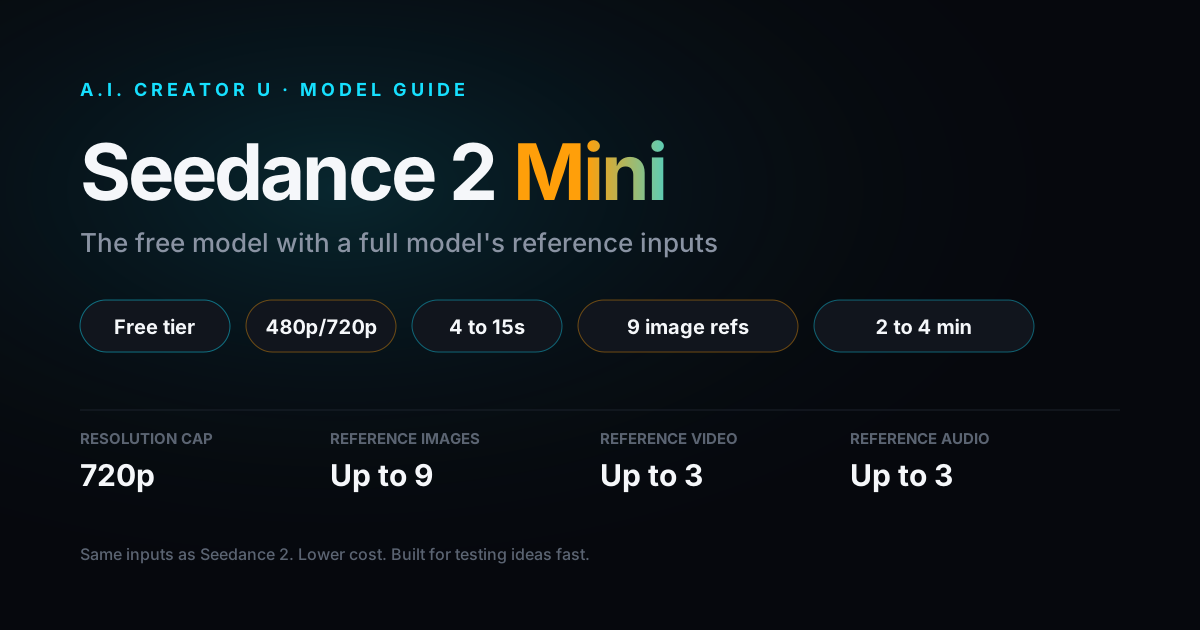
| Seedance 2 Mini | Yes | Yes | Up to 9 reference images, audio references |
| Grok Imagine 1.5 | Yes | No | Subtle-motion animation from a single image |
If you need multiple reference images and native audio and you're not paying yet, VEO 3.1 Fast and Seedance 2 Mini are your two real options, and Seedance 2 Mini goes further on reference count (up to 9 images versus Fast's 3) but doesn't do true reference-to-video subject compositing the way Fast does. Different tool, different job. Worth reading both guides before you commit a project to one model.
Getting Started
- Open Create Video and pick your tier from the model dropdown. New accounts start with up to 16 free credits, enough to test Lite and Fast head-to-head before spending anything.
- For a single-subject shot from text or one image, any tier works. Start on Lite to dial in the prompt.
- For a multi-subject scene, upload 2-3 images, select VEO 3.1 Fast specifically, and set the aspect ratio to 16:9 or 9:16 before you generate. Skip this and the app quietly falls back to first/last-frame mode instead.
- Once you've got a clip worth keeping, extend it in Fast or Quality mode, or send it straight to upscale for a 1080p or 4K pass.
FAQ
Is VEO 3.1 Quality actually better looking than Fast? For text-to-video and single-image generations, yes, it's the sharper, more detailed output of the two. For multi-image reference-to-video specifically, the comparison doesn't apply: Quality can't do that generation type at all, so Fast wins by default whenever multiple subjects are involved.
Can I switch tiers partway through a project? Yes. Tier choice is per-generation, not per-project. Draft on Lite, finalize the keeper on Fast or Quality, extend on whichever tier you extended-generation on. Nothing locks you into one tier for a whole job.
Why does reference-to-video need a specific aspect ratio? That's a requirement Google's API enforces, not an A.I. Creator U restriction: reference-to-video on VEO 3.1 Fast only accepts 16:9 or 9:16. Pick Auto or anything else and the request either falls back to a different generation mode or gets rejected.
Do Lite and Fast cost the same as other free-tier models? No, and it's not close. Lite runs 4 credits and Fast runs 6, while Kling 2.6 starts around 5 credits for a 5-second clip with no audio. VEO's flat per-generation pricing (rather than per-second) means longer or more complex VEO clips don't cost extra, but shorter, simpler jobs on other free-tier models can come in cheaper. Compare based on what you're actually generating, not just the credit number.
Is there a VEO 3.1 model that isn't in the picker yet? Google's a fast-moving vendor here. If a new VEO tier or capability ships and Create Video doesn't have it yet, that's usually a rollout lag, not a permanent gap. The picker gets updated as new models clear internal testing.
What happens if I upload 2 images to VEO 3.1 Quality by mistake? Nothing breaks. Quality just treats your first image as the start frame and your second as the end frame, generating a transition between the two instead of a scene containing both subjects together. It's a valid generation, just not the one most people expect when they're used to Fast's reference-to-video behavior. If that's not the result you wanted, switch to Fast and rerun it.
Test the difference yourself: open Create Video, run the same prompt through Lite and Fast, and see how long it takes before you agree Fast should be your default. For the full picture on the rest of Google's model family and how VEO fits against Seedance and Kling generally, our Veo 3 guide and the AI video generation overview are the next two reads.