How to Use Seedance 2 Mini: The Free AI Video Model Nobody Talks About
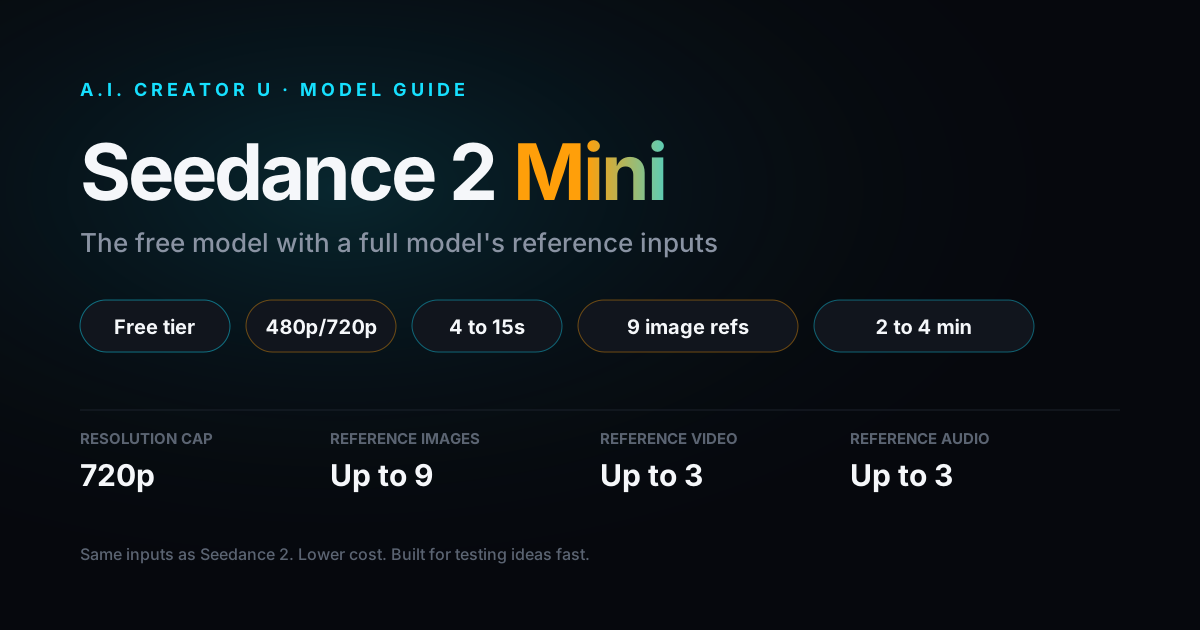
Quick answer: Seedance 2 Mini is a stripped-down, faster, cheaper version of Seedance 2 sitting right in A.I. Creator U's Create Video picker. It caps at 720p and 4 to 15 second clips, but it keeps nearly every reference input the full model has: up to 9 images, 3 reference videos, first and last frame control, and audio references. It's also one of only five video models free (never-paid) accounts get to touch. If you're testing an idea, iterating fast, or just haven't bought credits yet, it's the model you should be reaching for, not Seedance 2 Fast.
What Is Seedance 2 Mini?
Seedance 2 Mini is ByteDance's lightweight tier of Seedance 2, built for volume instead of maximum fidelity. It went public on the Create Video picker on 2026-06-25, sitting a rung below Seedance 2 (the "Fast" model most people default to) and Seedance 2.5 (the flagship with 30 second clips and prompt-driven editing).
The pitch is simple: same core motion and prompt understanding as Seedance 2, roughly half the generation time, and a meaningfully lower credit cost, in exchange for a hard 720p ceiling and none of the premium extras (no 1080p, no video extend, no motion control). ByteDance's own public framing backs this up: Mini launched mid-June 2026 as a 50%-cheaper, roughly 2x-faster sibling of standard Seedance 2, aimed at marketers and creators who generate short-form video on a regular basis rather than a handful of hero shots.
That's the honest way to think about it. Mini isn't a worse Seedance 2 you settle for. It's the version built for the part of your workflow where you're throwing five prompt variations at the wall to see which one lands, not the final export you're putting in an ad.
Why Seedance 2 Mini Is Worth Your Attention (Even If You're Not Paying)
Here's the part most people miss: Seedance 2 Mini is one of only five video models a free, never-purchased account can actually run. The full free-tier list is Seedance 2 Mini, Kling 2.6, Grok Imagine 1.5, and VEO 3.1 Lite/Fast. Every other model, including Seedance 2 Fast, Seedance 2.5, Kling 3.0, and MiniMax H3, requires at least one credit purchase to unlock.
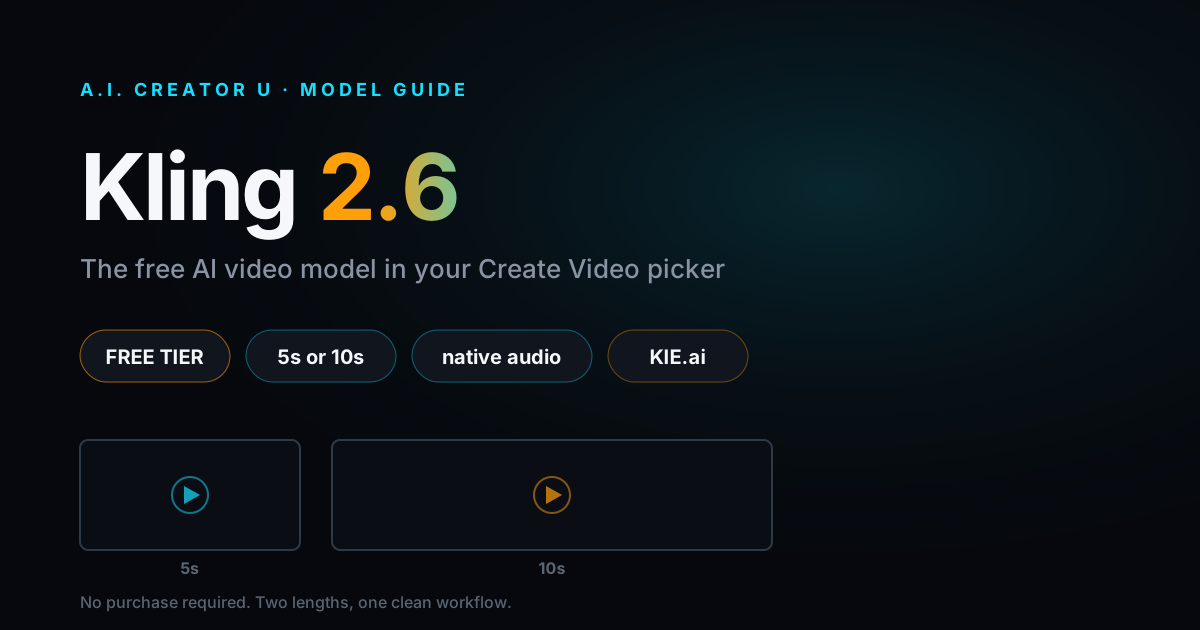
That puts Mini in a small, competitive club, and it's the strongest option in it for anyone who wants real creative control instead of a locked-down demo. Kling 2.6, the other Bytedance-adjacent free option, only accepts a single reference image, offers just two duration choices (5s or 10s), and gives you three aspect ratios. Mini gives you up to 9 reference images, 3 reference videos, first/last frame control, audio references, and 12 duration choices from 4 to 15 seconds across 6 aspect ratios. If you're on a free account trying to figure out whether AI video is worth paying for, Mini is the one that actually shows you what the paid tier can do, not a watered-down teaser.
Signing up gets you a one-time 6-credit welcome pack, with 10 more after you finish the quick onboarding tour, for up to 16 free credits total, valid 14 days. At Mini's per-clip cost (see the table below), that's enough to run somewhere between one and four real test generations before you'd need to decide if you're buying in.
What Seedance 2 Mini Can and Can't Do
| Spec | Seedance 2 Mini |
|---|---|
| Resolution | 480p or 720p only (no 1080p, no 4K) |
| Duration | 4 to 15 seconds, any integer |
| Aspect ratios | 21:9, 16:9, 4:3, 1:1, 3:4, 9:16 |
| Reference images | Up to 9 |
| Reference videos | Up to 3 |
| Reference audio | Up to 3 clips |
| First/last frame | Yes |
| Real faces | Allowed |
| Speed | Roughly 2 to 4 minutes per generation |
| Video extend | No |
| Motion control | No |
| Prompt-based video editing | No |
| Voice cloning | No |
| Multi-shot / quality toggle | No |
The pattern here is worth calling out because it's not what you'd expect from a "mini" tier: the input side, what you can feed the model, is nearly untouched. You lose output quality and the advanced editing tools, not creative flexibility. That's a deliberate trade, and it's the right one for a model meant to sit in your rapid-iteration loop.
What you genuinely can't do with Mini: anything that needs 1080p or 4K delivery, clips longer than 15 seconds or extended past that with the video-extend tool, motion transfer from a reference video (that's Seedance's video-to-video models), or prompt-driven re-editing of a clip you already generated (that's Seedance 2.5's job).
How Much Does Seedance 2 Mini Cost?
Mini bills output-only when you're not attaching a reference video, and output-plus-input seconds when you are, the same billing shape as every other Seedance 2 tier. Here's the credit cost for a clean text-to-video or image-to-video generation with no reference clip attached, computed directly from the live pricing formula:
| Duration | 480p | 720p |
|---|---|---|
| 4s | 4 credits | 8 credits |
| 5s | 5 credits | 10 credits |
| 6s | 6 credits | 11 credits |
| 8s | 7 credits | 15 credits |
| 10s | 9 credits | 19 credits |
| 12s | 11 credits | 22 credits |
| 15s | 13 credits | 28 credits |
For reference, a 5 second clip on the full Seedance 2 (Fast) model at 720p runs noticeably more than Mini's 10 credits for the same length, because Mini's per-second rate is roughly 40% lower across both resolutions. If you're generating a lot of clips to find the one that works, that difference adds up fast. Attaching a reference video changes the math (you're billed for input seconds plus output seconds, at a lower blended rate), so a short reference clip barely moves the price, but a long one will.
How to Generate Your First Clip
- Open Create Video and pick Seedance 2 Mini from the model list (it's marked with the 🐣 badge, just below Seedance 2.5 and Seedance 2 Fast).
- Write your prompt, or drop in reference material. If you've got a product photo, a character shot, or a short clip you want the motion or mood to echo, attach it here. This is where Mini's generous reference limits actually matter.
- Pick your duration (4 to 15 seconds) and aspect ratio. For a first test, keep it short, 5 or 6 seconds, so you're spending fewer credits per iteration while you dial in the prompt.
- Choose 480p if you're purely testing composition and motion, or 720p if you want a cleaner look at detail before you decide whether to re-run it on a bigger model.
- Generate. Expect it back in 2 to 4 minutes, faster than Seedance 2 Fast's 3 to 5 minute window.
- If the result nails the idea but you need it bigger, longer, or with editing tools attached, that's your cue to re-run the same prompt on Seedance 2 (Fast), Seedance 2.5, or whichever model fits the job. Mini did its job: it told you the idea works before you spent premium credits proving it.
Seedance 2 Mini vs Seedance 2 (Fast) vs Kling 2.6: Which Should You Actually Use?
| Seedance 2 Mini | Seedance 2 (Fast) | Kling 2.6 | |
|---|---|---|---|
| Free-tier access | Yes | No | Yes |
| Max resolution | 720p | 720p | Fixed (no selector) |
| Duration range | 4 to 15s | 4 to 15s | 5s or 10s only |
| Reference images | Up to 9 | Up to 9 | 1 |
| Reference video | Up to 3 clips | Up to 3 clips | None |
| Reference audio | Up to 3 clips | Up to 3 clips | None |
| Aspect ratios | 6 options | 6 options | 3 options |
| Speed | 2 to 4 min | 3 to 5 min | Comparable |
| Cost vs Mini | Higher | N/A | Different pricing model |
If you're weighing Mini against the two other realistic free options, the decision is straightforward. Kling 2.6 is fine for a quick single-image animation with no real creative input beyond the prompt, but it caps out fast: two duration choices, one reference image, no reference video or audio at all. Mini gives you the same reference toolkit as a paid, full-price model, just capped on the output side. Unless you specifically need Kling's motion style for a given shot, Mini is the more useful free model to learn on.
Against paid Seedance 2 (Fast), the honest opinion is this: don't skip straight to Fast just because it's the "default." If your final deliverable doesn't need 1080p and you're not maxing out the duration, Mini gets you there for meaningfully fewer credits and a faster turnaround, and the input quality genuinely isn't worse. Save Fast (and its 1080p headroom) for when you know the shot is a keeper.
When You Should Skip Mini and Pay for Something Bigger
Mini earns its keep in the idea-testing phase, but it has real ceilings you'll hit:
- You need 1080p or 4K for a final export. Mini stops at 720p, full stop. Move to Seedance 2 (Fast) for 1080p, or Seedance 2 Standard for 4K.
- You need more than 15 seconds, or want to extend a clip you already like. Mini has no video-extend support. Seedance 2.5 handles both duration and extend.
- You want to re-edit a clip with a prompt instead of regenerating from scratch. That's Seedance 2.5's prompt-driven video editing, not something Mini offers.
- You need motion transferred from a reference video onto a new subject. That's a video-to-video job, which belongs to AnimateA.I. or Kling Motion Control, not Mini.
- You're producing the actual deliverable, not a test. Mini is genuinely a lower-fidelity model at the pixel level. Use it to validate the idea, then re-run the winning prompt on the model built for the final output.
FAQ
Is Seedance 2 Mini actually free to use? It's free-tier accessible, meaning a never-paid account can generate with it using signup credits (up to 16, valid 14 days). It still costs credits per generation, it's just one of the five models that doesn't require a purchase to unlock in the first place.
What's the real difference between Seedance 2 Mini and Seedance 2 (Fast)? Mostly output quality and resolution ceiling. Mini caps at 720p while Fast can hit 1080p, and Mini runs somewhat faster and cheaper per second. The reference inputs (images, video, audio, first/last frame) are essentially identical between the two.
Can I use Seedance 2 Mini for a finished product ad or final deliverable? You can, but it's not what it's built for. At 720p max with no video-extend or editing tools, Mini is best treated as your rapid-iteration model. If the clip is going in front of customers, re-run the winning idea on a higher tier.
Does Seedance 2 Mini support real faces? Yes. Face support is allowed on Mini, the same as on Seedance 2 (Fast) and Standard.
Why would I use Mini instead of Kling 2.6 if both are free? Reference flexibility. Kling 2.6 gives you one image reference and two duration choices. Mini gives you up to 9 image references, 3 reference videos, 3 reference audio clips, first/last frame control, and 12 duration options across 6 aspect ratios, all while staying free-tier accessible.
Seedance 2 Mini is the model most people skip past on their way to the "real" options, but for testing prompts, iterating on an idea, or figuring out if AI video is worth paying for at all, it's the sharpest free tool in the picker. Try it in Create Video and see how far 16 free credits get you. New to the picker in general? Start with the AI Video Generation pillar guide for the full lay of the land.
Once you've found the prompt that works, take it to Seedance 2 (Fast) or Seedance 2.5 for the full-resolution version, or see how Seedance 2 stacks up against VEO and Kling before you commit credits to a bigger run.