Quick answer: The fastest way to build a TikTok ad with AI is to write a hook-first script, generate it as a UGC-style talking video or a product-in-motion clip (not a polished commercial), export vertical at 1080x1920, and put your offer inside TikTok's safe zone before the description and buttons cover it. A tool like A.I. Creator U's AI UGC Studio does the script-to-video part in one flow; Create Video (Seedance 2.0, Kling 3.0, VEO, Grok) handles the product-in-motion shots.
Most TikTok ads fail for one boring reason: they look like ads. The algorithm and the audience both reward creative that feels like it was shot on someone's phone between two other videos, not creative that feels like it was approved by a brand committee. AI didn't change that rule. It just made it a lot cheaper to follow it.
This is a practical build guide, not a theory piece. You'll walk out with the exact spec sheet TikTok wants, a five-step production framework, and a clear read on which AI workflow fits which kind of ad.
Why "ad-shaped" ads underperform on TikTok
TikTok's own creative guidance has said the same thing for years: native-feeling content outperforms polished commercials. Users scroll fast, and their thumb is trained to skip anything that reads as an interruption. A UGC-style video (someone talking to camera, a product being used, a screen recording with commentary) buys you an extra second or two of attention before the skip reflex kicks in. That extra second is the whole game, because the hook happens in the first three seconds or the ad is already dead.
This is also why the best AI TikTok ads right now aren't cinematic. They're rough on purpose. If your AI-generated clip looks like a Super Bowl spot, it's fighting the platform instead of using it.
The 5-step framework for AI TikTok ads
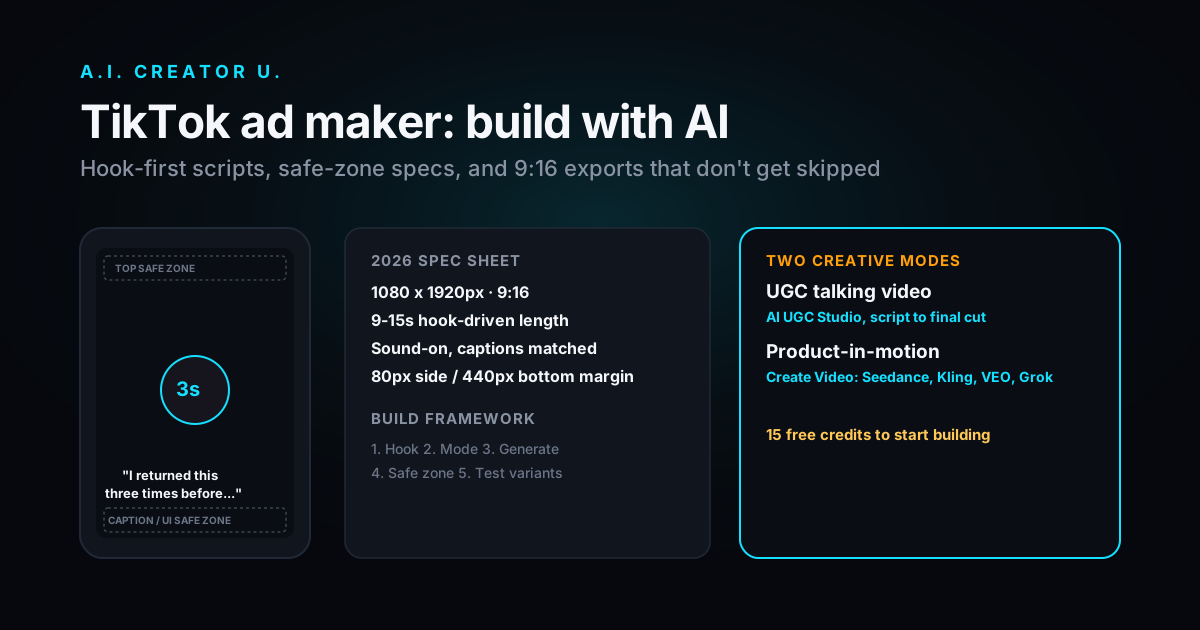
1. Write the hook before you write anything else. One sentence, spoken or on-screen, in the first three seconds. "I returned this three times before it actually worked" beats "Introducing our new formula" every time. If you can't say your hook out loud in under two seconds, cut it down.
2. Pick the right creative mode for the product. Two AI paths cover almost every TikTok ad:
- UGC-style talking video: a presenter (real or AI) speaks the script direct to camera. Best for supplements, apps, courses, anything that needs a testimonial feel.
- Product-in-motion: the product itself is the star, shot moving, being used, or transforming. Best for physical goods where the visual is the sell (skincare texture, a gadget in action, a before/after).
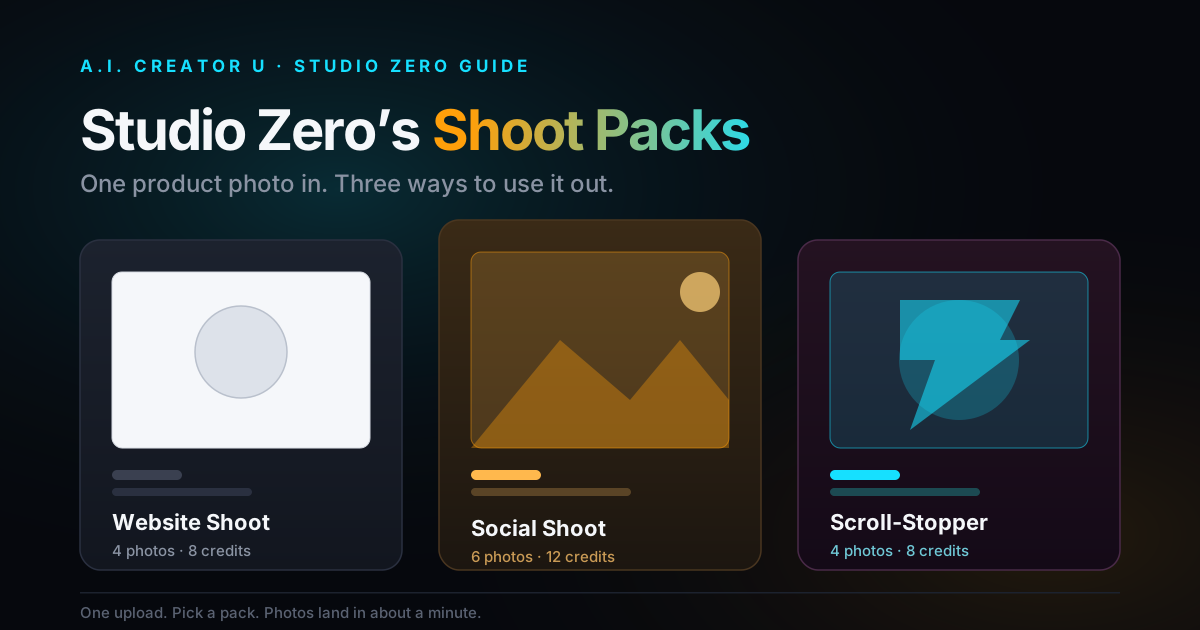
In A.I. Creator U, the AI UGC Studio is built for the first path: you go script to final video in one flow, and it's designed around the "viral ad," not a corporate explainer. For the second path, Create Video gives you Seedance 2.0, Kling 3.0, VEO, and Grok to turn a product photo into motion, and Studio Zero is the faster route for pure product shots.
3. Generate 3-5 variants of the hook, not the whole ad. The hook is what gets tested hardest. Keep the body and CTA consistent, swap the opening line, and you'll learn what's actually earning attention without burning your whole budget re-cutting full ads.
4. Frame everything inside TikTok's safe zone. This is the step most people skip, and it's the one that makes AI-generated ads look amateurish when they get cropped by TikTok's own UI. More on the exact numbers below.
5. Cut for sound-on. TikTok has reported that the overwhelming majority of users watch with audio on, which flips the usual "design for muted autoplay" rule other platforms train you into. Voiceover, captions that match the words exactly, and a soundtrack that doesn't fight the hook line all matter more here than on, say, a Facebook feed ad.
TikTok ad spec cheat sheet (2026)
Export to these numbers and you'll never fight a rejected upload or a badly cropped ad again.
| Spec | Requirement |
|---|---|
| Aspect ratio | 9:16 vertical (default and best-performing) |
| Resolution | 1080 x 1920px minimum |
| File format | MP4 or MOV, H.264 |
| File size | Under 500MB |
| Bitrate | 2,000 kbps minimum |
| Ideal length | 9-15 seconds for the hook-driven ad format that performs best (TikTok's in-feed limit has been extended much longer, but longer isn't what wins attention) |
| Safe zone (top) | Keep key text/branding 160px clear from the top |
| Safe zone (bottom) | Keep key text/branding 440px clear from the bottom (captions, buttons, and the description live here) |
| Safe zone (sides) | 80px margin on both sides |
| Audio | Always on. Captions should mirror spoken audio exactly |
Build a safe-zone guide into your workflow before you generate anything, not after. It's much faster to compose the shot correctly the first time than to re-crop an AI clip that put your product name right where TikTok's caption box lands.
Do you need a real person on camera?
No, and this is where AI TikTok ad tools earn their keep. You have three realistic options:
- You or your team on camera, scripted with the hook-first structure above.
- An AI-generated presenter, built through Character Studio (AI twin) and then paired with a script in the UGC flow.
- No face at all: product-in-motion, screen recordings, or text-on-screen story formats. This is the fastest path if you're selling a physical product and the item itself is visually interesting.
None of these are "worse" than the others on TikTok. The algorithm doesn't know or care whether the presenter is a real person or an AI twin. It cares whether the first three seconds earn a watch. If you want the full playbook on presenter-style ads, our guide to becoming a UGC creator covers the script structures that convert, and it applies whether the "creator" is you, a hired talent, or an AI twin.
A realistic production workflow
Here's what an afternoon of AI-assisted TikTok ad production actually looks like:
- Write 3 hook variants and one body script (10 minutes).
- Generate the base video: UGC talking-head via AI UGC Studio, or product motion via Create Video. Budget 3-8 minutes per generation depending on the model.
- Swap in the alternate hooks against the same body footage where possible, so you're testing the hook, not three different ads.
- Add captions that match the audio word-for-word, positioned inside the safe zone.
- Export at 1080x1920, review against the spec table above, upload.
That's a handful of ad variants ready to test in one sitting, which used to mean a film crew, a script supervisor, and a week. The compression in time is the actual unlock here, not the novelty of "AI made my ad."
What still makes or breaks the ad (AI doesn't fix this part)
AI tools remove the production bottleneck. They don't remove the strategy bottleneck. The ads that win on TikTok still need:
- A hook that states a real, specific claim or tension in the first line, not a vague benefit.
- A product that's genuinely shown doing the thing it claims to do.
- A CTA that matches the platform's native language ("link in bio," "comment for the link") rather than a hard-sell tone.
- Enough variants tested that you're not guessing which hook works.
If your offer is weak or your hook is generic, a better rendering engine won't save the ad. It'll just make a boring ad render faster.
Where this fits with your other ad creative
TikTok isn't the only place these clips end up. The same UGC-style approach that works here is close to identical to what performs on Instagram Reels ads, and if you're comparing full-stack AI ad generators against each other before committing to a workflow, our breakdown of the best AI video ad generators walks through speed, cost, and output quality across the field.
FAQ
What's the best AI tool to make TikTok ads? It depends on the ad type. For UGC-style talking-presenter ads, a script-to-video flow like A.I. Creator U's AI UGC Studio is built specifically for that format. For product-in-motion shots, a general video model (Seedance 2.0, Kling 3.0, VEO, or Grok inside Create Video) works from a product photo. Most sellers end up using both depending on the SKU.
Do TikTok ads need to look like organic content? Yes, close to it. TikTok's own creative guidance and years of ad performance data both point the same direction: content that feels native to the feed (handheld, direct-to-camera, unpolished) consistently outperforms studio-style commercials. That's exactly what a UGC-style AI ad is built to mimic.
What size should my TikTok ad be? 1080 x 1920px, 9:16 vertical, H.264 MP4 or MOV, under 500MB, minimum 2,000 kbps bitrate. Keep branding out of the top 160px and bottom 440px so it doesn't get covered by TikTok's own UI.
How long should a TikTok ad be in 2026? TikTok technically allows in-feed ads up to 10 minutes, but that's not the target. The ads that actually perform sit in the 9-15 second range, hook in the first 3 seconds, offer by the end.
Can I make TikTok ads without showing my face? Yes. Product-in-motion ads (the product itself is the visual, not a presenter) are a completely valid path, especially for physical goods. Studio Zero and Create Video handle this without needing anyone on camera, AI or otherwise.
Start building
You get 15 free credits when you sign up, enough to generate a real test ad and see the workflow before committing to anything. Head into the AI UGC Studio for a hook-first, script-to-video ad, or start in Create Video if you're working from a product photo instead of a script.