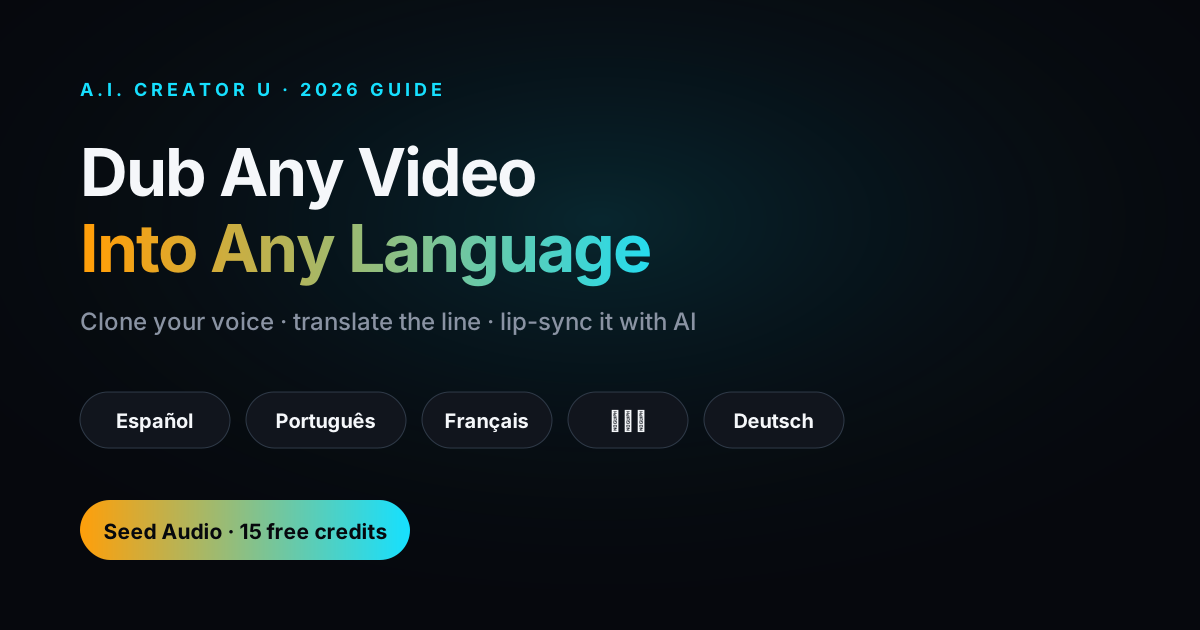
Quick answer: if you need a video tool — not just an audio tool — that clones a voice and speaks it in another language, look for one where the cloned voice can drive the video itself. Voice-only cloners hand you an audio file and leave the editing to you; a real video tool takes that same voice all the way to a finished, on-screen performance.
Search "AI video tool multilingual voice cloning" and you mostly get audio companies that added a translate button. That's fine if all you want is a dubbed track. It's a problem if you're trying to ship a finished video — because now you're exporting audio from one app and threading it back into a video editor by hand. Here's what actually matters when the deliverable is video, not just sound, and where the market stands as of mid-2026.
What multilingual voice cloning actually is
Voice cloning takes a short reference of someone's voice and reproduces its timbre, texture, and character in new speech. Multilingual (or cross-lingual) cloning goes a step further: the cloned voice speaks a language the original speaker may never have said a word of, and it's supposed to still sound like them — same voice, new language, ideally with the accent and delivery carrying over rather than sounding like a robot reading a script phonetically.
That's a genuinely useful trick. It means one creator's voice — or a client's, or a brand spokesperson's — can narrate a product video in English, Spanish, and Portuguese without hiring three voice actors or re-recording anything.
How the leading tools stack up
Reported language coverage and positioning as of mid-2026 (verify current numbers on each vendor's site before you buy — these change fast):
| Tool | Reported languages | Output |
|---|---|---|
| ElevenLabs | ~29 languages | Audio only — you still edit it into your video |
| HeyGen | 175+ languages | Avatar video with lip-sync dubbing |
| Resemble AI | ~149 languages | Audio pipeline, built for dubbing workflows |
| Synthesia | ~140 languages | Avatar video, translation-focused |
| Descript | ~30 languages | Editor-integrated audio cloning |
| A.I. Creator U. (Seed Audio + Seedance) | Cross-lingual synthesis, no fine-tuning needed | Cloned voice → full character video, one workflow |
Sources: publicly reported vendor language counts as of mid-2026 (ElevenLabs, HeyGen, Resemble AI, Synthesia, Descript marketing pages). We haven't independently verified every number — confirm on the vendor's current pricing/docs page before deciding.
Here's the honest read: raw language count is a vanity metric once you're past 20–30 languages — almost nobody is shipping in 100 markets from one video. The real fork in the road is audio vs. video output. ElevenLabs, Resemble, and Descript hand you a voice file. HeyGen and Synthesia give you a talking avatar. A.I. Creator U. sits in the second camp, but instead of a fixed avatar template, the cloned voice drives an actual generated video scene through Seedance 2.0 — so the visual isn't locked to a stock presenter.
The workflow: clone once, speak any language, drive the video
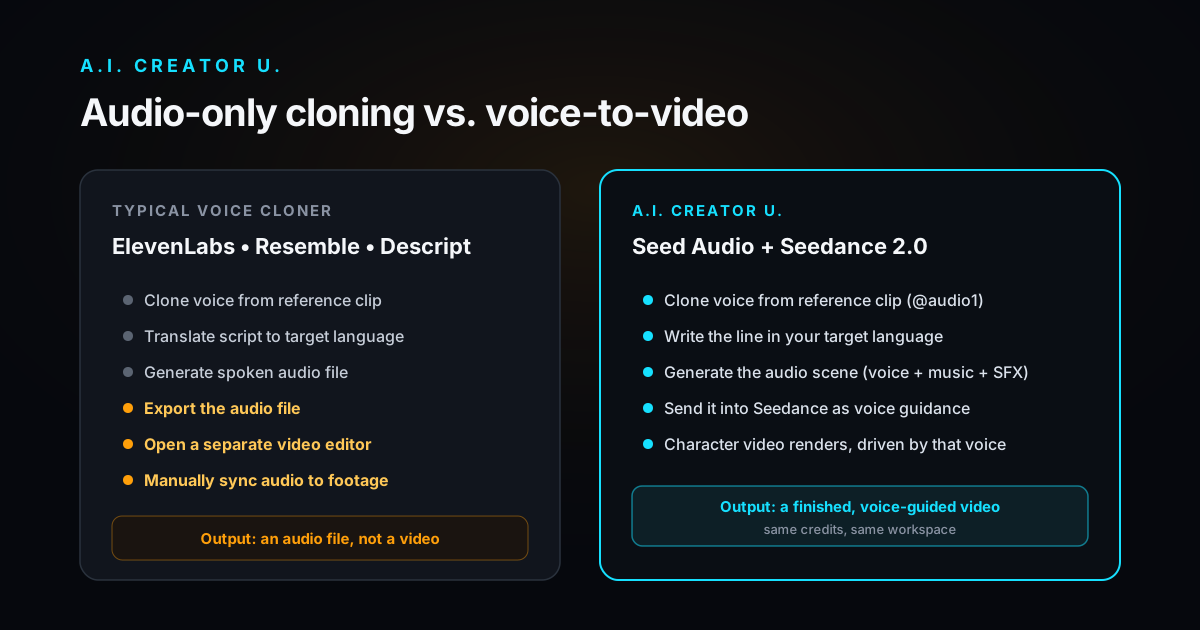
This is the part most "voice cloning" articles skip, because most of them are written by audio companies. If the deliverable is a video, here's the actual end-to-end path on A.I. Creator U.:
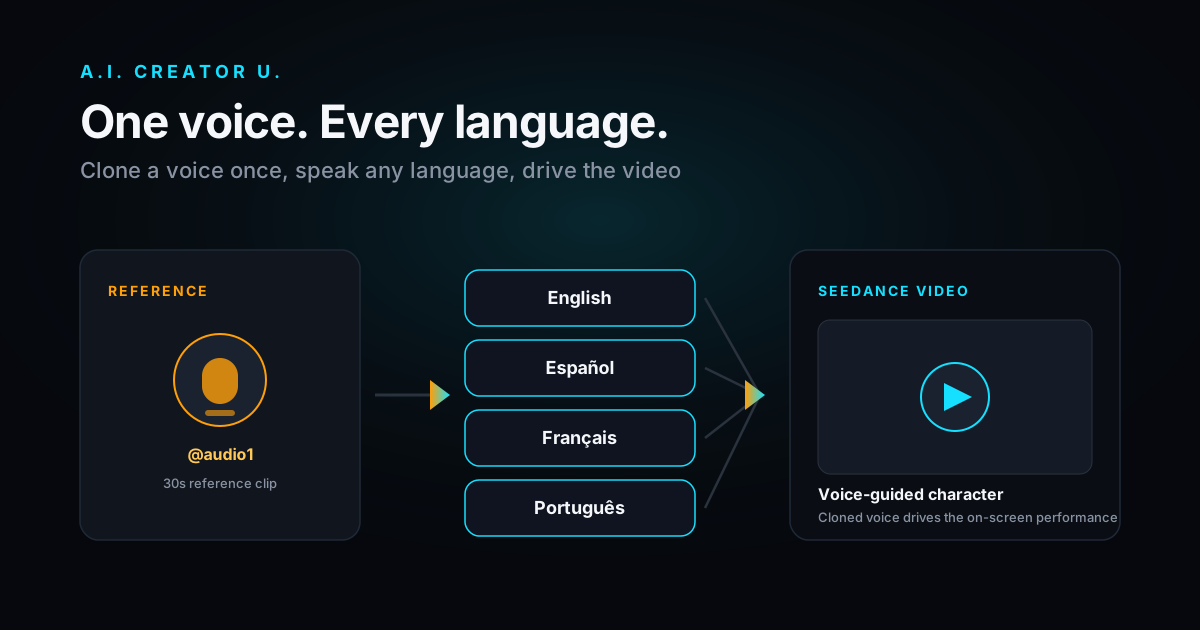
- Clone the voice. In the Audio Studio, upload a reference clip (up to three, up to 30 seconds each) and tag it @audio1. Seed Audio locks onto that voice's character.
- Write the script in your target language. Type the line as you want it spoken — Spanish, French, whatever the market needs. Cross-lingual synthesis means you don't need to fine-tune or retrain anything per language.
- Generate the audio scene. Seed Audio renders the cloned voice speaking your script, plus any music bed or SFX you asked for, in one pass.
- Feed it into Seedance as voice guidance. That same audio becomes the performance driving your on-screen character in Seedance 2.0 — the mouth movement, timing, and delivery are locked to the voice you just generated.
Four steps, one credit-based platform, no exporting an audio file to a separate editor. Compare that to the ElevenLabs-style workflow: clone the voice, export, open a video editor, align the new track to the original footage by hand, re-sync every cut. Fine for a single dub. Painful at the volume most creators and sellers actually need.
Where multilingual cloning earns its keep
- Product video localization — one voiceover, cloned once, spoken in every market's language — no re-shooting, no hiring per-language talent.
- Creator content in new markets — reach a Spanish- or Portuguese-speaking audience with your own voice, not a stranger's.
- Client work at scale — agencies producing the same spokesperson video for multiple regional campaigns from one reference clip.
- Faceless / UGC-style ads — consistent character voice across every language version of an ad set.
What to actually check before you commit to a tool
Don't shop on language-count headlines. Check these instead:
- Does it output finished video, or just an audio file you still have to edit in?
- Can it clone from a short reference clip, or does it need a long studio recording?
- Is the accent/character of the source voice preserved in the new language, or does it flatten out?
- Does the pricing scale sanely if you're localizing the same video into five languages?
- Do you have documented consent to clone the voice you're using?
The bottom line
If all you need is a translated voice file, ElevenLabs and its peers do that well. But if the deliverable is a video — and for most creators and sellers, it is — the tool that matters is the one where the cloned voice doesn't stop at audio. That's the gap Seed Audio and Seedance 2.0 close on A.I. Creator U.: clone once, write the line in any language, and carry that exact performance straight into the finished clip.
Related reading: our full breakdown of how Seed Audio works and the multi-voice @audio1–3 trick, and our tested comparison of the best free AI video generators if you're picking the video model to pair it with.