Type a sentence, get a finished clip with sound, camera movement, and a character who doesn't melt halfway through the shot. That's where text-to-video AI actually is in mid-2026, not the shaky six-second loops everyone remembers from two years ago. The catch is that the field moved so fast that half the "best of" lists floating around are already wrong. One of the models people still recommend most is dead.
Quick answer: if you want the most consistently good output with almost no prompt-fighting, Google Veo 3.1 and Kling 3.0 are the two to start with right now. Veo wins on realism and audio-visual sync; Kling wins on price and camera control. Runway Gen-4 is still the choice if you need fine, frame-by-frame editing control. Sora 2 is not usable anymore: OpenAI shut the app down on April 26, 2026, and the API followed on September 24, 2026, so if you see it recommended somewhere, that list hasn't been updated in months. If you don't want to juggle five separate subscriptions and five separate learning curves, a bundled tool like A.I. Creator U's Create Video (Seedance 2.0, Kling 3.0, VEO, and Grok in one place) solves that specific headache.
What "text-to-video" actually means now
Eighteen months ago, text-to-video meant typing a sentence and hoping the model didn't give your subject six fingers. That era is mostly over. The frontier models in 2026 generate native audio in the same pass as the video, meaning dialogue, ambient sound, and lip sync all come out synchronized instead of being bolted on afterward. Prompt adherence has gotten good enough that you can specify camera moves ("slow dolly-in, shallow depth of field") and actually get them. And clip length, the thing that made this format feel like a toy, has stretched from 4 seconds to 15+ second single generations, with some tools chaining scenes into much longer sequences.
None of that means every tool is interchangeable. They still specialize hard: some are built for realism, some for speed, some for editorial control down to the frame. Picking the wrong one for your use case is still the fastest way to burn credits on something that looks almost right.
The best text-to-video AI tools right now
Here's the honest lineup, based on what each model is actually good at in mid-2026, not what its marketing page claims.
| Tool | Best for | Native audio | Typical clip length | Standout trait |
|---|---|---|---|---|
| Google Veo 3.1 | Realism, enterprise use | Yes | Up to ~8 sec per generation | Most naturalistic lighting and skin texture; strong lip sync |
| Kling 3.0 | Price-to-quality, camera control | Yes | Up to ~10 sec | Granular camera path, zoom, and pan control; lowest per-clip cost among frontier models |
| Runway Gen-4 | Cinematic editing control | Partial | Up to 60 sec with continuity | Motion brush, inpainting/outpainting, precise frame control |
| Luma Dream Machine 2.0 (Ray3) | Fast social content | Improving | Short-form, rapid iteration | First model with native 16-bit HDR output |
| Pika 2.2 | Character and object consistency | Limited | Short-form | "Picaframes" let you set both endpoints of a clip |
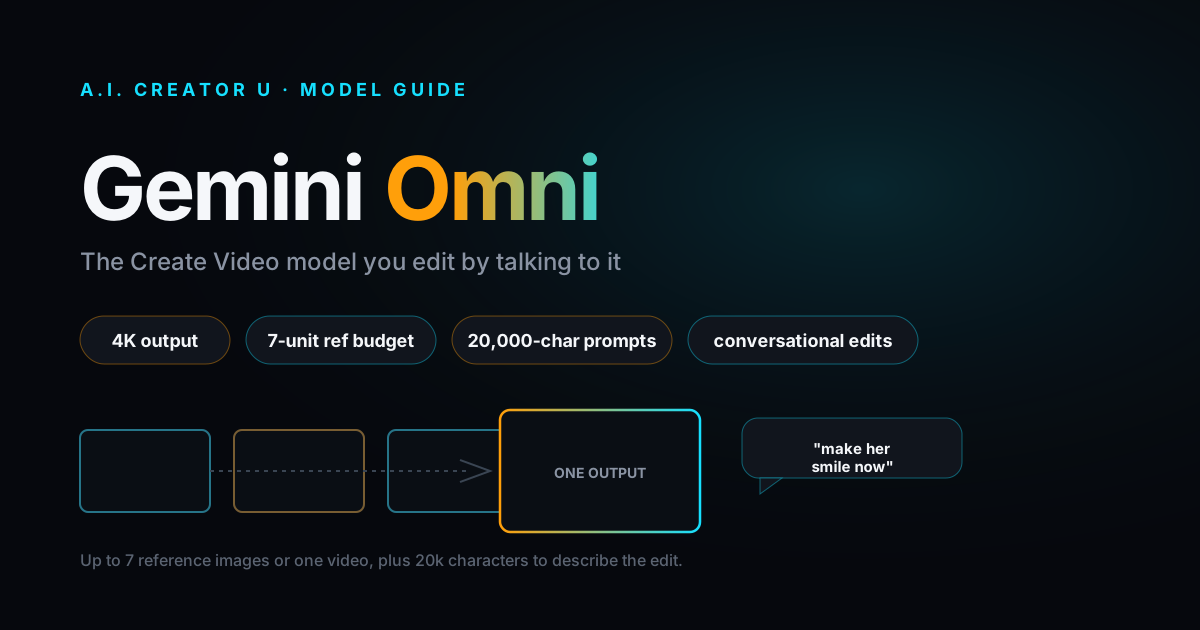
| ByteDance Seedance 2.0 | All-around, text/image/video/audio input | Yes | 4-15 sec | Native audio in one pass, accepts video as an input type, not just text or images |
| Sora 2 | Nothing, it's discontinued | N/A | N/A | App shut down April 26, 2026; API shut down September 24, 2026 |
A few of these deserve more than a table row.
Is Sora 2 still worth using?
No, and this trips people up constantly because it's still cited as a top pick on outdated roundups. OpenAI's own help center confirmed a two-stage shutdown: the consumer web and app experiences went dark on April 26, 2026, and the API followed on September 24, 2026. Reported reasons include the economics not working out (roughly $1 million a day to run against a fraction of that in revenue) plus mounting copyright and deepfake pressure. If a "best of 2026" list still has Sora 2 in the top three, that's your signal to close the tab.
What's the best text-to-video tool overall?
For most people, it's a toss-up between Veo 3.1 and Kling 3.0, and the deciding factor is what you're optimizing for. Veo 3.1 is the safer, more polished pick when the output needs to look like real camera footage, its audio-visual alignment is the best in the category (ask for rain, you hear rain, not stock foley slapped on top). Kling 3.0 is the value play: reported per-clip pricing lands around $0.84 for a ten-second 1080p clip with synced audio, and its camera controls (path, zoom speed, pan direction) go deeper than what Veo or Runway expose to the user.
Which one gives me the most editing control?
Runway Gen-4. If you need to change a background mid-clip, remove an object, or paint in motion for a specific part of the frame, Runway's motion brush and inpainting tools are built for exactly that. It costs you speed and simplicity, this is the tool for people willing to trade convenience for precision, not the one for a quick social post.
What about Luma and Pika?
Luma Dream Machine 2.0 (running on the Ray3 model) is the fast, disposable-content choice: quick iteration, improving motion coherence, and it was the first model to ship native 16-bit HDR output. Pika 2.2 carved out its niche with "picaframes," letting you define the start and end frame of a clip and let the model fill the motion between them, which beats fighting with a text prompt when you already know exactly what the first and last moment should look like.
Should you start from text or from an image?
Pure text-to-video is the flashiest demo, but it's not always the right entry point. If you already have a product photo, a headshot, or a piece of brand art you need to bring to life, starting from that image and animating it will beat describing it from scratch almost every time. Text struggles to pin down a specific face, a specific product label, or an exact color palette; an image reference locks all of that in immediately. We covered this tradeoff in more depth in our image-to-video comparison, but the short version: use text-to-video when you're generating something that doesn't exist yet (a concept, a scene, a mood), and use image-to-video when you're animating something that already does.
This matters for cost, too. Iterating on a text prompt to nail a specific look can burn through five or six generations before you land on something usable. Starting from an image often gets you there in one or two, because half the ambiguity is already resolved before the model starts.
How to actually turn a prompt into a finished video
The workflow is roughly the same across every tool, but the details are where people get stuck. Here's the process that actually produces usable output:
- Write the prompt like a shot list, not a wish. Subject, action, setting, camera move, lighting, mood. "A woman walks through a neon-lit market at night, slow tracking shot, handheld camera energy, warm practical lighting" beats "cool cyberpunk video" every time.
- Pick the right input type. If you're starting from a product photo or a character reference, use image-to-video instead of pure text. It preserves identity and consistency far better than describing a face in words.
- Generate short, then extend. Don't try to nail a 15-second story in one shot. Generate a 4-8 second base clip, check it against the prompt, then chain or extend once you know the model understood the ask.
- Check the audio pass separately. If your tool does native audio (Veo, Kling, Seedance 2.0), listen before you judge the visuals. A great clip with mismatched lip sync or wrong ambient sound will still read as fake.
- Upscale last. Don't waste a 4K generation on a prompt you're still iterating. Get the motion and composition right at a lower resolution, then upscale the final pick.
If you're using A.I. Creator U's Create Video tool, this whole flow lives in one place: you pick the model (Seedance 2.0, Kling 3.0, VEO, or Grok) per generation instead of maintaining separate accounts, and Seedance 2.0 in particular accepts text, image, video, or audio as input with native audio generated in the same pass. Every new account starts with 15 free credits, enough to actually test a few models against the same prompt before deciding what to pay for.
What mistakes actually kill most AI-generated video?
The biggest one isn't a bad model, it's a vague prompt paired with the wrong tool. People ask a realism-focused model like Veo for stylized anime motion and wonder why it looks off, or they ask a fast, cheap model for photorealistic human close-ups and get uncanny results. Match the tool to the intent first.
The second mistake is skipping the audio check. Native audio generation is good enough now that a mismatched sound cue (footsteps that don't land on the visual step, dialogue that drifts out of sync by a few frames) is often what makes a clip read as "AI" even when the visuals are flawless. Watch with sound on before you call anything final.
The third is over-prompting. Cramming five ideas into one generation ("a cat, then it turns into a robot, then fireworks, then text appears") reliably produces mush. One clear idea per generation, chained together in editing, beats one overloaded prompt every time.
Frequently asked questions
Is text-to-video AI good enough for commercial ads now? Yes, for short-form social ads and product teasers, especially when you start from a real product photo instead of pure text. Native audio generation closes the gap that used to require a separate voiceover pass. It's not yet a replacement for a full studio shoot with actors and dialogue-heavy scenes, but for the six to fifteen second hook that stops a scroll, several of these models are already good enough to ship.
Do I need to pick one tool and stick with it? Not anymore. The models specialize enough that using one for realism and a different one for stylized or fast content is normal now. That's the whole argument for a bundled tool: instead of paying for and learning four separate platforms, you pick the model per project.
How long can these clips actually be? It varies a lot by model. Most frontier tools still generate in short bursts of 4 to 10 seconds natively, though Runway Gen-4 supports up to 60 seconds with continuity, and several platforms let you extend or chain clips into longer sequences. Don't trust marketing copy that implies you can type one prompt and get a two-minute film; you're still assembling shorter generations into a longer piece.
What happened to Sora, exactly? OpenAI discontinued the Sora web and app on April 26, 2026, and shut the API down on September 24, 2026, per its own help center notice. Reported factors include unsustainable operating costs (about $1 million a day against roughly $2.1 million in total revenue) and ongoing copyright and deepfake concerns. If you exported your content before the sunset date, it's gone now; the service no longer exists.
Is Seedance 2.0 a text-to-video tool too? Yes. It accepts text, image, video, or audio as input, generates native audio in the same pass, and produces clips from 4 to 15 seconds depending on the plan. It's one of the four models available inside A.I. Creator U's Create Video tool alongside Kling 3.0, VEO, and Grok.
Do free text-to-video tools actually produce usable output? Some do, for short social clips. Free tiers almost always cap you on resolution, generation length, or watermark-free exports, so treat them as a way to test whether a model understands your prompt style before you commit credits or a subscription to it. If a tool's free tier gives you a clean, unwatermarked clip at reasonable resolution, that's a good sign the paid tier is worth trying.
The bottom line
If you only try two tools this month, make it Veo 3.1 and Kling 3.0, they cover realism and value respectively, and between them handle most of what people actually need text-to-video for. Add Runway Gen-4 to your list if frame-level editing control matters more than speed. Cross Sora 2 off every list you see it on; it's gone. And if switching between four different subscriptions to find the right model for each project sounds exhausting, that's exactly the problem Create Video was built to solve, one credit system, four models, no separate accounts to manage.
For more on getting the most out of a specific model, see our breakdowns of how to prompt Seedance 2.0, our image-to-video tool comparison, and the best free AI video generators if budget is the main constraint right now.