How to Make Multi-Voice AI Dialogue (the @Audio Trick)
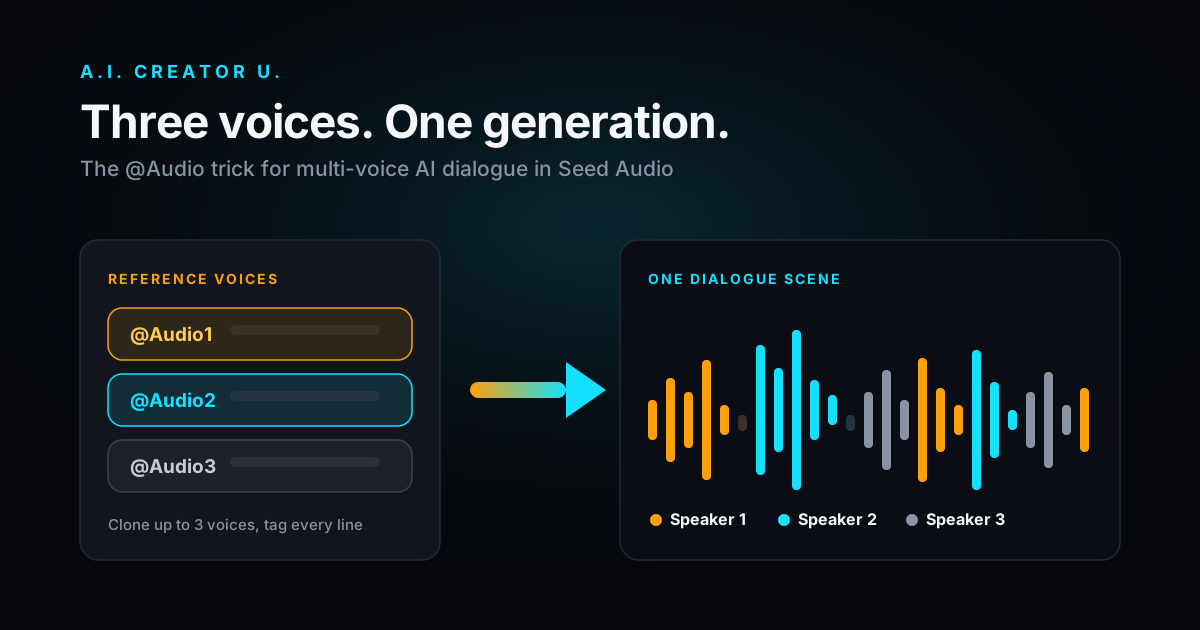
Quick answer: Seed Audio in our Audio Studio can generate a full conversation between up to three distinct voices in a single pass. Upload (or clone) up to three reference voice clips, drop them into your prompt as @Audio1, @Audio2, and @Audio3, then write who says what and Seed Audio renders the whole exchange, back-and-forth timing and all, as one audio file. No separate takes, no manual splicing.
Most people generating AI voiceover never get past a single narrator reading a single script. That's fine for an explainer. It falls apart the second you want two characters arguing, a podcast-style back-and-forth, or a customer-and-support-rep skit for an ad. The workaround people reach for is generating each line separately in different voices and stitching them in an editor, which is slow and always sounds slightly off because the pacing between lines is guesswork.
The @Audio trick skips that. Here's exactly how it works, what it can and can't do, and how to write prompts that don't come out garbled.
What "multi-voice" actually means here
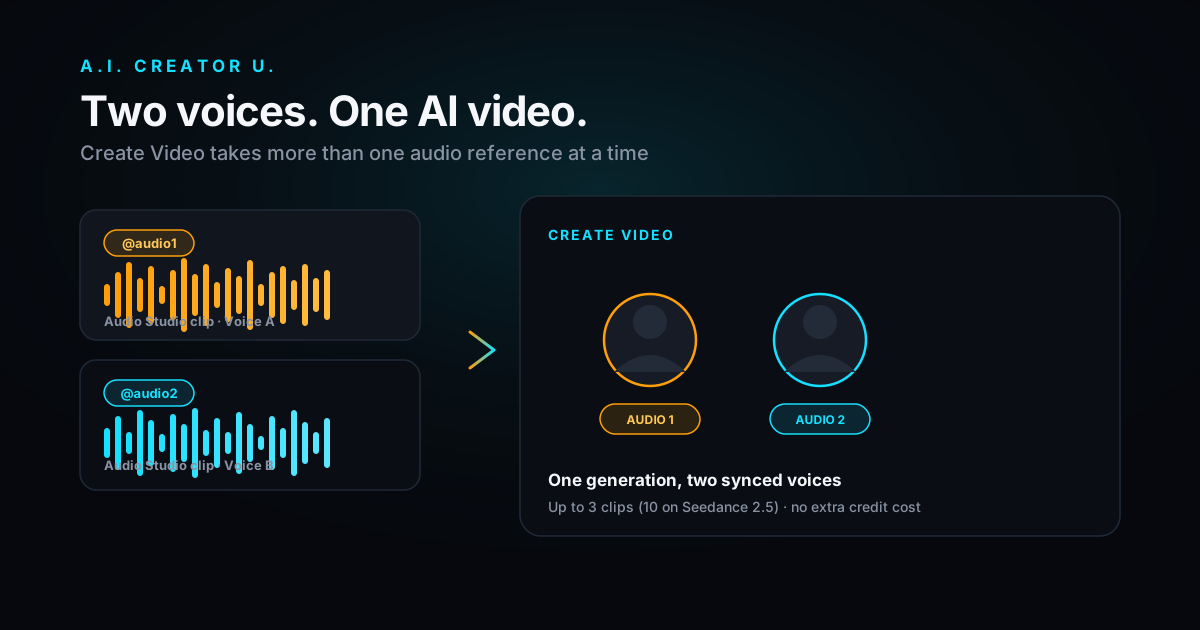
Seed Audio (ByteDance's model, available in our Audio Studio) takes a text prompt and can optionally take up to three reference audio clips. Each reference gets a numbered tag: @Audio1, @Audio2, @Audio3. When you reference a tag inside your prompt, Seed Audio treats that clip as a voice to clone for that part of the dialogue, and it keeps the different voices distinct and in character for the whole generation.
This is different from just picking a voice preset and typing a script. A voice preset gives you one speaker. The @Audio references let you assign different speakers to different lines, in one render, with Seed Audio handling the conversational timing between them.
A few hard limits worth knowing before you start:
- Three reference slots, no more. If you need a fourth speaker, you're generating a second pass and layering it yourself.
- Each reference clip has to be 30 seconds or shorter. Longer clips get rejected before you spend a credit. Our upload step checks this and tells you if a clip is too long, with a one-click crop tool to trim it down.
- Audio references and an image reference are mutually exclusive. You're either cloning voices from audio or generating from a single image prompt, not both at once.
- The whole prompt is capped at 2,048 characters. Plenty for a short dialogue scene or an ad script; not enough for a full audiobook chapter.
Step-by-step: building a two- or three-voice scene
- Get your reference clips ready. These can be your own recordings, a clip you already generated in Audio Studio, or the trimmed output of the built-in waveform crop tool. Clean, single-speaker audio with minimal background noise clones best. Aim for 10-20 seconds; you don't need the full 30.
- Upload each clip into a reference slot. Drop the first voice into the
@Audio1slot, the second into@Audio2, and a third into@Audio3if you need it. Each slot shows the clip name and a play button so you can confirm you grabbed the right take. - Write your prompt referencing the tags directly. Click a filled reference chip to insert its
@AudioNtoken at your cursor, or type it manually. A simple two-voice scene looks like this:
@Audio1 (customer, frustrated): "I've called three times about this and nobody's fixed it." @Audio2 (support agent, calm): "I hear you, and I'm going to get this resolved right now. Can you confirm the order number for me?"
Seed Audio reads the bracketed direction as tone guidance, not literal spoken text, so use it to steer delivery without it ending up in the output.
- Pick your output settings. Format defaults to MP3, but WAV, PCM, and OGG Opus are all available if you need something a video editor prefers. Sample rate goes up to 48kHz. Speed and volume are adjustable from 0.5x to 2x each, and pitch shifts up to 12 semitones in either direction, useful for pushing a cloned voice younger, older, or just distinct enough from the other speaker.
- Generate. A multi-voice dialogue costs the same flat rate as any other Seed Audio generation, 2 credits, regardless of how many voices or how long the clip runs (up to what the prompt and references produce naturally). If the job fails on our end, credits are refunded automatically; you don't need to file a ticket.
Reference slot rules at a glance
| Setting | Limit | Why it matters |
|---|---|---|
| Reference voice clips | Up to 3, tagged @Audio1 through @Audio3 | This is your speaker count per generation |
| Max clip length | 30 seconds each | Longer clips are rejected before charging credits; crop first |
| Audio + image references | Mutually exclusive | Pick one input type per generation |
| Prompt length | 2,048 characters | Enough for a scene, not a script |
| Output formats | MP3, WAV, PCM, OGG Opus | Match whatever your video editor or podcast host expects |
| Sample rates | 8kHz to 48kHz | Higher rates for music/SFX-heavy mixes, lower is fine for pure dialogue |
| Speed / Volume | 0.5x to 2x | Independent controls, not tied together |
| Pitch | ±12 semitones | Useful for differentiating two similar-sounding cloned voices |
| Cost | 2 credits flat | Same price whether it's one voice or three |
Prompt-writing tips that actually change the output
Tag every line, don't assume it'll infer the speaker. If you write a long block of dialogue and only tag the first line, Seed Audio has to guess who's talking for the rest of it, and it guesses wrong more often than you'd like. Tag each turn explicitly, even if it feels repetitive.
Keep direction notes short and in parentheses. "(annoyed)" or "(whispering)" works. A full paragraph of backstory in the parentheses just eats into your 2,048-character budget and doesn't improve delivery much beyond a word or two of tone.
Use pitch to separate similar voices. If both of your reference clips are, say, mid-range male voices, a generation can occasionally blur who's speaking where the lines get short and fast. Nudging one voice's pitch down a few semitones from the other makes the two much easier to tell apart, both for the model and for your listener.
Don't over-script pauses. Seed Audio handles natural back-and-forth pacing on its own. Writing "(pause for 2 seconds)" tends to produce awkward, mechanical gaps rather than a natural beat. Let the model breathe on its own and trim in post if a specific pause needs to be longer.
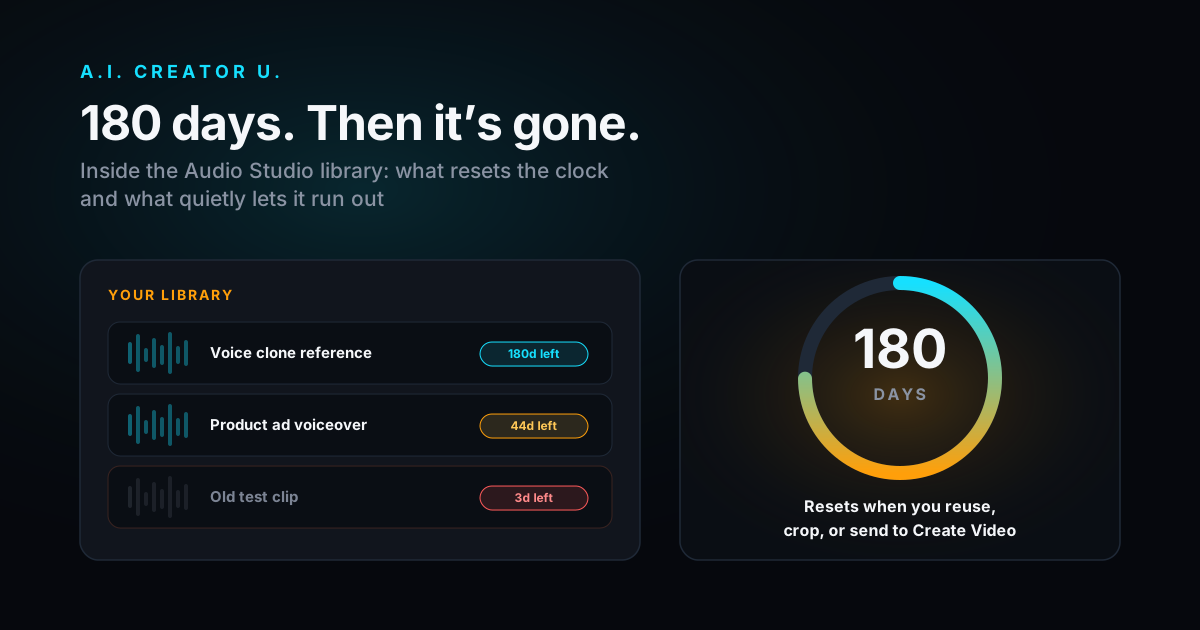
Reuse a clip's job to keep its retention clock alive. Reference clips and generated jobs in Audio Studio are kept for 180 days from the last time they're used. If you've got a go-to pair of voices for a recurring format (a weekly explainer with the same "host" and "guest," for instance), generating with them periodically resets that clock so you're not re-uploading and re-cloning every few months.
Three ready-to-paste prompt patterns
Copy one of these, swap in your own reference tags, and adjust the direction notes to match your scene.
Two-person ad skit (customer + brand voice):
@Audio1 (skeptical): "I've tried three of these apps already, why would this one be different?" @Audio2 (confident, warm): "Because the other three made you do the work. This one does it for you. Watch." (soft upbeat music fades in underneath)
Podcast-style cold open (host + guest):
@Audio1 (energetic host): "Okay, so you told me before we started recording that this number would blow my mind. Go." @Audio2 (measured, a little amused): "Ninety-four percent. That's not a typo." @Audio1 (surprised): "Ninety-four percent of what?"
Three-voice character bit (for shorts or Character Studio pairings):
@Audio1 (narrator, deadpan): "Meeting starts in five minutes." @Audio2 (panicked): "I haven't even opened my laptop." @Audio3 (unbothered): "Neither have I. We'll be fine."
Notice the pattern: every line is tagged, direction notes stay to a word or two, and the scene reads naturally out loud before you ever hit generate. If a line sounds stiff typed out, it'll sound stiff spoken too. Read it out loud first; it's the fastest way to catch a clunky line before spending a credit on it.
Where this is actually useful
The obvious use is podcast-style content: two hosts, a Q&A format, an interview cold-open. But the more common use we see is shorter and more commercial:
- Ad skits. A customer voicing a problem, then a second voice (yours, a brand voice, or a cloned "spokesperson") delivering the pitch. This slots directly into a UGC-style ad or a product demo voiceover without hiring two voice actors.
- Character dialogue for shorts. Two AI characters bantering in a short-form video, especially useful if you're already building characters in Character Studio and want their voices distinct from each other.
- Course and tutorial content. A "student asks, instructor answers" format reads far less flat than a single narrator monologuing through both sides of a hypothetical question.
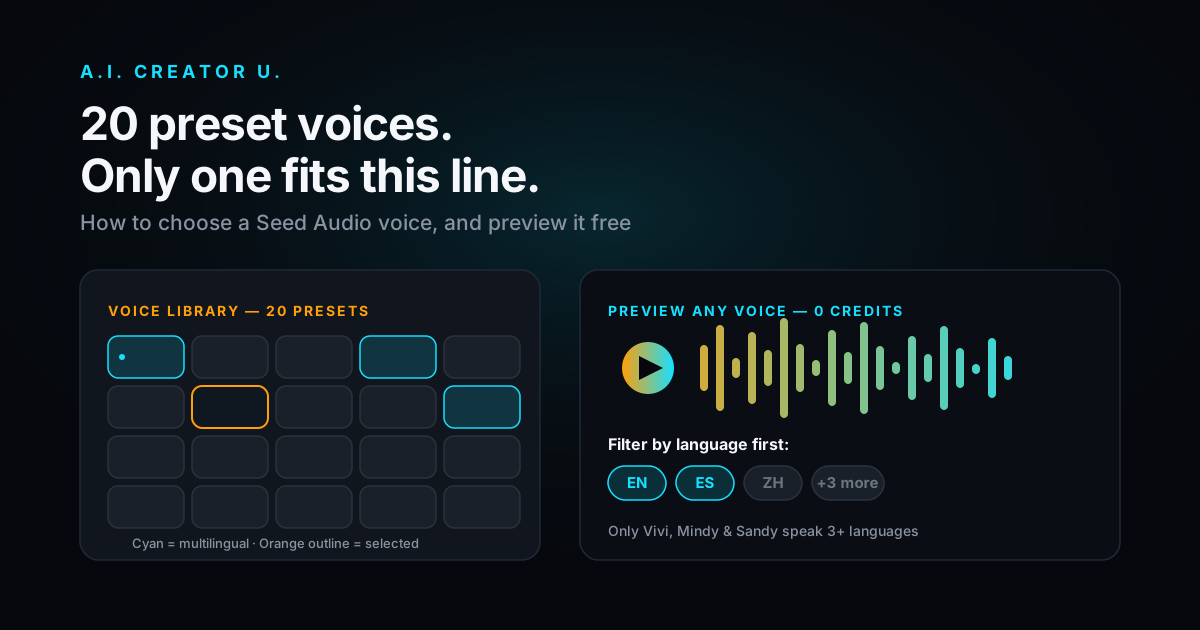
- Localized dialogue. Several of Seed Audio's 19 preset voices are multilingual (mixed English/Chinese, English/Spanish, and similar pairings), so a scripted exchange can shift languages mid-scene if your audience needs that.
How this compares to other multi-voice tools
ElevenLabs' Text to Dialogue feature is the most direct comparison point, and it's worth being honest about where it's ahead: ElevenLabs is reported to support dialogue generation across up to 10 distinct voices in a single pass, with fine-grained audio tags for emotional delivery and interruptions. If you need a large cast, that's the ceiling to look at.
Seed Audio's three-voice cap covers the overwhelming majority of real use cases though (two-person dialogue is the format that shows up in ads, shorts, and course content by a wide margin), and it comes bundled into the same tool you're already using for voice cloning, sound effects, and music, at the same flat 2-credit rate. If your project genuinely needs a five-person roundtable, that's a case for a different tool. If it needs two people talking, or three at most, this covers it without paying separately for a dialogue-specific product. For a fuller side-by-side on cloning quality and pricing between the two, see our ElevenLabs vs Seed Audio comparison.
One thing to know before you start: this isn't a free-tier feature
Audio Studio, multi-voice dialogue included, unlocks with any credit purchase. It isn't part of the free signup credits the way some of our video tools are. If you haven't bought a credit pack or subscription yet, you'll see a locked screen rather than the studio itself. Once you've made any purchase, the whole studio (voiceovers, cloning, sound design, and the multi-voice trick above) opens up permanently. We'd rather say that upfront than have you build a workflow around something you can't actually run yet.
FAQ
Can I use more than three voices in one Seed Audio generation? No. Three reference slots (@Audio1 through @Audio3) is the current limit. For a larger cast, you'd need to generate in separate passes and combine them in a video or audio editor.
Do the reference voices need to be cloned from real people, or can I use a preset? Either works, and you can mix them. You can tag a cloned reference as @Audio1 for one speaker and leave the other line on a preset voice selected from the dropdown. The preset and the reference system are independent controls.
Why did my dialogue come out with the wrong voice speaking a line? Almost always a missing tag. If a line of dialogue doesn't have an explicit @AudioN tag attached, Seed Audio infers who's talking from context, and on longer or fast-paced exchanges that inference gets it wrong. Tag every turn.
Can I combine multi-voice dialogue with background music or sound effects? Yes, describe the music or SFX in the same prompt alongside the dialogue tags. Seed Audio handles voice, dialogue, sound design, and music from a single text prompt, so you can layer "(soft ambient music underneath)" into the same generation as your tagged dialogue.
Does a longer multi-voice scene cost more credits? No. Audio Studio charges a flat 2 credits per generation regardless of length or number of voices used, as long as it's a single generation call.
Ready to build one? Head into Audio Studio and drop your first two reference clips into the @Audio1 and @Audio2 slots. If you're new to Seed Audio entirely, our how-to guide walks through voice cloning, sound effects, and the rest of the toolset from scratch, and the AI Audio Generation complete guide covers how this fits into a full audio workflow. If you're building character voices for AI twins first, How to Clone Yourself with AI is the companion piece for that side of it.
The dialogue trick takes five minutes to set up the first time and about thirty seconds every time after that. Two voices, tagged clearly, is usually all a scene needs. Try it in Audio Studio and see how far one generation actually gets you.