Seedance Open, Explained: The AI Video Model Built for Real Faces (and a Real Extend Button)
If you've spent any time in a Seedance-powered tool this year, you've probably hit the same wall: upload a photo of an actual human being and the generation dies with a face-detection error. That's not a bug. It's ByteDance's own policy for the standard Seedance 2.0 rollout, and it's reportedly there to head off deepfake and likeness-abuse claims before they start.
There's a second, quieter model sitting in the Create Video picker that doesn't have that wall. It's called Seedance Open, and it does something else nothing else in the picker can do right now: it can genuinely continue a video you already generated, picking up exactly where the last clip ended, instead of forcing you to describe the whole scene again from scratch.
This post covers what Seedance Open actually is, why real faces work on it when they don't work on standard Seedance 2, exactly how the Extend feature works, what it costs, and the one thing you shouldn't bother paying extra for.
Quick answer
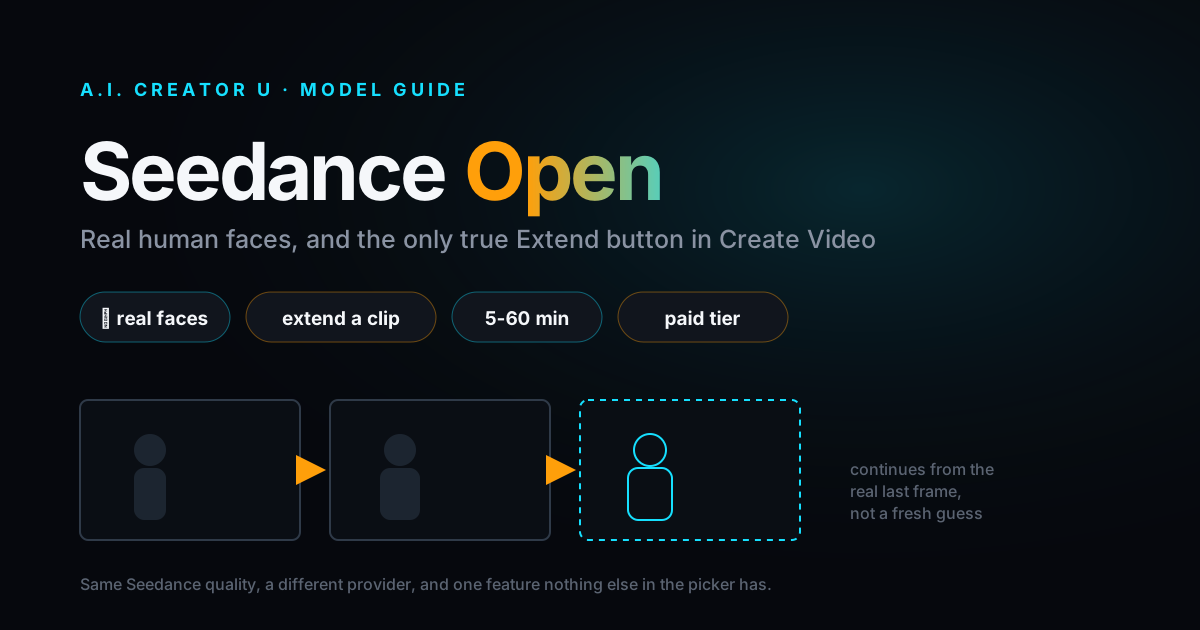
Seedance Open (badge: 🔓, internal id seedance-2-fast-preview) is a PiAPI-routed variant of Seedance 2 inside A.I. Creator U.'s Create Video tool. Two things make it worth knowing about: it doesn't enforce the real-face restriction that blocks photos of actual people on standard Seedance 2, and it's the only model currently in the picker with a working "Extend" button that continues an existing generation via the provider's own task chain rather than starting a fresh one. The trade-off is speed (5 to 60 minutes instead of a few minutes) and it's a paid-tier model, not part of the free allowance. Pricing runs 9 credits for 5 seconds, 18 for 10 seconds, and 27 for 15 seconds, output length always lands on one of those three tiers.
What is Seedance Open, actually?
Under the hood, standard Seedance 2 (Fast, Mini, and the Quality tier) routes through KIE's own pipeline. Seedance Open routes through PiAPI, a separate third-party aggregator that happens to also offer Seedance-family models. Same underlying video model, different provider, different rules attached to it.
That distinction matters because a lot of what makes Seedance Open useful (and slower) comes directly from being on someone else's queue instead of A.I. Creator U.'s own KIE pipeline. It's not a "worse" Seedance. It's the same generation quality with a different set of restrictions and a different wait time.
In the composer, Seedance Open supports up to 9 reference images, reference video and reference audio, first and last frame control, and the same 16:9, 9:16, 4:3, and 3:4 aspect ratios you'd get on standard Seedance 2. Prompts are capped at 4,000 characters (well short of the 20,000 that standard Seedance 2 accepts, so keep instructions tight).
Why does standard Seedance 2 block real faces in the first place?
This part isn't specific to A.I. Creator U., it's ByteDance's own policy. When Seedance 2.0 rolled out more broadly through CapCut and Dreamina earlier this year, ByteDance added face detection at the model layer: any image or video containing a photorealistic human face gets rejected outright, whether it's your own face, a stranger's, or even a convincingly AI-generated one. Reported coverage at the time tied this directly to deepfake and unauthorized-likeness liability, the kind of thing that gets a platform sued fast if it ships without guardrails.
You can see the fingerprint of that policy directly in A.I. Creator U.'s own error handling: a real-face upload against a standard Seedance model returns a message referencing the "Dreamina" restriction by name, since Dreamina is ByteDance's own consumer app running the same underlying model.
Seedance Open, being routed through PiAPI instead of KIE's direct pipeline, doesn't apply that same block. Real human faces go through. That's the headline reason to reach for it over standard Seedance 2 when your source material is an actual person rather than a generated character or one of the pre-approved avatar assets.
One honest caveat here: content moderation itself hasn't gone anywhere. Every PiAPI-routed Seedance task, Open included, still runs through the same rejection pipeline for content-policy violations, trademarked material, and other filtered categories. "Less restriction" means the face-specific block is lifted, not that moderation is off. Don't read this as a workaround for anything that would get flagged for other reasons.
The feature nothing else in the picker has: a real Extend button
Every model in Create Video technically has some notion of "make more video." VEO and Grok both have their own Extend features, but they work as a fresh follow-up request layered on top of a finished clip. Seedance Open does something more literal: when you click Extend on a completed Seedance Open generation, the new job is submitted with the previous generation's task ID attached as a parent, and the provider continues the actual sequence rather than reconstructing a new one that merely resembles it.
Practically, that means less drift. Say your character reaches for a cup halfway through a 10-second clip and you want to see them actually pick it up and drink. On most models you'd re-describe the entire shot, including everything that already happened, and hope the new generation matches the framing, lighting, and motion closely enough to cut together. With Extend on Seedance Open, you write a prompt describing only what happens next, and the continuation starts from the real last frame of the real generation, not a fresh guess at what that frame looked like.
Here's what actually happens when you click it: the composer clears any reference videos or start/end frames you had set, keeps your reference images if you want to add more, and auto-switches your model to Seedance Open if you were on something else (it's the cheapest of the extend-capable options). Your aspect ratio carries over automatically. You write a new prompt for the continuation and submit like normal.
One nuance worth knowing before you rely on this: Extend only works on Seedance Open (and, for older jobs, the Premium/VIP tiers that were pulled from the main picker back in June). Standard Seedance 2, Seedance 2 Mini, Seedance 2.5, and MiniMax H3 all have no parent_task_id mechanism in their specs, so there's nothing to attach a continuation to. If your source clip was generated on standard Seedance 2 Fast, you can't extend it this way, full stop.
How much does Seedance Open cost?
Pricing is a flat rate per second, marked up 30% over the provider's own cost, then converted to credits.
| Output length | Credits |
|---|---|
| 5 seconds | 9 credits |
| 10 seconds | 18 credits |
| 15 seconds | 27 credits |
A genuinely useful detail buried in how this works: the slider in the composer lets you drag to any number between 4 and 15 seconds, and the price shown scales with whatever number you pick. But the clip that actually comes back always rounds up to 5, 10, or 15 seconds regardless. Picking "8 seconds" doesn't get you an 8-second clip, it gets you a 10-second one. Since there's no benefit to landing between the three tiers, just pick 5, 10, or 15 directly and skip the guesswork.
Also worth flagging honestly: the composer still shows a 480p / 720p / 1080p resolution selector when Seedance Open is the active model, the same as it does for most other models on the page. As of this writing, that selection doesn't change the price or get passed through to the provider for this specific model, unlike standard Seedance 2 or MiniMax H3 where resolution genuinely changes both cost and output. If a sharper render is the goal, standard Seedance 2 or MiniMax H3 are the models actually built to deliver on a resolution choice.
Seedance Open is not part of the free tier. A.I. Creator U. gives free accounts access to Seedance 2 Mini, Kling 2.6, Grok Imagine 1.5, and VEO 3.1 Lite/Fast (new accounts start with up to 16 free credits to try those). Seedance Open, like the rest of the paid catalog, unlocks the moment you make any credit purchase, subscription or one-off.
Why is it so much slower than everything else?
The listed speed estimate for Seedance Open is 5 to 60 minutes, which is a wide, honest range compared to the 2 to 8 minutes you'll see quoted for most other models on the page. The reason is structural, not a quality issue: Seedance Open runs through PiAPI's own shared queue rather than A.I. Creator U.'s direct KIE pipeline, and that queue serves a lot of other traffic beyond just this one tool. During peak hours the provider's own documentation warns that queue times can stretch to several hours industry-wide.
A.I. Creator U.'s backend is built around that reality rather than fighting it: a job sitting unclaimed in PiAPI's queue for more than 20 minutes gets automatically canceled and refunded rather than left to time out silently, and there's a longer 90-minute hard cutoff behind that. If you submit a Seedance Open job and it takes noticeably longer than a standard Seedance 2 generation, that's expected behavior, not something broken. Don't queue one up five minutes before a client call.
Seedance Open vs. the rest of the video lineup
| Model | Real faces allowed | Can extend | Typical speed | Best for |
|---|---|---|---|---|
| Seedance Open | Yes | Yes | 5-60 min | Real people, continuing an existing clip |
| Seedance 2 (Fast/Mini) | Restricted | No | 2-5 min | Fast iteration, non-real or approved subjects |
| Seedance 2.5 | Restricted | No (prompt-driven edits instead) | 3-8 min | Longer clips, prompt-based editing |
| VEO 3.1 | N/A | Yes (separate feature) | Varies | Cinematic quality, its own extend/upscale tools |
| MiniMax H3 | Restricted | No | 2-5 min | Guaranteed resolution tiers (768p/2K) |
If you're building content around a real person and don't want to route through a pre-approved avatar or a generated portrait, Seedance Open is currently the only path in Create Video that accepts that material directly. If your subject is a character, a product, or anything non-photorealistic-human, standard Seedance 2 will get you a faster, cheaper result with the same underlying model quality.
Step-by-step: generating and extending your first clip
- Open Create Video and select Seedance Open from the model picker (look for the 🔓 badge).
- Upload your reference image, including a real human face if that's your subject. Write your prompt describing the shot.
- Pick 5, 10, or 15 seconds on the duration slider and choose your aspect ratio.
- Submit and expect a real wait, budget closer to 30-60 minutes if you're generating during a high-traffic window.
- Once the clip finishes, find it in your history. If you want to continue the action, click Extend on that card.
- The composer clears your old reference video/frame settings automatically. Write a new prompt describing only what should happen next, not the whole scene again.
- Submit. The continuation is priced and generated the same way as a fresh Seedance Open job, but it picks up from the real last frame of your original clip.
FAQ
Is Seedance Open free to use? No. It's a paid-tier model. Free accounts on A.I. Creator U. can use Seedance 2 Mini, Kling 2.6, Grok Imagine 1.5, and VEO 3.1 Lite/Fast with their starting credits (up to 16 free credits on signup). Any credit purchase, one-time pack or subscription, unlocks Seedance Open along with the rest of the paid model catalog.
Can I actually upload my own face to Seedance Open? Yes, that's the specific gap it fills. Standard Seedance 2 enforces a face-detection block tied to ByteDance's own policy for the model, which affects real human faces regardless of whose they are. Seedance Open, routed through a different provider, doesn't apply that block. Standard content moderation for other policy violations still applies to every job.
Which models can I extend besides Seedance Open? Within Create Video's Seedance lineup, only Seedance Open and the older Premium/VIP tiers (no longer selectable from the main picker, but still extendable if you generated with them before) support the parent-task extend mechanism. Standard Seedance 2, Seedance 2 Mini, Seedance 2.5, and MiniMax H3 don't have this capability in their current specs. VEO and Grok have their own separate extend features that work differently.
Why does my Seedance Open job take so much longer than other models? It runs through a third-party provider's shared queue instead of the direct pipeline the rest of Create Video uses. Traffic on that queue varies by time of day, which is why the estimate is a wide 5 to 60 minute range instead of a tight number. Jobs stuck unclaimed for over 20 minutes are automatically refunded rather than left hanging.
Should I pick 1080p for a sharper Seedance Open video? Based on how the model is currently wired, resolution selection doesn't appear to change price or output for Seedance Open specifically, unlike standard Seedance 2 or MiniMax H3. If guaranteed resolution tiers matter more to you than real-face support or Extend, those two models are the better fit.
Seedance Open solves a specific, narrow problem: real people and continuous action, in a lineup where most models handle neither well. It's not the model to reach for by default, standard Seedance 2 is faster and cheaper for everything that doesn't need those two things specifically. But when a project genuinely needs an actual human face or a clip that continues instead of restarts, it's currently the only door in Create Video that opens.
For the fundamentals of writing prompts that work across the whole Seedance lineup, see How to Use Seedance 2.0: The Complete Prompting Guide. If you're trying to work out what a project will actually cost before you commit credits, Seedance 2.0 Pricing breaks down the math model by model. And if your real goal is editing an existing clip rather than continuing it, How to Edit AI Videos with Seedance 2.5 covers the prompt-driven approach that works on the newer flagship model instead.
For the full picture of every model in the lineup and how to choose between them, start with the AI Video Generation: The Complete Guide.