Quick answer
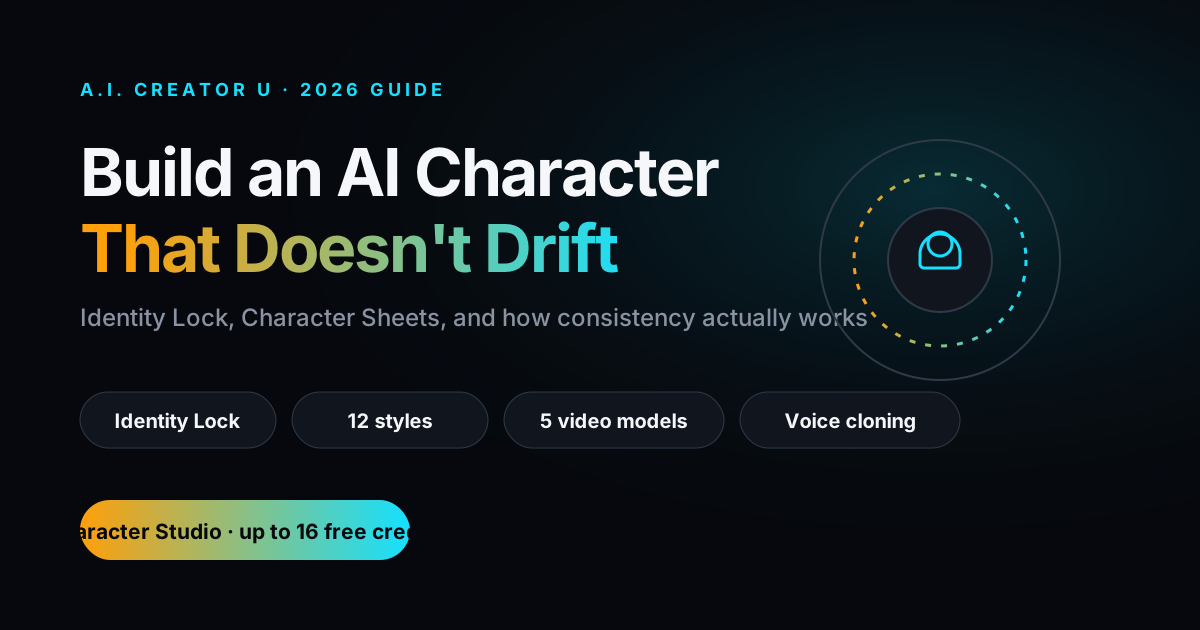
An AI character (also called an AI twin) is a locked digital identity, built from a handful of reference photos, that a video model uses to generate new images, video, and voiceovers of the "same person" every time. The trick isn't a smarter prompt. It's giving the model a fixed anchor to generate from instead of re-inventing a face on every single output. In A.I. Creator U's Character Studio, that anchor is called Identity Lock: upload 3-7 photos once, get a Character Sheet, then generate studio photos, cinematic video, and cloned voiceovers from it across 12 styles and 5 video models.
Why your AI character keeps changing faces
If you've played with any text-to-image or text-to-video tool for more than an afternoon, you've hit this wall: generation one gives you a face you love. Generation two gives you a stranger wearing the same outfit. By generation five, you've got five different people in your content calendar and zero brand.
That's not bad prompting. It's how these models work by default. A diffusion model doesn't "remember" a character between calls unless you force it to. Every prompt is a fresh roll of the dice, and small changes in wording, seed, or lighting nudge the face somewhere new. You can fight this with longer and longer prompts describing eye color and jaw shape in painful detail, and you'll still lose the fight eventually, usually right when a client asks for "one more variation."
The fix that's actually held up through 2026 isn't a better prompt. It's a workflow change: stop asking the model to invent the character and animate it in the same breath. Lock the identity first. Animate second.
The three ingredients of a consistent AI character
Every method that actually works for character consistency boils down to the same three things, whether you're doing it manually across five different tools or letting one tool handle it:
A strong reference set. One photo is a hint. A handful of photos from different angles, in decent lighting, with the face clearly visible, is an anchor. This is the single biggest lever. Garbage references produce garbage consistency no matter how good the model is downstream.
A single source of truth. Every downstream generation, whether it's a product photo, a talking-head clip, or a voiceover, needs to read from the same locked reference. The moment one generation drifts off to reference something else (a previous output, a looser prompt, a different seed), the identity starts sliding.
A model that respects the anchor. Not every video model treats a reference image the same way. Some blend it loosely into the prompt. Others (the better ones for this job) treat it as a hard constraint on facial identity while still letting pose, expression, and scene vary freely.
Miss any one of the three and you get the same result: a character that looks right in isolation and wrong next to itself.
How to build a consistent AI character, step by step
Here's the actual workflow, not the twelve-tool duct-tape version.
1. Shoot or source 3-7 reference photos. Front-facing, a couple of three-quarter angles, decent even lighting, no sunglasses or heavy shadow across the face. You don't need a photographer. A phone in daylight beats a studio shot with harsh backlighting.
2. Lock the identity. This is the step most people skip or do badly, usually by just pasting one photo into a prompt and hoping. What you actually want is a system that analyzes the full reference set into a single anchor, sometimes called a character sheet, that every future generation points back to. In Character Studio this happens automatically the moment you upload your photos: it builds your Character Sheet once, and that becomes your character, permanently, across every tool in the studio.
3. Generate the base set. Before touching video, generate a handful of still images across the styles and settings you'll need: a clean headshot, a full-body shot, maybe a couple of scene variations. This is your sanity check. If the identity isn't holding at the image stage, fix it here before you burn credits on video.
4. Move into video from the same anchor. This is where most workflows fall apart, because the image model and the video model don't share an identity system, so you're back to describing a face in words and praying. The fix is picking a pipeline where the video generation step reads from the exact same locked reference as the stills, not a re-description of it. Character Studio routes every video generation, across whichever of its five pro models fits the shot, through that same Character Sheet.
5. Add voice, if the format needs it. A consistent face with a random AI voice reads as fake instantly. Voice cloning off the same person closes that gap, and pairing it with a captioned edit gets you a finished, postable clip without a separate editing pass.
6. Reuse, don't rebuild. The entire point of locking a character once is that you never do steps 1-2 again. Every new video, every new product shot, every new script starts from step 3.
AI character vs. AI influencer vs. AI twin: same idea, different jobs
These terms get used interchangeably and it causes real confusion, so here's the actual distinction:
| Term | What it usually means | Best fit |
|---|---|---|
| AI character | A consistent generated identity used across content, may or may not resemble a real person | Brand mascots, recurring video hosts, fictional personas |
| AI twin | A consistent identity trained from and resembling you specifically | Founders, coaches, and creators who want to scale their own on-camera presence |
| AI influencer | A consistent identity built as a standalone social persona, often fictional | Social-first accounts, brand-owned virtual personalities |
The underlying tech is the same locked-identity mechanism in all three cases. What changes is whose face you feed it and what you're trying to accomplish with the output. If you want a deeper look at the influencer angle specifically, we covered that in AI Influencer Generator: How to Create One. If the goal is scaling your own presence rather than building a fictional one, How to Clone Yourself with AI (Voice + Video) walks through that version.
What actually breaks consistency (even with a locked reference)
A few honest failure points worth knowing before you spend credits:
Extreme expression or angle changes. Identity locks hold up well for normal poses and moderate expression range. Ask for a wild grimace from a steep low angle and you're pushing the model past what the reference can anchor confidently. Keep early generations closer to your reference angles, then push variety once you've confirmed the anchor holds.
Style whiplash. Jumping a locked character straight from photoreal to a heavily stylized illustration style asks a lot of any system. Most tools, Character Studio included, handle this by keeping style as a separate, swappable layer on top of the identity rather than baking it into the anchor, which is why you can move a character across 12 styles without re-locking it each time.
Low-quality source photos. No downstream fix compensates for blurry, poorly lit, or heavily filtered reference photos. If the anchor is soft, everything built on it is soft.
Multiple people in one shot. Multi-character consistency (two locked identities interacting in the same frame) is a genuinely harder problem than single-character consistency, and it's the area where the field is still catching up in 2026. Treat it as an edge case, not a baseline expectation.
Where an AI character actually earns its keep
This isn't a novelty. The teams and creators getting real value from locked AI characters are using them for specific, repeatable jobs:
- Faceless brand hosts. A recognizable "face" for a channel or product line without putting a real person on camera every time. Pairs naturally with the workflow in How to Start a Faceless YouTube Channel with AI.
- Founder or coach scaling. One founder, ten videos a week, without ten filming sessions. The founder becomes the reference set once and the character generates the rest.
- Product and ad creative. A consistent spokesperson across a whole campaign, so ad variants look like one coherent series instead of ten disconnected clips.
- Talking-head content at scale. If your format is a person explaining something to camera, a locked character removes the biggest bottleneck, which is always the camera time itself. Our AI Talking Head Video Generator piece goes deeper on that specific format.
What this actually costs vs. the old way
Worth being blunt about the economics, because "AI character" sounds like a novelty until you put a number next to what it replaces. A recurring on-camera presence, meaning a photographer or videographer, an editor, and a talent's time, runs real agencies well over a thousand dollars a month once you add it all up, and that's before you've shot a single ad variant. A locked AI character collapses that into: build the identity once, generate as many variations as your content calendar needs, pay per generation on a credit plan instead of per shoot.
That doesn't mean it replaces every use case. A locked character is excellent at volume and consistency; it's not the tool for a nuanced, emotionally complex brand film that needs a real director's eye. Know which job you're solving before you pick the tool. For high-frequency, format-driven content (talking heads, product spots, recurring social segments), the math favors the locked character every time. For a one-off hero piece, hire the crew.
A quick worked example
Say you're a solo founder who wants three talking-head clips a week explaining product updates, without booking a camera crew every Monday. Here's what that looks like end to end:
- Take seven photos on your phone over a weekend, different angles, natural light.
- Upload them once. Identity Lock builds your Character Sheet in minutes, not hours.
- Write this week's three scripts.
- Generate all three clips from the same Character Sheet, picking whichever of the five video models fits the pacing you want.
- Run each through the captioned editor for the finished, postable version.
Total camera time across the whole week: zero, after the initial photo upload. That's the entire pitch in practice, not theory.
Building your first AI character in Character Studio
The whole point of a dedicated tool here is collapsing the six-step workflow above into something you do once. In Character Studio, that looks like: upload 3-7 reference photos, let Identity Lock build your Character Sheet, then generate from it across 12 styles and 5 pro video models, plus cloned voiceovers and a built-in captioned editor for the finished clip. Same character, every output, no re-describing a face in a prompt and hoping it lands.
It's free to start (up to 16 free credits, no card required), and the character you build stays yours to keep generating from once you're on a paid plan.
FAQ
Do I need professional photos to build an AI character? No. A handful of clear, well-lit phone photos from a few angles works. What matters more than camera quality is variety of angle and a clearly visible, unobstructed face.
How many reference photos do I actually need? Somewhere in the 3-7 range is the sweet spot for most tools, including Character Studio. Fewer than three gives the model too little to anchor on; more than that usually doesn't add much beyond diminishing returns.
Can I make an AI character that doesn't look like a real person? Yes. You can build an identity from AI-generated or fictional reference images just as easily as from real photos. The locking mechanism doesn't care where the source images came from, only that they're consistent with each other.
Will my AI character look the same in every video model? Only if the tool routes every generation through the same locked reference regardless of which underlying model is doing the rendering. That's the specific problem Identity Lock solves in Character Studio, since it drives all 5 supported video models from one Character Sheet instead of a per-model description.
Is this the same thing as a deepfake? No. A deepfake maps an existing person's likeness onto footage they never appeared in without consent. An AI character or AI twin, used the way described here, is built from photos you own or control (often your own) and used to generate new, original content, not to impersonate someone else without permission.
Ready to stop describing a face in every prompt and start building from one? Create your first character free in Character Studio.