How to Write AI Video Prompts That Actually Work (2026 Guide)
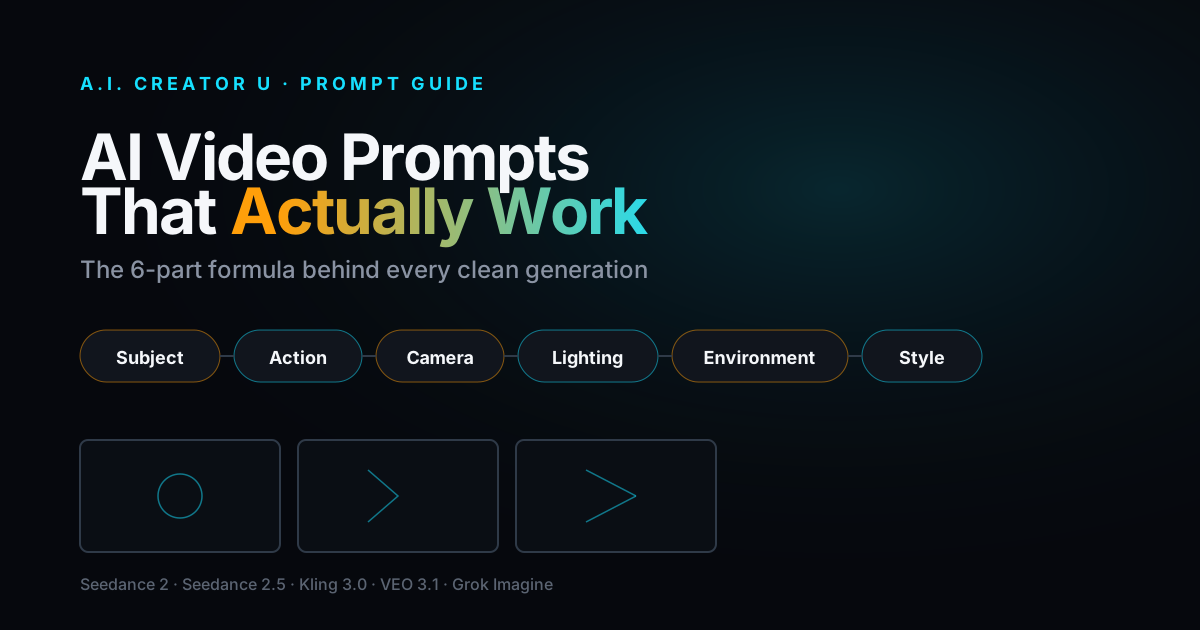
Quick answer: A prompt that actually works follows one order, every time: subject, action, camera, lighting, environment, style. Skip a piece and the model guesses, usually wrong. Keep each prompt to one or two actions (chain more and the model blends them into mush), name your shot type instead of describing a "cinematic feel," and if your tool takes reference images or video, describe what should change, not what's already sitting in the reference. That's the whole system. Everything below is how to actually use it, model by model.
Most people write AI video prompts like they're texting a friend: "make a cool video of a girl walking through neon rain, cinematic, 4K, trending." The model reads all of that and has no idea where to put its attention. Is "cinematic" a lens choice? A color grade? A vibe? It's nothing, and nothing is what you get back: a generic clip that looks like every other prompt that used the word "cinematic."
The prompt itself is the single biggest lever on your output quality, bigger than which model you pick. We've watched thousands of generations run through Seedance 2, Kling 3.0, VEO 3.1, and Grok Imagine inside our Create Video tool, and the pattern holds across all of them: structured prompts beat long prompts, specific verbs beat vague adjectives, and one clear action beats three crammed into a single clip.
This guide is the formula, not the theory. Copy it, adapt the examples, and you'll cut your reroll count in half.
What's actually happening when a model reads your prompt
AI video models are trained to weight the words earlier in a prompt more heavily than words at the end, and to map different phrases to different parts of the generation (motion, lighting, color, framing). When your prompt is one long run-on sentence, the model has to guess which words go where. When it's structured, ordered information, the model can slot each piece into the part of the network that handles it.
That's why "a woman walks through rain at night, cinematic, moody, 4K, award-winning" underperforms "A woman in a red coat walks briskly through heavy rain. Camera tracks alongside at eye level. Neon signs cast pink and blue light on wet pavement. Night, handheld, slight motion blur." Same idea, wildly different results, because the second version tells the model what goes where instead of dumping adjectives and hoping.
The 6-part prompt formula
Here's the order that consistently produces the cleanest results, across every model we've tested in the Create Video tool:
| Element | What it does | Weak version | Strong version |
|---|---|---|---|
| Subject | Who or what is on screen | "a person" | "a woman in her 30s in a navy technical jacket" |
| Action | What they're doing, one or two beats max | "walking" | "walking briskly, checking her phone once" |
| Camera | Shot type and movement | "cinematic" | "medium tracking shot, handheld, eye level" |
| Lighting | Source, quality, direction | "moody" | "overcast soft key light from camera left" |
| Environment | Location, time, weather | "outside" | "wet downtown street, night, light rain" |
| Style | Lens/film look, color grade | "high quality" | "35mm lens, shallow depth of field, desaturated teal grade" |
Notice what's missing: no "trending," no "award-winning," no "8K ultra HD masterpiece." None of that means anything to a generation model. It's not censoring your creativity, it's just wasted tokens that could've been a real camera direction instead.
You don't need all six every time; a quick product shot might only need subject, action, and lighting. But when a generation comes back flat or wrong, the fix is almost always "which of the six did I skip."
Write one action, not three
This is the mistake we see most often, especially from people used to writing scripts. A prompt like "she walks into the kitchen, opens the fridge, pulls out a drink, and takes a sip while smiling at the camera" is asking for four separate beats in a single clip. Most models handle one, maybe two, clean actions per generation. Chain more than that and you get a blurred, physically inconsistent mess where the model tries to average all four actions into one motion.
The fix: split it. Generate "she walks into the kitchen and opens the fridge" as one clip, "she pulls out a drink and takes a sip, smiling at the camera" as a second, then stitch them in your timeline. It's more generations, but each one comes back clean on the first or second try instead of the fifth.
If your model supports first/last-frame control (Seedance 2, Seedance 2.5, and Kling 3.0 all do inside Create Video), this is also your friend for multi-beat sequences: generate clip one, grab its final frame, feed it in as the starting frame for clip two. The action continues instead of restarting.
Camera direction is the highest-leverage line you're skipping
If you only add one thing to your prompts starting today, make it camera direction. "Medium tracking shot from the left, handheld" tells the model exactly what to render. "Cinematic" tells it nothing specific, so it defaults to whatever its training data associates with that word on average, which is usually a static, centered shot.
A short vocabulary that actually moves the needle:
- Shot size: wide shot, medium shot, close-up, extreme close-up
- Movement: static, slow push in, tracking shot, handheld, orbit/arc, crane up
- Angle: eye level, low angle, high angle, overhead
Pair one from each category. "Low angle, slow push in, handheld" is a real direction. "Dynamic dramatic camera work" is not.
Lighting: name the source, not the mood
Same problem as camera direction. "Moody lighting" is an adjective, not an instruction. "Overcast soft key light from camera left, cool shadow fill" is an instruction. A few combinations that reliably produce distinct, controllable looks:
- Golden hour backlight with rim light on the subject
- Single hard source from above, deep shadow contrast
- Neon practicals in frame, blue shadow fill
- Soft overcast daylight, minimal shadow
Name the source (window, streetlamp, golden hour sun, neon sign) and the model has something concrete to render instead of an atmosphere to interpret.
How prompting changes when you're using reference images or video
This is where most of the "why did it ignore my reference" complaints come from. When you upload a reference image or video to Seedance 2, Seedance 2.5, or Kling 3.0's Elements mode inside Create Video, your prompt's job changes. You're no longer describing the whole scene from scratch. You're describing what should change or happen next, and the reference is filling in everything else (the face, the outfit, the product, the setting).
Write "she turns and smiles at the camera" against a reference image, not "a woman in a navy jacket turns and smiles at the camera." The model already has the jacket. Re-describing it just adds noise and, occasionally, makes the model try to reconcile your text description against the image if they don't perfectly match.
Seedance 2.5 goes a step further and lets you address specific references directly inside the prompt with @image1, @video1, and @audio1 tokens when you've got more than one reference loaded, so a prompt like "animate @image1 walking toward @image2's storefront" tells the model exactly which upload does what instead of leaving it to infer from upload order.
A model-by-model cheat sheet
Not every model reads prompts the same way. Here's what we've found holds true inside the Create Video tool:
| Model | Prompt style that works best | Where it's picky |
|---|---|---|
| Seedance 2 | Full 6-part structure, references described by what changes | Chaining 3+ actions in one clip |
| Seedance 2.5 | Same, plus @image1/@video1 tags for multi-reference jobs | Needs the reference tags once you're past a single upload |
| Kling 3.0 | Shorter, cleaner sentences; strong with multi-shot storyboards described shot-by-shot | Overloading a single shot description with two camera moves |
| VEO 3.1 | Natural, descriptive sentences work well; strong native audio, so describe sound too ("dialogue," "footsteps," "wind") | Doesn't need heavy technical camera jargon, plain description often beats it |
| Grok Imagine | Short and direct, works best animating a single reference image | Struggles with dense multi-clause prompts |
If a model isn't cooperating, that table is usually the fastest diagnosis: are you writing for the model you're actually using, or copy-pasting the same prompt style across all of them?
Building a batch of ads or product shots and don't want to write six variations by hand? Create a free account and run the same structured prompt across Seedance 2, Kling 3.0, and VEO 3.1 in one place, on your first 15 credits, so you can see which model actually nails your specific brief before you commit to one.
A before/after, start to finish
Before: "cool product video, sneaker spinning, dramatic lighting, high quality, trending"
After: "A white running sneaker rotates slowly on a black pedestal. Camera orbits around it at a slow, constant speed. Single hard spotlight from above, deep shadow falling to one side. Dark studio background, no other objects. Macro lens, shallow depth of field on the laces."
Same product, same rough idea. The second version tells the model the subject (the sneaker, on a pedestal, described plainly), the action (slow constant rotation), the camera (orbit, slow, constant speed), the lighting (hard spotlight, above, one-sided shadow), the environment (dark studio, nothing else in frame), and the style (macro, shallow depth of field). Nothing here is longer for the sake of length. Every word is doing a job.
FAQ
How long should an AI video prompt be? Long enough to cover the parts that matter, usually 40 to 80 words. A short, structured prompt with clear section boundaries outperforms a 200-word stream-of-consciousness paragraph, because the model can map each piece to the right part of the generation instead of trying to parse a wall of adjectives.
Do camera movement terms like "tracking shot" or "orbit" actually change the output? Yes, and it's one of the most reliable levers you have. Naming a real shot type and movement (medium tracking shot, slow push in, low angle) produces a noticeably different result than a vague word like "cinematic," which the model just maps to its average training example.
Can I put multiple actions in one prompt? You can, but expect a blurrier, less physically coherent result once you go past two beats. Most models handle one clean action well, two if they're closely related (like "she opens the door and steps through"). For anything longer, split it into separate clips and stitch them together, or use first/last-frame chaining if your model supports it.
Why did the model ignore my reference image and just use my text description instead? Usually because the prompt re-described the whole scene instead of just the change. When you've uploaded a reference, write only what should happen next ("turns and walks away"), not what's already visible in the image. Restating visible details can create a conflict the model has to resolve, and it doesn't always resolve it your way.
Does adding words like "8K," "award-winning," or "trending" actually improve quality? No. These aren't technical instructions the model can act on, they're just filler that used to work on older text-to-image tools out of habit. Replace that space with a real camera direction or lighting detail and you'll see a bigger jump in quality than any quality-signaling adjective ever gave you.
Put the formula to work
The formula doesn't change much between models: subject, action, camera, lighting, environment, style, one or two actions per clip, and reference uploads described by what changes, not what's already there. What changes is how forgiving each model is when you get it slightly wrong, which is exactly why it's worth testing the same structured prompt across a few models before you settle on one for a project.
Try it in Create Video with Seedance 2, Kling 3.0, VEO 3.1, or Grok Imagine, free signup gets you 15 credits to run the comparison yourself.
For more on getting the most out of a specific model, see our deep dives on how to prompt Seedance 2, Kling 3.0's multi-shot mode, and how Seedance 2, VEO 3.1, and Kling 3.0 actually compare when you run the same brief through all three. And if you want the full landscape before you specialize, start with our AI Video Generation: The Complete Guide.