Quick answer
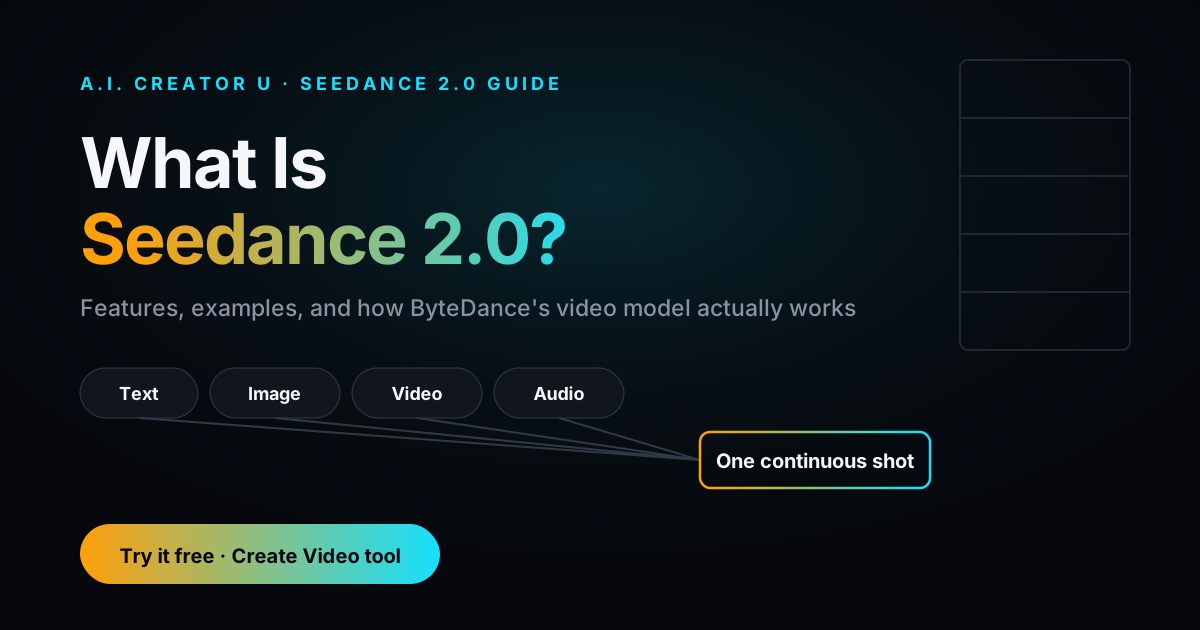
Seedance 2.0 is ByteDance's flagship AI video model: text, image, video, and audio in, one continuous shot out, with native dialogue and sound effects baked into the same generation pass. It's not free, and it's not open-weights, so there's no local install and no legitimate "run it for free" trick. In the US, the way to actually use it is through a global-access platform like A.I. Creator U's Create Video tool, which runs Seedance 2.0 alongside Kling 3.0, VEO, and Grok so you're never locked into one model.
What Seedance 2.0 actually is
Seedance 2.0 is ByteDance's second-generation video model, built to fix the thing that made every prior AI video tool feel like a toy: consistency across a shot. Earlier models could nail a single frame and then let a character's face drift, a shirt change color, or a hand grow an extra finger by frame 90. Seedance 2.0's whole pitch is that it doesn't do that, at least not as often.
It's multimodal in the literal sense: you can feed it a text prompt, reference images, a reference video, and reference audio, and it treats all of them as instructions for the same shot. That's a meaningfully different workflow than "type a prompt, get a video." You're directing it.
Here's the part worth being precise about, because "features" articles about hot new models tend to blur into marketing copy. What follows is a mix of two things: what ByteDance and outside reviewers report about the model generally, and what our own Create Video tool actually exposes when you use Seedance 2.0 through it. We'll flag which is which.
Text-to-video
Straightforward: describe a scene, get a clip. Where Seedance 2.0 pulls ahead of older models is prompt adherence on anything with motion, meaning if you describe a camera push, a hand gesture, or a specific action sequence, it's more likely to actually deliver that action instead of a vaguely-related still-life. Reviewers have reported strong physics handling too (weight, gravity, cloth movement) which is the kind of thing that's easy to describe and hard to fake with older diffusion-only video models.
Image-to-video
Upload a reference image and Seedance 2.0 animates it instead of generating from scratch. This is the workflow most creators actually use, because it gives you control over what the subject looks like before a single frame of motion happens. In our Create Video tool, Seedance 2's Fast tier accepts up to 9 reference images in one generation, so you can feed it a character shot, a product shot, and a background plate together and let it reconcile them into one scene.
Reference images, video, and audio (the multimodal part)
This is Seedance 2.0's real differentiator. Beyond a single reference image, you can hand it a reference video (so it copies a camera move or a piece of motion you already have on file) and reference audio (so dialogue or a music cue drives the pacing). Through Create Video, Seedance 2 Fast supports up to 3 reference videos and 3 reference audio clips per generation, plus first-frame and last-frame image slots if you want to lock down exactly where a shot starts and ends. That's a lot of simultaneous control for one model, and it's the reason people use Seedance 2.0 over a plain text-to-video tool when the shot has to match something specific, a brand's product, a real location, a consistent character.
Camera control
Instead of describing a camera move in words and hoping the model interprets "slow dolly in" correctly, you can upload a reference clip that has the camera move you want and Seedance 2.0 follows it. That's a much more reliable way to get a specific cinematic move than prompt engineering alone, and it's the workflow we'd point a creator toward if a shot's camera work matters more than the subject.
Character consistency
This was the headline complaint about first-generation AI video: a character's face would subtly shift between cuts, or worse, swap entirely. Seedance 2.0's consistency handling is reported to hold up noticeably better across a single continuous shot, keeping facial features, color palette, and lighting stable without the sudden identity drift that made earlier tools unusable for anything narrative. It's not perfect (multi-shot consistency across separate generations is still the harder unsolved problem industry-wide, not just for Seedance), but within one clip it's a real step up.
Audio and dialogue
Seedance 2.0 generates dialogue, sound effects, and ambient audio in the same pass as the video, meaning the lip-sync and the sound design aren't a separate step you bolt on afterward. That native-audio approach is genuinely different from the older workflow of generating silent video and dubbing voice over it in a separate tool. If audio-first content is your focus rather than video, our own Seed Audio inside the Audio Studio is worth a look too. Read the AI Audio Generation guide for the full breakdown of what that tool does on its own.
Seedance 2 tiers at a glance
Not all "Seedance 2" is the same tier, and the naming gets confusing fast. Here's what's actually different between the versions you'll see inside a Create Video-style tool:
| Tier | Max resolution | Free tier? | Best for |
|---|---|---|---|
| Seedance 2 Mini | 720p (no 1080p) | Yes | Prototyping a shot before spending credits |
| Seedance 2 Fast | 720p | No | Everyday generations, the default workhorse |
| Seedance 2 Quality | 1080p | No | Final output when sharpness matters |
All three share the same input schema: up to 9 reference images, up to 3 reference videos, up to 3 reference audio clips, and first/last-frame control. The difference is output resolution and cost per second, not capability. That's a genuinely useful thing to know before you assume you need the priciest tier to get the multimodal features. You don't. You need it for sharper pixels.
Is Seedance 2.0 really good?
Short answer: yes, for the specific thing it's built for, which is reference-driven, cinematic, continuous-shot video where a character or product has to survive more than one cut without falling apart. It's not the fastest model on the market and it's not the cheapest. If you just need a quick, rough draft to test an idea, a lighter model will get you there faster and for less. If the shot needs to actually hold up (a product demo, a character-driven story beat, a scene where the camera move matters), Seedance 2.0 is the one creators reach for.
The honest weaknesses: multi-person lip sync still isn't fully solved, occasional audio artifacts show up on longer clips, and like every current video model it can still misread an ambiguous prompt. None of that is unique to Seedance 2.0, it's the current state of AI video generally, but it's worth knowing going in rather than discovering it mid-project.
Who owns Seedance, and what is the official website?
Seedance is built by ByteDance, the same company behind TikTok and CapCut. There isn't a single "Seedance.com" that's the canonical consumer front door the way there is for, say, a standalone SaaS product. ByteDance has rolled Seedance access out through CapCut in select international markets, and separately made it available through API platforms and third-party creative tools.
That fragmented access is exactly why "what is the official Seedance website" and "is Seedance 2.0 Chinese" come up as search questions so often: there isn't one obvious answer, and ByteDance's rollout has been regional and platform-by-platform rather than a single global site. We covered the access question in detail, including why the model isn't available directly in the US and what the actual workaround is, in How to Use Seedance 2.0 in the US. Short version: you don't need a Chinese account or a VPN. Platforms like ours integrate Seedance 2.0 through API partners and expose it as one option inside a broader video tool, which is the practical, no-workaround path for US creators.
How much does Seedance 2.0 cost?
Seedance 2.0 is not free, on any platform, and there's no legitimate way to self-host it since it isn't open-weights. That's a flat no, and we'd rather say it plainly than let a "how to get Seedance 2 for free" search lead you toward a scam or a broken tool. What's actually available for free is Seedance 2 Mini, a lighter, lower-resolution (480p/720p, no 1080p) version of the same model that carries a genuine free tier inside Create Video, plus the signup credits every new account gets (up to 16 credits combined between two welcome bonuses, both expiring 14 days after you claim them). That's real free access to a Seedance-family model, just not the flagship 2.0 tier.
For the full cost breakdown, including per-second credit pricing, the Fast vs. Quality resolution tiers, and how failed generations are handled, we wrote a dedicated page: Seedance 2.0 Pricing: Free Access, Credits and Real Video Costs. Worth reading before you commit credits to a longer clip.
How to access Seedance 2.0
- Skip the workaround hunting. No VPN, no Chinese account, no browser extension is required or recommended.
- Use a platform with direct API access. A.I. Creator U's Create Video tool runs Seedance 2.0 (both Fast and the Quality tier, which unlocks 1080p) alongside Kling 3.0, VEO, and Grok, so you can compare outputs on the same prompt without juggling four separate tools.
- Start with the free tier if you're testing an idea. Seedance 2 Mini is free-tier eligible and shares the same reference-image, reference-video, and reference-audio inputs as the full model, just capped at a lower resolution. It's the right place to prototype a shot before spending credits on the flagship version.
- Move to Seedance 2 Fast or Quality once you know the shot works. Fast tops out at 720p; the Quality toggle unlocks 1080p if the final output needs to look sharper.
Example workflows
Product demo shot. Upload a clean product photo as the reference image, a short reference video of a hand-turn motion you like from a competitor's ad (for camera reference only, not for copying their creative), and a one-line prompt describing the setting. Seedance 2.0 will animate the product with that camera move in the scene you described. This is the same core workflow we walk through in more depth in How to Make AI Video Ads That Convert, if ads are the actual end goal.
Character dialogue scene. Reference image of your character, a text prompt describing the line they're delivering and the setting, and let Seedance 2.0 generate the lip-synced dialogue and ambient audio in one pass. Faster than generating silent video and layering voice separately in a second tool.
Style-matching an existing brand video. Reference video from a past campaign for camera movement and pacing, new product or character images swapped in, and a prompt describing what's different this time. Useful for keeping a series of ads visually consistent without reshooting anything.
Talking-head explainer. A single portrait reference image, a script as the text prompt, and Seedance 2.0 handles the lip-sync and delivery in one generation. This overlaps a lot with what people are searching for around AI avatars and talking-head content generally. Our AI Talking Head Video Generator guide covers that use case on its own if that's the actual project.
A practical note on iteration: don't write one giant prompt and hope. Generate a short test clip on Seedance 2 Mini first (it's free-tier eligible, so the only cost is a few minutes of waiting), confirm the camera move and character look right, then re-run the same reference set on Fast or Quality for the final version. That two-pass habit alone will save more credits than any prompt trick.
FAQ
Is Seedance 2.0 available in the US? Not directly through ByteDance's own regional rollout, no. It's accessible in the US through platforms that integrate it via API, including A.I. Creator U's Create Video tool.
What does Seedance AI actually do differently from other video models? It takes text, image, video, and audio references simultaneously in one generation, and it's specifically built to hold character and scene consistency across a continuous shot rather than drifting frame to frame.
Is Seedance 2.0 free? No. Seedance 2 Mini (a lighter, lower-resolution variant) has a genuine free tier, and every new account gets signup credits, but the flagship Seedance 2.0 model is credit-based on every platform that offers it.
Do I need a Chinese account or a VPN to use it? No. That's a common misconception based on ByteDance's regional CapCut rollout. Third-party platforms with direct API access, like ours, don't require either.
How does Seedance 2.0 compare to Kling 3.0 or VEO? Each has strengths. Seedance 2.0 leads on multimodal reference control and native audio. We'll be publishing a full head-to-head comparison soon, in the meantime our AI Video Generation Complete Guide covers all four models side by side.
Ready to try it yourself? Start with the free tier on Create Video, no credit card, no VPN, no workaround required.