Quick answer: Faceless content means building an audience or a brand around a channel, character, or format instead of your own face. In 2026 that's easier than it's ever been: AI can write the script, generate the voice, animate the visuals, and caption the video, so you never have to be on camera. The fastest formats to start with are fake-text-message story videos, AI-narrated "Tales Teller" story videos, and a reusable AI character built once and reused in every shot. Pick one format, ship five videos in a week, and let the data tell you whether to keep going.
You don't need a ring light, a face, or a studio to build a real channel anymore. You need a format, a repeatable process, and a tool that doesn't choke on video 40 the way it did on video 1. That's the whole playbook.
What counts as "faceless" content, actually?
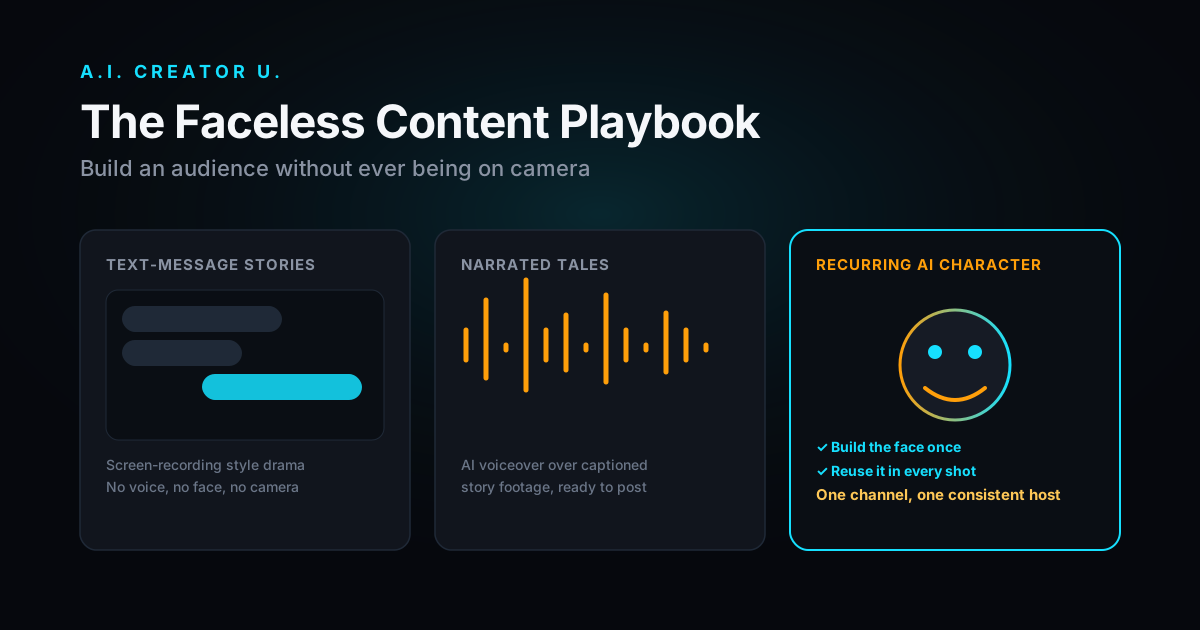
Faceless doesn't mean anonymous in the witness-protection sense. It means the content doesn't depend on a human presenter talking into a camera. Three flavors dominate right now:
- Narrated formats. Reddit-style confession threads, "tales" and story videos, listicle voiceovers over B-roll. A script, a voice, and stock or generated footage.
- Character-led formats. A consistent AI character (a mascot, an avatar, a recurring "host") that appears across every video so the channel has a face, just not yours.
- Screen or text formats. Fake text-message conversations, POV-style captions, on-screen text stories. No voice or face required at all.
All three share the same appeal: the workload moves from "perform on camera" to "write a good script and pick a format," which is a much more repeatable skill.
Why creators are actually doing this in 2026
Set aside the hype for a second. The real reasons faceless channels have become the default starting point for new creators are pretty mundane:
- Volume is the whole game on Shorts and Reels. Algorithms reward posting frequency, and it's a lot easier to script and produce ten faceless videos a week than to film, light, and edit ten talking-head videos.
- The format survives you having an off day. No hair, no lighting, no "do I look tired" problem. The character or the text-message screen looks the same every single time.
- It's genuinely faster to produce with the right tool. Writing a script and dropping it into a generator that handles voice, pacing, and captions takes a fraction of the time of filming, cutting, color-grading, and adding subtitles by hand.
- Niches with awkward on-camera asks (finance, true crime retellings, "as told to" stories, product explainers) were basically built for this. Nobody expects a face on a story about a stranger's Reddit post.
None of that means faceless content is easy money. It means the barrier moved from "camera confidence" to "can you write a hook and pick a format that fits the platform." That's a real skill, it's just a different one.
Do faceless channels get demonetized?
This is the question that stops most people before they start, so let's be direct about it. Platforms don't ban AI involvement. YouTube's policy on synthetic and altered media requires you to flag content when a viewer could reasonably mistake it for something real, like an AI version of a real, named person saying something they never said. A story video narrated by an AI voice over stock footage, or a fake text-message screen recording, doesn't trip that requirement because nobody watching thinks it's a documentary of real events.
The monetization risk that's real: repetitive, low-effort uploads with no original angle. Platforms have gotten stricter about channels that just restate the same script structure with different words and zero perspective. The fix isn't "avoid AI," it's "have a hook, a POV, and a reason someone finishes the video." A templated format is fine. A content-free format isn't.
What formats actually work, and what to build them with
Here's the honest breakdown, not a list of 40 ideas that all reduce to the same three tools.
| Format | What it is | Best niche fit | Build it with |
|---|---|---|---|
| Fake text-message stories | Screen-recording-style text conversations that build tension line by line | Relationship drama, "wrong number," workplace stories | Fake Text Messages inside the Brainrot Generator |
| Narrated tale / story videos | AI voiceover reading a scripted story over captions and visuals | True crime retellings, "as told to," Reddit-style confessions | Tales Teller |
| Recurring AI character | One consistent face or mascot that hosts every video | Advice channels, product reviews, comedy sketches, mini-vlogs | Character Creator, fed into Create Video |
| UGC-style talking video | A presenter-style video that looks like a real person recommending a product, without booking a real creator | Product reviews, "as seen on TikTok" style ads | AI UGC Studio |
| Cinematic B-roll narration | Voiceover over generated cinematic footage instead of stock clips | Explainers, listicles, "top 10" formats, education | Create Video with Seedance 2, Kling 3.0, VEO 3.1, or Grok Imagine 1.5 |
Notice none of these need you on camera, and none of them need a script longer than a couple hundred words. That's on purpose. The winning move with faceless content is short, sharp, repeatable units, not one polished 10-minute video a month.
The actual build process (steps, not vibes)
- Pick one format, not three. Fake text messages, tales, or a recurring character. Trying to run all three at once before you have any data is how people burn out in week two.
- Write ten hooks before you write ten scripts. The first line decides whether anyone watches past the third second. If your hook is generic, the best voiceover in the world won't save it.
- Build the reusable asset once. If you're going the character route, lock the face in Character Creator once and reuse it in every generation instead of rebuilding it per video. Consistency is what makes a channel feel like a channel instead of a pile of one-off clips. If you want the deeper walkthrough on this, we've covered it in detail in our guide to AI influencer generators and how to build an AI talking head video.
- Batch-produce five videos in one sitting. Faceless formats are made for batching because there's no filming schedule to coordinate. Script five, generate five, caption five, done.
- Post daily for two weeks before judging anything. One video tells you nothing. Ten videos with consistent format and posting time start to tell you which hooks and which story types actually hold retention.
- Read the retention graph, not the like count. A story video that gets watched to the end and re-shared beats a video with more likes and a cliff at second five. Fix the drop-off point, not the thumbnail.
- Reuse your best-performing script structure. Once a hook style or story arc clearly outperforms, template it. Faceless content rewards format discipline more than novelty.
Where our tools fit into this
You don't need five separate subscriptions to run this playbook. The Brainrot Generator covers the two fastest formats to start with: Fake Text Messages for screen-recording-style story drama, and Tales Teller for narrated story videos with AI voiceover and captions built in. If you want a recurring host instead of a text-only format, Character Creator builds the face once so you can reuse it across every video instead of re-prompting a new one each time. And if the goal is UGC-style product content without hiring a real creator, AI UGC Studio is built specifically for that script-to-video workflow.
For anything that needs cinematic B-roll instead of stock footage, Create Video runs on Seedance 2, Kling 3.0, VEO 3.1, and Grok Imagine 1.5, so the visual half of a narrated video doesn't have to come from a stock library that every other faceless channel is also pulling from.
If UGC-style product videos are more your speed than story formats, we've broken down how to become a UGC creator without a following and rounded up the best UGC tools for creators, both worth reading alongside this one.
New accounts get up to 16 free credits (a signup grant plus a bonus for finishing onboarding) to test a format before you commit to a plan, which is enough to produce and compare your first few videos across formats before deciding what to scale.
Common mistakes that kill faceless channels early
Most faceless channels don't fail because the tools weren't good enough. They fail for the same handful of reasons every time:
- Posting once and waiting. Faceless formats compound with volume. One video a week doesn't generate enough data to know what's working.
- Skipping the hook. A story video with a slow, scene-setting opening dies in the first five seconds, no matter how good the ending is.
- Switching formats every few videos. Jumping between text-message stories, tales, and character videos before any of them has ten posts behind it means you never learn what your audience actually wants.
- No point of view. A narrated story with a flat, generic voice reading generic events blends into every other channel doing the same format. A specific angle, a recognizable tone, or a running bit gives people a reason to follow instead of just watching once.
- Ignoring platform disclosure settings. If a platform has an "AI-generated" or "altered content" toggle, use it when it applies. It's not a monetization penalty, and skipping it when it's required is the actual risk, not the AI use itself.
- Treating the first draft as the final one. The first script you write for a story or a character video is rarely the tightest version. Cut the setup, move the hook to line one, and trim anything that doesn't earn its place before you generate the final video, not after.
FAQ
Do I need to disclose that my videos are AI-generated? It depends on the platform and the content. Fake text-message stories and narrated tales generally don't need a synthetic-media disclosure because nobody mistakes them for real footage of real events. If you're using a realistic AI character that could be confused for an actual named person, use the platform's altered-content disclosure setting. When in doubt, disclose. It costs you nothing and it's not a distribution penalty.
Which faceless format is easiest to start with? Fake text-message stories. There's no voiceover to get right, no character consistency to manage, and the format itself carries the pacing. It's the lowest-effort entry point if you've never made a video before.
Can one AI character work across multiple video topics? Yes, and it's actually the better strategy. Build the character once in Character Creator and reuse the same reference across product reviews, story narration, or advice content. Consistency is what turns a character into a recognizable channel instead of a one-off effect.
How many videos before I know if a format is working? Give it ten posts minimum, at a consistent posting cadence, before judging. One or two videos tell you about that specific hook, not about the format. Ten videos with the same format and different hooks start showing you a real pattern in retention.
Is faceless content just for TikTok and Shorts? No. Narrated story formats and character-led videos work on long-form YouTube too. The format matters less than matching the story length and pacing to the platform: short, punchy hooks for Shorts and Reels, and a stronger narrative arc for anything over three minutes.
What does it cost to test a faceless format? Pricing runs on credits rather than a flat monthly fee, so you only spend what a given video actually takes to produce. New accounts get up to 16 free credits between the signup grant and the onboarding bonus, which is enough to generate and compare your first handful of videos across formats before deciding whether to commit to a plan.
Faceless content isn't a shortcut around doing the work. It's a shortcut around the specific work that used to gate who could even try: a camera, a face, and the confidence to use both. Pick one format from the table above, batch five videos this week, and let the retention graph tell you what to build next.
Ready to start? Try the Brainrot Generator or build your character and ship your first faceless video today.