How to Use MiniMax H3: The Complete Guide to Hailuo's Flagship AI Video Model (2026)
A month ago almost nobody outside of AI Twitter had heard of MiniMax H3. Then it launched, and independent benchmarks started putting it ahead of Veo 3.1 and Kling 3.0 on blind preference testing. That's not a typo. A model most creators still can't pronounce correctly (it's from the team behind Hailuo) is now sitting near the top of the leaderboard, and it landed inside A.I. Creator U's Create Video tool within days of release.
This guide covers what MiniMax H3 actually is, what it can do that other models can't, exactly how to generate with it inside A.I. Creator U, and what it costs in credits. No filler, no recycled press release copy. Just what you need to know before you burn credits on it. If you want the full picture of every model in the picker first, start with our AI Video Generation: The Complete Guide.
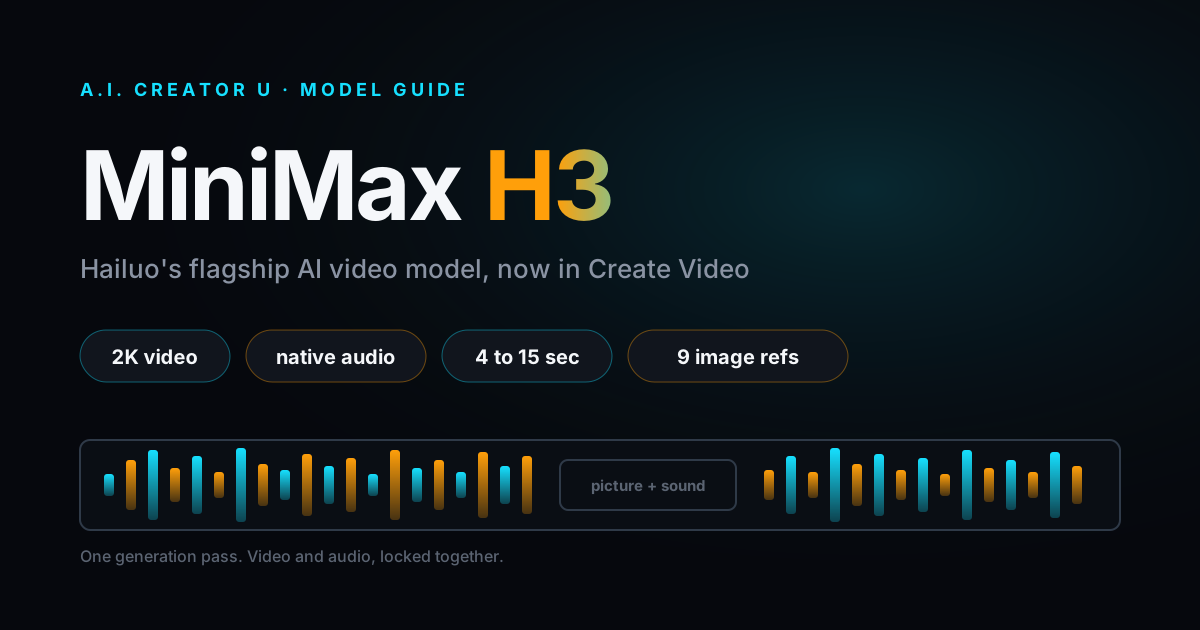
Quick answer: MiniMax H3 (also called Hailuo 3.0) is an omni-modal AI video model that generates 4 to 15 second clips up to 2K resolution with native audio baked into the same generation pass, meaning dialogue, footsteps and ambient sound come from the model itself instead of a separate voiceover layer. It supports text-to-video, image-to-video with first and last frame control, and reference generation from up to 9 images plus 3 video clips and 3 audio clips. It's live now in A.I. Creator U's Create Video tool for paid accounts.
What Is MiniMax H3?
MiniMax H3 is the newest flagship video model from MiniMax, the company behind the Hailuo video generation line. It's built as an "omni-modal" system, which is a fancier way of saying it reads text, images, video and audio as one combined context and outputs a finished video with sound already attached. Most models still treat video and audio as two separate jobs: generate the picture, then generate or attach a voice track and hope the lip sync lines up. H3 doesn't work that way.
According to Artificial Analysis' audio text-to-video leaderboard, independent testers currently rank MiniMax H3 above both Veo 3.1 and Kling 3.0's 1080p variant in blind preference scoring, reportedly with the highest Elo of the three. Take any single leaderboard with a grain of salt (they shift week to week as providers push updates), but the signal is consistent across multiple outlets: this isn't a hyped-up minor release. It's a legitimate top-tier model, and it's cheap relative to what it produces.
We added it to Create Video within days of launch on the same KIE.ai market pipeline that already powers Gemini Omni, so there was no new plumbing required to bring it online. That's also why it settles jobs through the exact same webhook and polling system every other model in the picker uses, which matters if you're the type who cares whether a new model actually got the full integration or just a rushed one.
Why Does Native Audio Actually Matter?
Here's the thing most "AI now has audio" headlines gloss over: bolting a text-to-speech track onto a silent clip is not the same as generating audio and video from one model in one pass. When they come from separate systems, footsteps land a frame late, a door slam doesn't match the door closing on screen, and lip movement drifts the second a sentence runs long.
MiniMax H3 produces its audio and video together, so the pieces are locked to each other by construction. Dialogue, footsteps, room tone, even a music sting, all come out of the same generation. It's not perfect (no model is, and physics-heavy motion can still wobble), but it's a genuinely different approach than the "video model plus TTS bolt-on" pattern most of the market still ships.
This is also the reason H3 has an audio reference input, not just image and video references. You can hand it up to 3 audio clips (2 to 15 seconds each, 15 seconds combined) as a style or tonal reference for the generation. One catch worth knowing before you try it: an audio reference needs an image or video reference alongside it. H3 won't accept audio-only input, since audio alone doesn't give the model enough to build a scene from.
What Can MiniMax H3 Actually Do?
Here's the full spec sheet as it's actually configured in Create Video right now, not marketing copy:
| Spec | MiniMax H3 in A.I. Creator U |
|---|---|
| Clip length | 4 to 15 seconds, any whole number |
| Resolution | 768p or 2K (shown as "720p"/"1080p" tiers in the picker) |
| Aspect ratios | 21:9, 16:9, 4:3, 1:1, 3:4, 9:16 |
| Reference images | Up to 9 (first 5 are free, extras add a small per-image cost) |
| Reference videos | Up to 3 clips, 15 seconds combined |
| Reference audio | Up to 3 clips, 15 seconds combined, needs an image or video alongside |
| First/last frame control | Yes, up to 2 keyframe images |
| Native audio | Yes, generated in the same pass as the video |
| Face generation | Allowed |
| Typical render time | 2 to 5 minutes |
| Free-tier access | No, paid plans only at launch |
| Video extend | Not supported yet |
Two things stand out against the rest of the picker. First, the reference system is genuinely flexible: 9 images, 3 videos and 3 audio clips all in one request is more raw input than most other models in Create Video accept. Second, there's no video extend and no multi-shot mode, so if you need Kling 3.0's 6-shot storyboarding or a continuation off an existing clip, H3 isn't the tool for that job. It's built for strong single-shot generations with tight audio, not long-form sequencing.
What Are the Three Ways to Generate with MiniMax H3?
A.I. Creator U picks the right mode automatically based on what you upload, so you never have to manually choose a "mode" that contradicts your inputs. Under the hood there are three:
- Text-to-video. Just a prompt, an aspect ratio and a duration. No reference media attached. This is the mode to reach for when you're generating something that doesn't exist yet, no product shot, no character reference, just a scene described in words.
- Image-to-video with first and last frame control. Upload one or two images (a starting frame and, optionally, an ending frame) and H3 animates the path between them. This is the closest thing H3 has to precise motion direction: tell it where the shot starts and where it ends, and it fills in the movement.
- Reference-to-video. Attach more than 2 images, or any combination of images, video clips and audio, and H3 switches into its reference mode, pulling style, motion and tone from everything you fed it. This is where the model's "up to 9 images, 3 videos, 3 audio clips" ceiling actually gets used, and it's the mode worth exploring if you're trying to keep a character or product consistent across multiple generations.
You don't pick these from a dropdown. Attach what you attach, and the composer routes it to the right sibling model behind the scenes.
How Do You Generate a MiniMax H3 Video in A.I. Creator U?
- Open Create Video and select MiniMax H3 from the model picker (look for the 🎬 badge, labeled "Hailuo's flagship").
- Write your prompt. Be specific about action, camera movement and setting, the same rules that apply to any good AI video prompt apply here too.
- Optionally attach references: 1 to 2 images for first/last frame control, or a wider mix of images, video and audio for reference mode. Remember, if you're attaching audio, pair it with at least one image or video.
- Pick your aspect ratio (21:9, 16:9, 4:3, 1:1, 3:4 or 9:16), duration (4 to 15 seconds) and resolution tier (768p or 2K).
- Review the credit estimate the composer shows before you generate. It updates live based on duration, resolution and reference image count.
- Hit generate. Expect roughly 2 to 5 minutes for the render.
- Once it lands, download it, drop it into a Project for editing, or send it straight into Studio Zero if you're building it into an ad.
That's the whole workflow. No separate audio step, no syncing a voiceover afterward. What comes back already has sound attached.
What Does MiniMax H3 Cost in Credits?
H3 uses dynamic pricing based on duration, resolution and reference image count rather than a flat per-generation rate. Here's what that looks like in practice for a clip with no extra reference images beyond the free first 5:
| Duration | 768p | 2K |
|---|---|---|
| 4 seconds | 8 credits | 12 credits |
| 6 seconds | 11 credits | 18 credits |
| 10 seconds | 19 credits | 30 credits |
| 15 seconds | 28 credits | 45 credits |
A few notes worth knowing before you generate:
- 2K roughly doubles the 768p cost for the same duration. If you're testing a prompt or iterating on a concept, generate at 768p first and only upgrade to 2K once you've locked the shot.
- A reference video or reference audio clip adds its own duration to the bill. The cost formula charges for generated duration plus input reference duration, so a 15 second reference video attached to a 15 second generation effectively doubles the cost. Keep reference clips tight.
- The first 5 reference images are free. Every image past that adds a small charge, roughly a credit each, so a 9 image reference request costs a bit more than the base duration price alone.
- Always check the live estimate in the composer before generating. Credit costs on any dynamically-priced model can shift as providers update their rate cards, and the number the composer shows you is the number you'll actually be charged.
Is MiniMax H3 Better Than VEO 3.1 or Kling 3.0?
Depends what you're making. We already wrote the full breakdown in Seedance 2 vs VEO 3.1 vs Kling 3.0, and the honest answer here rhymes with that one: there isn't a single "best" model, there's a best model for the shot you're trying to get.
Where H3 wins: single-shot generations where audio needs to actually line up with the picture, and situations where you want to throw a pile of references (multiple images, a clip, a sound bite) at the model and let it figure out the connective tissue. Reviewers consistently point to H3's mixed-reference system, 9 images plus video plus audio in one request, as its most distinct feature. Nothing else in the picker takes that much input at once.
Where it loses: anything that needs Kling 3.0's multi-shot storyboarding or its longer extend chains, and anything that needs Veo 3.1's 4K output or its more polished cinematic grading. If you're building a 30-second sequence with multiple connected shots, Kling is still the more complete pipeline. If you need the cleanest possible single 4K hero shot, Veo still wins that specific fight.
If you're not sure which one fits your project, the fastest test is cheap: generate the same prompt at 768p on two models and compare before committing credits to a 2K render.
When Should You Actually Reach for MiniMax H3?
A few situations where it's the obvious pick:
- Dialogue-heavy shots. A character talking, reacting, or delivering a line where lip sync and vocal timing actually matter. Because the audio comes from the same pass as the video, you skip the usual "generate video, then generate voice, then hope they match" dance.
- Product or character consistency across a batch. The 9-image reference ceiling means you can feed it a real product from multiple angles, or a character sheet, and get generations that hold onto those details better than a single reference image usually allows.
- Fast iteration before committing to a pricier model. At 768p, H3 is cheap enough to test five prompt variations before you pick a winner and upscale.
Where we'd steer you elsewhere: long multi-shot sequences (Kling), a single flawless 4K cinematic frame (Veo), or anything needing video extend, since H3 doesn't support continuing an existing clip yet.
Ready to try it? Head to Create Video, pick MiniMax H3 from the picker, and generate your first clip.
FAQ
What is MiniMax H3? MiniMax H3 (also known as Hailuo 3.0) is an AI video model from MiniMax that generates 4 to 15 second clips up to 2K resolution with native audio produced in the same pass as the video, rather than added afterward.
Is MiniMax H3 free to use on A.I. Creator U? No. It's a paid-plan model at launch, meaning accounts that have never made a purchase won't see it unlocked in the Create Video picker. Every other model isn't gated this way, but H3 currently is.
How long can a MiniMax H3 video be? Anywhere from 4 to 15 seconds, in whole-second increments. There's no video extend feature yet, so you can't chain a clip past 15 seconds the way you can with some other models.
Does MiniMax H3 actually generate sound, or is that just marketing? It generates real native audio, dialogue, footsteps, ambient tone, in the same generation pass as the video. That's a structurally different approach than models that render silent video and layer a separate voice track on top.
How does MiniMax H3 compare to VEO 3.1 and Kling 3.0? Independent leaderboards currently rank it above both on blind preference testing, but each model has a different strength: H3 for single-shot audio-locked generations and heavy reference input, Kling for multi-shot sequences and extend chains, Veo for the cleanest 4K single frame. Read the full comparison in Seedance 2 vs VEO 3.1 vs Kling 3.0.