Seed Audio Has 20 Preset Voices. Here's How to Actually Pick One.
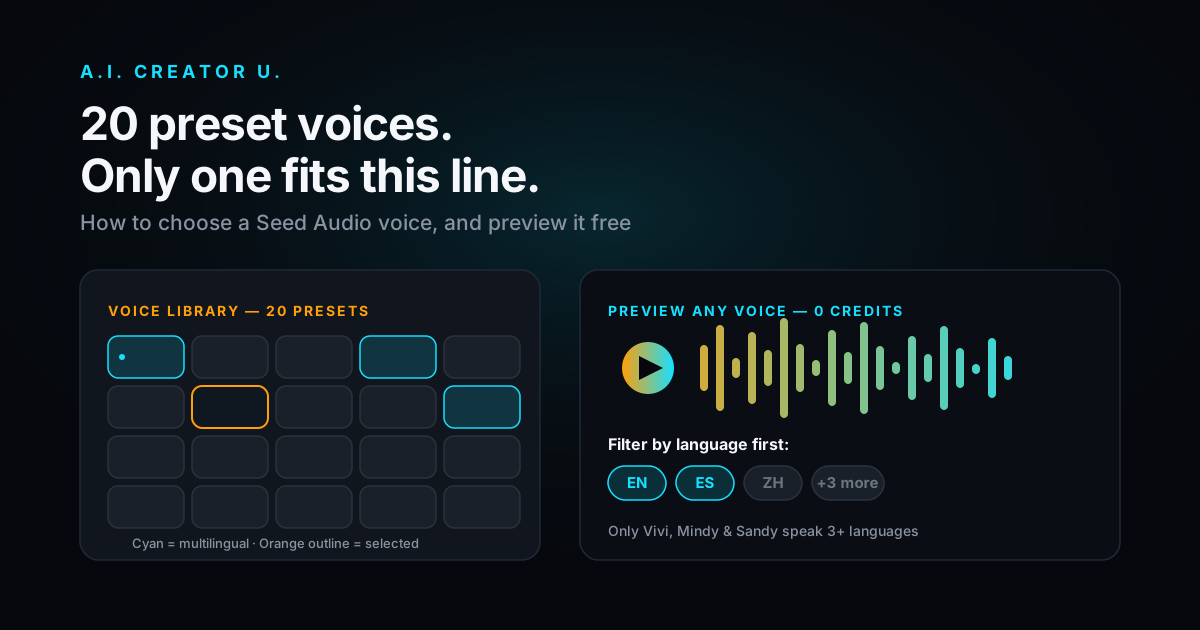
Quick answer: Seed Audio's preset library has 20 built-in voices. Only three (Vivi, Mindy, Sandy) handle more than two languages, one voice (Tracy) has no English at all, and every preset can be previewed for free before you spend a single credit. Generation costs a flat 2 credits either way, preset or cloned voice, so the real cost of picking wrong isn't money, it's a voiceover that doesn't fit the video you built around it.
Most guides to AI voice tools spend all their time on cloning: upload a clip, get your own voice back, ship it. That's the flashy part. But a huge share of what actually gets made in Audio Studio doesn't use a cloned voice at all. It uses one of the 20 presets that ship with Seed Audio 1.0, and almost nobody picks one deliberately. They scroll the dropdown, click a name that sounds friendly, and generate. Here's what's actually in that list, and a faster way to choose.
What's Actually in the Preset Library
Seed Audio's presets aren't just names. Each one carries a fixed set of languages it was trained on, and that set varies a lot more than the dropdown lets on. Here's the full breakdown:
| Voice | Languages | What that means |
|---|---|---|
| Vivi | English, Chinese, Japanese, Spanish, Indonesian | 5-language reach, the widest in the library |
| Mindy | English, Spanish, Indonesian, Portuguese, Chinese | The other 5-language option, different mix |
| Sandy | English, Spanish, Chinese | 3-language, blends between them mid-line |
| Kian, Cedric, Sophie, Jean, Magnus, Mabel, Nadia, Opal, Pearl, Quentin | English, Chinese | Standard bilingual, 10 voices |
| Corinne, Esther, Lyla | English, Chinese | Bilingual, but flagged to blend the two languages within a single line |
| Tracy | Spanish, Chinese | No English support at all |
| Felix, Celeste, Monkey King | Chinese only | Single-language, Monkey King reads as a character voice by name alone |
That's 20 voices, not the 19 you'll see referenced in a couple of places in our own code comments. Somebody added one and never updated the note. Worth knowing if you ever go counting.
A few things jump out once you actually lay it out like this. Only three presets are built for genuinely global content: Vivi, Mindy, and Sandy. If your video is going out to an English-first audience with maybe a Spanish or Portuguese cut later, those three are your shortlist, not the other seventeen. And Tracy is a trap if you're not paying attention: it's the only preset with zero English support, so if you type an English script and pick Tracy expecting a bilingual fallback the way Kian or Sophie would give you, you won't get one.
The five voices flagged "mixed" (Vivi, Corinne, Esther, Lyla, Sandy) don't just support multiple languages, they'll blend them within a single generation, the way a bilingual speaker code-switches mid-sentence. The other bilingual presets are more likely to commit to whichever language your prompt is written in. Neither is better. They're built for different scripts.
Preset or Clone? The Actual Decision
Audio Studio gives you two paths to a finished voice, and the choice isn't about quality, it's about what you're trying to do.
| Preset voice | Cloned voice | |
|---|---|---|
| Setup time | None, pick from the dropdown | Upload a reference clip first |
| Consistency | Fixed, same voice every time | Depends on your reference clip quality |
| Brand match | Generic but reliable | Can match a specific person's voice |
| Best for | Narration, character dialogue, filler voices in a multi-voice scene | Personal brand content, cloning yourself, matching a specific spokesperson |
| Cost | Flat 2 credits | Flat 2 credits |
That last row surprises people. Seed Audio charges the same flat 2 credits whether you pick a stock preset or feed it a cloned reference. There's no premium for cloning and no discount for using a built-in voice. So the decision comes down entirely to what the content needs, not what's cheaper. If you're the face and voice of your channel, clone yourself, we've written the full walkthrough for that. If you need a narrator, a customer character in a UGC script, or a second voice in a dialogue scene and nobody's actual voice needs to be in it, a preset is faster and just as cheap.
If you're trying to decide between Seed Audio's presets and an outside tool entirely, our head-to-head against ElevenLabs and traditional TTS breaks that down separately.
Preview Every Voice Before You Spend a Credit
This is the part almost nobody uses, and it's the single best reason not to guess. Every preset in Audio Studio has a "hear this voice" preview button next to it. Click it and the voice reads a short sample line back to you, free, no credit deducted, regardless of how many times you click it.
The first person to preview any given voice triggers a real generation behind the scenes (it takes 10 to 20 seconds), and after that the sample gets cached and reused for everyone. You're not paying to warm that cache either way. There's no version of this feature that costs you anything.
That changes the math on how you should be picking. Instead of reading twenty names and guessing at tone from spelling, click through the shortlist that matches your language needs and actually listen. It takes maybe ninety seconds to preview five or six candidates. Compare that to generating your actual line five times at 2 credits a shot because the first three presets you tried didn't sound right.
A Faster Way to Pick
Here's the actual sequence worth using instead of scrolling and guessing:
- Filter by language first. If your script needs anything beyond English, you're choosing from Vivi, Mindy, or Sandy, full stop. Don't waste time previewing a bilingual English/Chinese voice for a Spanish line.
- Preview your real shortlist, not the whole list. Once you've narrowed by language, you're usually down to two or three candidates. Preview those.
- Listen for pacing, not just tone. The preview line is short. If your actual script has long sentences or a lot of technical terms, generate a short real clip of your own copy (2 credits) with your top pick before committing to a full-length voiceover.
- Decide preset vs. clone before you decide which preset. If the content is meant to sound like a specific person, cloning beats every preset on the list regardless of how good any of them sound. Presets are for when the voice itself doesn't need to be anyone in particular.
- Note the language flag for later. If you liked Corinne or Esther for a mixed-language script, remember that's what the "mixed" tag is for. Don't reach for one of the ten plain bilingual voices expecting the same code-switching behavior.
Walking Through a Real Pick
Say you're building a product demo that needs to run in English first, with a Spanish cut to follow in a few weeks. Here's how the framework above plays out in practice.
Step one, filter by language. You immediately cross off fourteen of the twenty presets: the ten plain English/Chinese bilinguals, Tracy (no English), and the three Chinese-only voices. That leaves Vivi, Mindy, Sandy, Corinne, Esther, and Lyla, since the last three at least share English and Chinese even though Spanish isn't in their set. Cross those three off too once you remember Spanish is the actual requirement, and you're down to three real candidates: Vivi, Mindy, Sandy.
Step two, preview all three. Ninety seconds, zero credits. Mindy and Vivi both cover English and Spanish along with three other languages you don't need right now, so language coverage alone doesn't break the tie. This is where you're actually listening for the first time instead of guessing from a name.
Step three, generate a real line. Say Mindy's preview sounds closest to the tone you want. Generate an actual sentence from your script, not the canned preview line, for 2 credits. If a technical product name or a longer sentence trips it up, that's worth knowing before you commit to a 30-second voiceover, not after.
Step four, lock it and reuse it. Once you've confirmed the preset works for your English script, the same voice ID carries over cleanly to the Spanish cut later, since Mindy already supports both languages in one preset. You're not hunting for a second voice down the line.
That whole process costs one real generation, 2 credits, and roughly two minutes of previewing. Compare that to picking blind, generating, disliking it, and trying again two or three times: same 2 credits each attempt, and you've burned six to eight credits finding out what the preview would've told you for free.
Dialing In the Voice After You Pick It
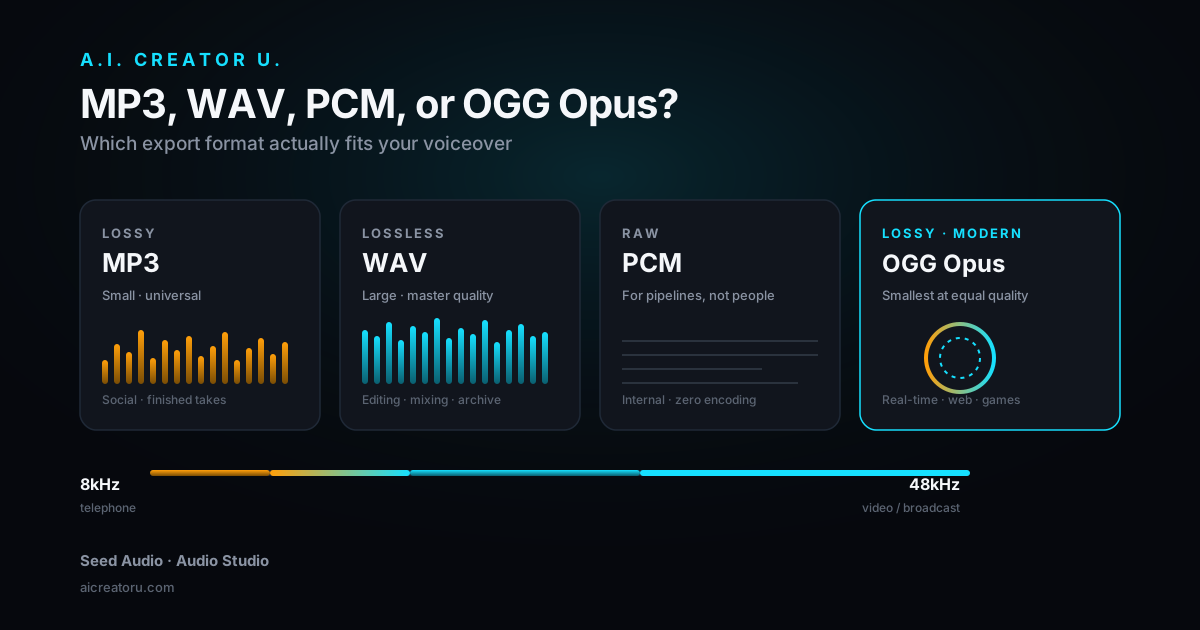
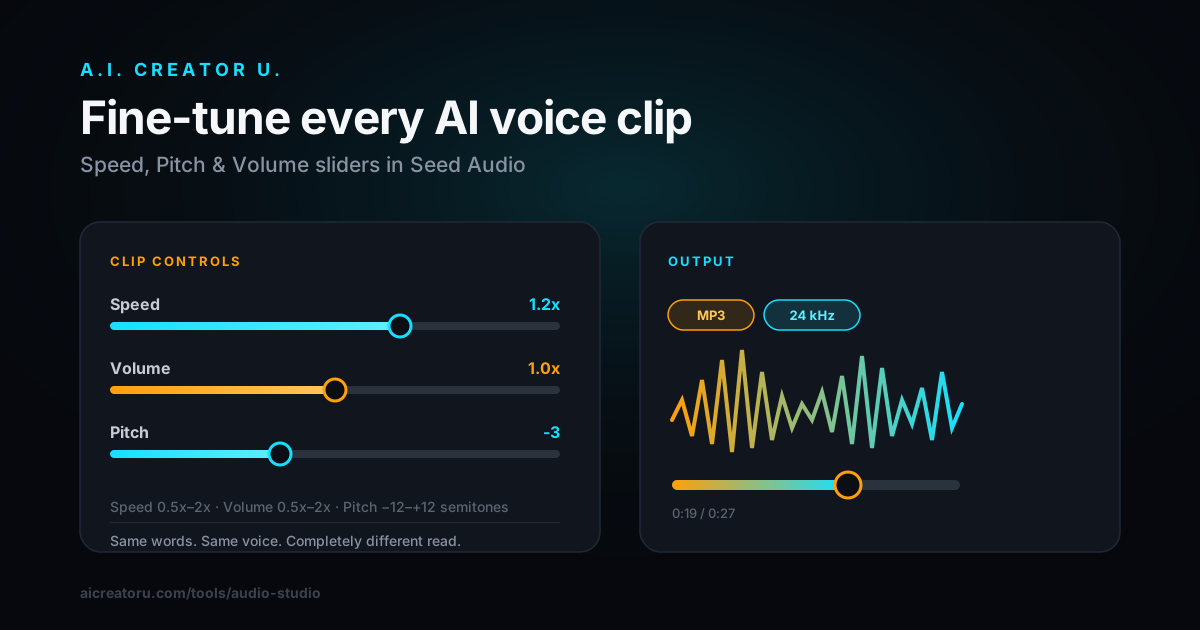
Once you've settled on a preset, Audio Studio gives you real control over the output: speed from 0.5x to 2x, pitch adjustable up to 12 semitones in either direction, volume from 0.5x to 2x, and a sample rate you can set anywhere from 8kHz up to 48kHz depending on where the audio's headed (higher for a standalone track, lower is fine if it's getting mixed into a compressed video export anyway). Export comes out as MP3, WAV, PCM, or OGG Opus.
We've covered that whole toolset in more depth, including the waveform crop tool for trimming a generation down to just the line you need, in our guide to trimming and editing AI-generated audio clips. If you've picked your voice and now need to shape the actual output, that's the next stop.
Stacking Presets for Multi-Voice Scenes
Presets aren't limited to one voice per generation. Seed Audio can hold a full scene with multiple distinct speakers in a single pass, referenced inline in your prompt. That's a different workflow from picking one preset for one line, it's how you build an actual conversation, a customer testimonial with two speakers, or a scripted back-and-forth without recording two separate clips and syncing them yourself. We wrote the full mechanics of that up separately in how to make multi-voice AI dialogue, since it deserves its own walkthrough rather than a paragraph here.
The Mistake Almost Everyone Makes
People treat the preset dropdown like a slot machine. They pick whatever name sounds most familiar, generate, and either accept what they get or burn another 2 credits trying again. That's backwards for a tool that hands you a free preview specifically so you don't have to do that.
The second mistake is language-blind picking: choosing a voice by vibe without checking what it actually supports. If you write a Spanish product description and generate it through one of the plain English/Chinese bilingual presets, you'll get an accent artifact at best and garbled output at worst, because that voice was never trained on Spanish. The language column in the table above isn't trivia. It's the first filter, every time, before tone ever enters the conversation.
One Thing Worth Knowing Before You Start
Audio Studio is a premium tool. Free signup credits alone won't unlock it, any credit purchase does, including the discounted welcome offer new accounts get. We're not going to bury that in fine print: if you're brand new and haven't bought anything yet, that's the one step between you and the preset library described above. Once you're in, everything in this guide applies immediately.
Frequently Asked Questions
How many preset voices does Seed Audio actually have? Twenty. The library has grown over time, and a couple of internal references still say nineteen, but the live dropdown in Audio Studio has 20 selectable presets as of this writing.
Which Seed Audio presets support more than two languages? Three: Vivi (English, Chinese, Japanese, Spanish, Indonesian), Mindy (English, Spanish, Indonesian, Portuguese, Chinese), and Sandy (English, Spanish, Chinese). Every other preset supports either one or two languages.
Is there a preset with no English at all? Yes. Tracy is Spanish and Chinese only, with no English support. It's the one preset where typing an English script won't fall back gracefully.
Can I preview a voice before generating with it? Yes, every preset has a free preview button that plays a sample line. It doesn't cost a credit no matter how many times you click it, on any voice.
Does picking a preset instead of cloning a voice cost less? No. Generation is a flat 2 credits regardless of whether you use a stock preset or a cloned reference voice. The choice is about fit, not price.
Can I combine more than one preset voice in a single generation? Yes. Seed Audio supports multi-speaker scenes referenced inline in one prompt, which is a separate workflow covered in our multi-voice dialogue guide.
Twenty voices, three languages worth checking before anything else, and a free preview button most people never click. That's the whole system. Start with the language your script actually needs, preview your real shortlist, and generate once instead of three times. Open Audio Studio and try it against your own script, or read the complete guide to AI audio generation if you're starting from zero.