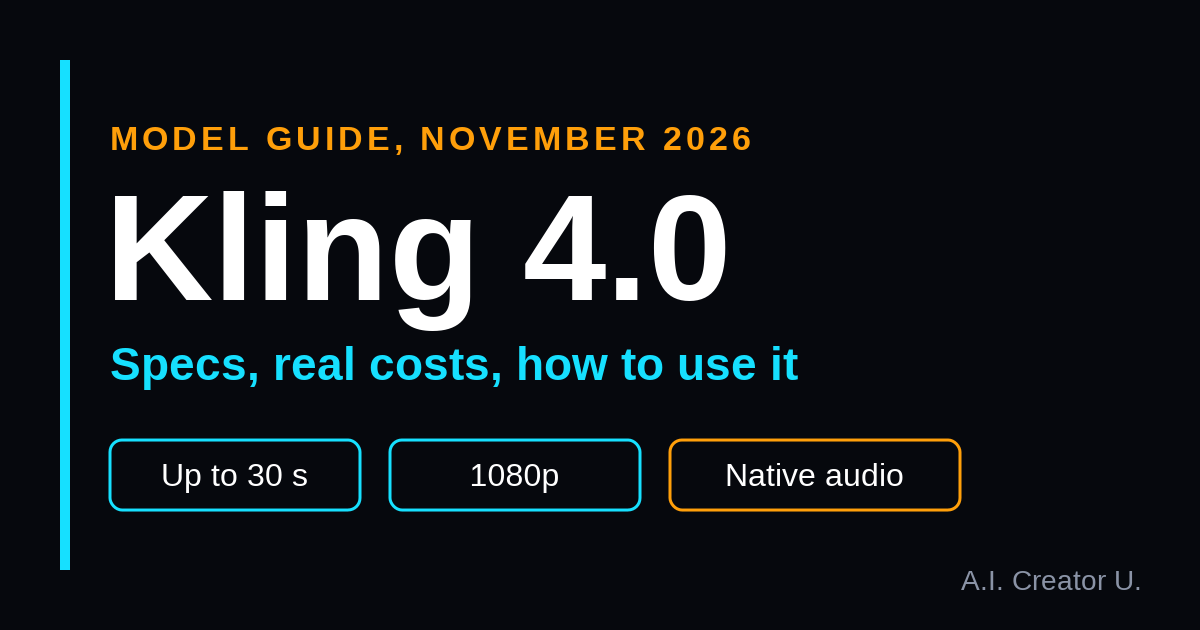
Quick answer: Kling 4.0 is Kuaishou's newest AI video model. It makes clips of 3 to 30 seconds in one pass with native audio and lip sync, and it takes up to 10 images, 5 video clips and 3 voice clips as references. On A.I. Creator U. it renders at 720p or 1080p and costs 13 credits for a 5 second 720p clip.
Three facts worth knowing before you spend a credit:
- Length: 3 to 30 seconds per generation, double Kling 3.0's 15 second ceiling.
- Control: a start frame and an end frame, or a pile of references you name in the prompt.
- Sound: always on. There is no audio switch, so every clip comes back with sound.
We ran it against three other models on the same prompts. Here is what it does well, what it costs, and where it falls short.
What Kling 4.0 does well (our one-take test)
Much of what ranks for Kling 4.0 right now is launch material. Ours is one take per model, same prompt, no cherry-picking: 5 seconds, 720p, 16:9, text only. We gave Seedance 2.5, Kling 4.0, Wan 3.0 and Velocity Surge a fisherwoman on a rainy dock who has to say one line to camera.
Figure 1: Same talking-character prompt on Seedance 2.5, Kling 4.0, Wan 3.0 and Velocity Surge, one take each. Source: A.I. Creator U. studio test, November 2026.
What the clips show:
- The line lands. All four models spoke "The sea doesn't care how ready you are." word for word (we checked by transcription).
- Kling 4.0 framed it right. It went to the close-up the prompt asked for. Seedance 2.5 pulled wider.
- Kling 4.0 is the most restrained actor. Wan 3.0 and Velocity Surge gave the bigger, more expressive delivery. If you want a calm narrator, that's a feature. If you want drama, it's a note.
One take is not a benchmark. It is, however, more than most "Kling 4.0 review" pages have actually rendered.
Kling 4.0 specs: official vs what you get here
Kuaishou's own Kling 4.0 feature page and its launch post list the full model. Some of it is labelled "coming soon", so here is the honest split, as of November 2026.
| Spec | Kling 4.0 (Kuaishou, official) | Kling 4.0 on A.I. Creator U. |
|---|---|---|
| Clip length | 3 to 30 s per pass | 3 to 30 s |
| Resolution | 4K and 1080p 10-bit HDR listed as coming soon | 720p or 1080p |
| Aspect ratios | 21:9, 16:9, 1:1, 9:16 | 21:9, 16:9, 1:1, 9:16 |
| Audio | Native, two-channel stereo | Native, always on |
| Frame control | Up to 10 keyframes | Start frame plus optional end frame |
| References | Up to 15 total: 10 images, 5 videos (30 s), 7 subjects | Up to 10 images, 5 videos (30 s combined), 3 voice clips |
| Prompt length | Up to 8,000 tokens | Up to 8,000 characters |
| Render time | Not stated | About 3 to 12 minutes |
Kling's launch post also lists dialogue in Chinese, English, Japanese, Korean, Spanish, Portuguese, German, French and Hindi. Our test only covered English, so treat the rest as Kling's claim, not ours.
How to use Kling 4.0, step by step
Here's the full route inside A.I. Creator U. It takes about two minutes to set up, then the render runs while you do something else.
- Open Create Video and pick Kling 4.0 from the model picker.
- Choose your input. Text only, Start and End Frames (one or two images), or Multi Reference (images, clips and voice clips).
- Set length, resolution and shape. Any whole second from 3 to 30, 720p or 1080p, and one of the four aspect ratios.
- Name your references in the prompt. Write @image1, @video1, @audio1. "The first reference" is ambiguous to a model; a name isn't. We translate those tags into the names Kling expects, so you never touch its syntax.
- Run a 5 second test first. Most bad takes are visible in the first second. A 13 credit test beats a 116 credit regret.
- Scrub for subject motion, not camera motion. We once kept a dance clip that looked alive because the camera drifted. The dancer had stopped moving after a second.
Want to compare before you commit? The same prompt runs on Seedance 2.5, Wan 3.0, Velocity Surge or Kling 3.0 from the same picker: switch the model, keep the prompt. Test Kling 4.0 against the other models on A.I. Creator U.
Kling 4.0 prompts you can copy
Kling 4.0 rewards prompts written like a shot list: subject, action, camera, light, sound. These four are ready to paste.
Talking character (dialogue plus lip sync):
Medium close-up of a weathered fisherwoman in her sixties wearing a yellow raincoat, standing on a wooden dock in steady rain at dusk. She looks straight into the lens and says in a calm, gravelly voice: "The sea doesn't care how ready you are." Rain streaks past her face, gulls cry in the distance. Gentle handheld drift toward her.
Product shot with on-screen text:
Macro product shot of a matte black wireless earbud case resting on wet black stone. The lid slowly opens to reveal two softly glowing earbuds. The words "NOCTURNE AUDIO" are cleanly engraved in white sans-serif letters on the lid. Slow orbiting dolly, soft rim light, a low bass hum and a crisp click as the lid opens.
Start frame to end frame (attach two images):
@image1 is the first frame, @image2 is the last frame. The chef turns from the stove, plates the dish in one smooth motion and slides it toward the camera. Steady push-in, warm kitchen light, sizzling pan, a soft clink as the plate lands.
Character from references:
The woman from @image1 wearing the jacket from @image2 walks through a neon-lit night market, glancing back over her shoulder at the camera. Tracking shot at chest height, light rain, crowd chatter and a distant scooter horn.
Kling followed our product prompt closely. Here is its single take:
Figure 2: Kling 4.0's one take of the earbud product prompt: legible engraved text and the matte black case kept close to the prompt. Source: A.I. Creator U. studio test, November 2026.
For more prompt patterns, see our guide to AI video prompts that actually work.
Kling 4.0 pricing: what a clip costs in credits
Kling 4.0 pricing on A.I. Creator U. is per second and depends on resolution. These are the credit prices in the app as of November 2026, for text or image input.
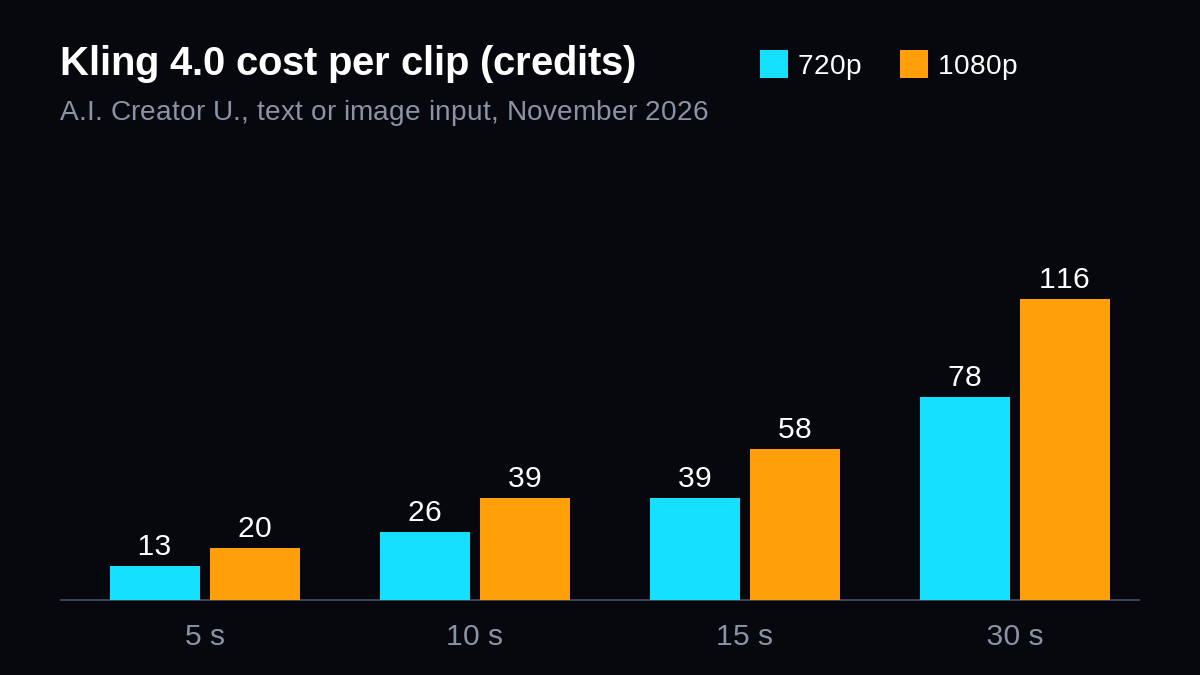
Figure 3: Kling 4.0 credits per clip at 720p and 1080p. Source: A.I. Creator U. pricing, November 2026.
| Clip length | 720p | 1080p |
|---|---|---|
| 5 s | 13 credits | 20 credits |
| 10 s | 26 credits | 39 credits |
| 15 s | 39 credits | 58 credits |
| 30 s | 78 credits | 116 credits |
One catch: reference videos are billed too. When you attach clips, the provider bills your output seconds plus your input seconds, and never counts the input as shorter than the output. A 5 second 720p clip with 10 seconds of reference video costs 24 credits, not 13. Trim your reference clips to the moment you actually need.
Kling 4.0 vs Seedance 2.5, Wan 3.0 and Velocity Surge
Pick the model for the shot, not the brand. The leaderboard won't tell you which model frames your shot right; one 5 second test will. Here's the same skateboard prompt across all four.
Figure 4: Same action prompt on Seedance 2.5, Kling 4.0, Wan 3.0 and Velocity Surge, one take each. Source: A.I. Creator U. studio test, November 2026.
| Model | Cost of our 5 s, 720p test clip | What our one take showed |
|---|---|---|
| Kling 4.0 | 13 credits | Cleanest camera move; kept the manhole cover in frame; most restrained dialogue |
| Seedance 2.5 | 17 credits | Most kinetic, heavy motion blur; framed the talking shot wider; hoodie not clearly red |
| Wan 3.0 | 9 credits | Both cable cars and the red hoodie clear; expressive delivery; strongest glowing earbuds |
| Velocity Surge | 7 credits | Cheapest; red hoodie clear; returned generated audio in our tests |
The short version: Kling 4.0 is the one we'd reach for when the camera move matters. Wan 3.0 is the better value if you need lots of takes. Seedance 2.5 brings the most energy. For the older Kling, our Kling 3.0 guide covers what changed, and the VEO 3.1 Lite vs Fast vs Quality breakdown covers Google's side of the picker. We also ran the same prompts on Sand AI's MAGI-2, which renders at 1080p for 8 credits per 5 second clip. See every clip side by side in our MAGI-2 vs Seedance 2.5 vs Kling 4.0 test.
Kling 4.0 limitations, honestly
Kling 4.0 is good. It is not magic, and some of the headline specs aren't in your hands yet.
- 4K and HDR are not here. Kuaishou lists 4K and 10-bit HDR as coming soon. On A.I. Creator U. you get 720p or 1080p.
- No 10-keyframe timeline here. Kling's own app advertises up to 10 keyframes. Our picker gives you a start frame and an optional end frame.
- No extend button. Kling describes extending clips to 2 minutes as coming soon. For now, plan in 30 second pieces.
- It's slow-ish. Expect about 3 to 12 minutes per render.
- Members only. Free accounts can test Seedance 2 Mini, Kling 2.6, Grok Imagine 1.5 and VEO 3.1 Lite and Fast. Any credit purchase opens Kling 4.0 and every other model.
- Restrained by default. If you want a big performance, ask for it in the prompt ("voice cracking, leaning toward the lens") or try Wan 3.0.
Lip sync is the headline feature for a lot of people. Our Kling AI lip sync guide covers the older models and the tricks that still apply.
Bottom line: is Kling 4.0 worth it?
Yes, if your shot depends on a clean camera move, a long single take or tight control from a start and end frame. At 13 credits for a 5 second 720p test, finding out is cheap. If you need volume, Wan 3.0 is cheaper per take; if you want energy, Seedance 2.5 swings harder.
The smart move is to stop guessing. Paste one of the prompts above, run it on Kling 4.0, then switch the model and run it again. Sign up for free credits, and any credit purchase opens Kling 4.0 alongside every model in the picker. New to all this? Start with our complete guide to AI video generation.